
Vandaag of morgen in huis

Kwaliteit gegarandeerd

Welkomstaanbiedingen ontgrendelen: GRATIS bezorging | Tot 80% korting | Gratis 30 dagen JoyPlus-proefperiode
Download de app
A monitor arm can free up desk space and give you more flexibility when positioning your screen. However, you can’t be sure you’re choosing the right solution simply by looking at the number of screens or the maximum screen size. A heavy ultrawide monitor, for example, needs a different mount from a single lightweight 24-inch screen.
The key factors are compatibility, weight capacity and mounting method. Read on to find out which common pitfalls are easy to overlook and which specifications to check before you buy.
A monitor arm that supports screens up to 32 inches isn’t necessarily suitable for every 32-inch monitor. Weight and the VESA mount are just as important. A large screen with a heavy stand or built-in electronics may be close to the arm’s maximum weight capacity.
So be sure to check:
A desk monitor arm concentrates the weight of one or more screens on a relatively small area. A thin desktop, fragile board material or rounded edge may therefore be unsuitable for a clamp mount.
A model with a clamp attaches to the back edge of the desk. A grommet mount uses a hole in the desktop and can be useful if the edge isn’t suitable. Always check the installation instructions and make sure the desk can support the combined weight of the monitors, arm and mount.
A gas spring monitor arm often moves smoothly in height and depth, but the spring tension needs to suit the weight of your screen. If it isn’t adjusted correctly, the screen may sink or move upwards. Greater freedom of movement also means you’ll need to leave enough slack in the cables.
A feature such as a 180° stop is useful when your desk is close to a wall or partition. It limits movement towards the wall, helping to prevent the screen from hitting it when you adjust the arm.
VESA refers to the distance between the mounting holes on the back of your monitor. Many desk arms support 75 x 75 mm and 100 x 100 mm. Larger screens and TV-style displays may use sizes such as 200 x 200 mm or 600 x 400 mm.
Measure the horizontal and vertical distance between the holes before you order. A VESA monitor arm with the wrong size won’t fit without a suitable adapter plate.
Check the difference between the total weight capacity and the capacity per arm. For example, a dual monitor arm rated at 8 kg per screen may have a total capacity of 16 kg. The arm also needs to support the minimum weight of your monitor, particularly if it has a gas spring.
When comparing models, take into account:
A dual monitor arm or monitor arm for 2 screens is suitable for a workspace with two displays. For three screens, a monitor arm for 3 screens is more practical than several separate mounts, provided your desk is wide and sturdy enough.
Check the depth too. A short arm can save space if your desk is close to a wall. A longer arm gives you more freedom to turn a screen forwards or to the side, but requires greater stability and more cable slack.
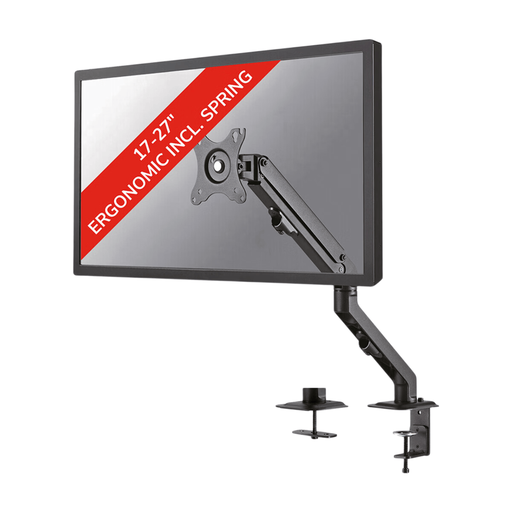
Why it suits this user: For one standard-sized monitor, this model offers a straightforward entry-level option without a multi-screen setup.
The specifications state a maximum weight capacity of 7 kg, support for 17-27-inch screens and VESA 75 x 75 and 100 x 100 mm. Check these figures against your screen.
Spring-assisted height adjustment from 11-42 cm, 360° rotation, and both clamp and grommet mounting options.
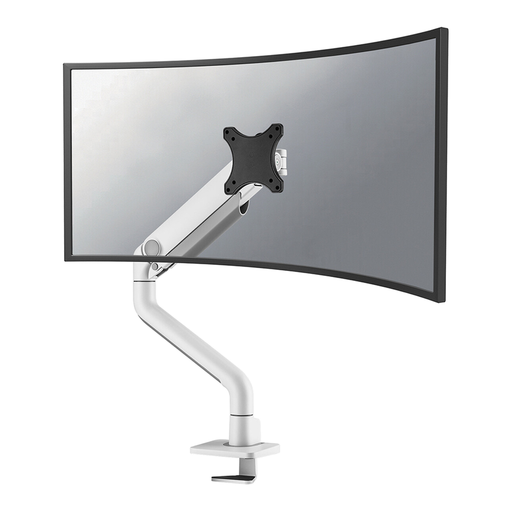
Why it suits this user: This solution is designed for users with a large or curved ultrawide monitor who need a wide range of adjustment.
The product information distinguishes between a maximum weight capacity of 18 kg for flat screens and 15 kg for curved screens.
Gas spring adjustment, support for screens up to 49 inches, Quick-release VESA and a 180° stop mechanism.
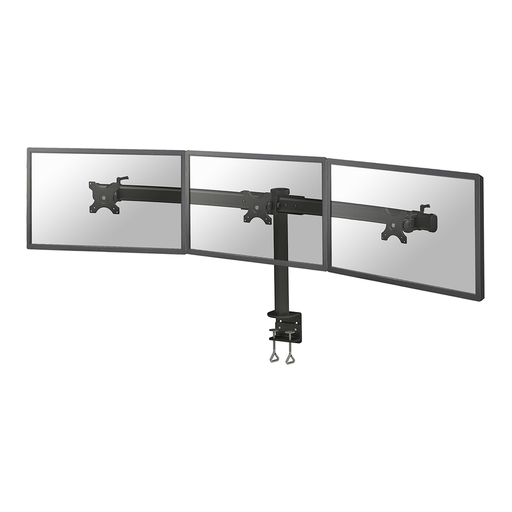
Why it suits this user: If you use three compact screens for tasks such as administration, programming or monitoring, this gives you one integrated setup.
The stated weight capacity is up to 8 kg per screen, and the arm supports VESA 75 x 75 and 100 x 100 mm. This lets you check compatibility before installation.
Suitable for three 10-27-inch screens, with manual height adjustment from 32-42 cm and integrated cable management.
Not every workspace is suitable for a desk arm. A monitor wall mount can free up space if your desk is against a solid wall. Check the wall type, use the right wall plugs and make sure the mount’s weight capacity is sufficient. For presentation rooms, retail spaces or high ceilings, a monitor ceiling mount may be a better fit. The Neomounts CL35-440BL16XL, for example, is designed for one 37-70-inch screen, supports up to 50 kg and has an adjustable height of 250-300 cm.
You could also consider a monitor stand for a freestanding solution. A model for two or three screens doesn’t need to be fixed to the desk, but it will take up enough space on the desktop.
We’ve put together a complete, up-to-date list of products that meet these strict selection criteria and the applicable European safety regulations.
No. Your monitor needs a suitable VESA mount, or it must be possible to attach it using a compatible adapter. Also check the screen’s weight and the arm’s maximum supported screen size.
It depends on how often you adjust your screen. A gas spring makes it easy to adjust the height and depth, but the spring tension needs to suit the monitor’s weight. If your screen will stay in almost the same position, a simpler adjustable model may be enough.
Its lifespan depends on the construction, weight load, installation and how often you adjust it. Never exceed the stated weight limit, tighten the joints regularly and check the cables and screws after moving the arm. The products listed come with a minimum two-year statutory warranty; some models also have a longer manufacturer’s warranty, as stated in the product information.
