
Vandaag of morgen in huis

Kwaliteit gegarandeerd

Welkomstaanbiedingen ontgrendelen: GRATIS bezorging | Tot 80% korting | Gratis 30 dagen JoyPlus-proefperiode
Download de app
A monitor arm can free up desk space and give you more flexibility when positioning your screen. However, many people buy a model that doesn’t work well in practice. An arm might sag, offer too little range of movement or fail to attach securely to the desk.
For home workers, office professionals, gamers and IT users, there are three main pitfalls to watch out for:
Always check the maximum weight per arm. If your monitor has a stand, don’t automatically count only the weight of the panel: you’ll remove the stand when mounting it, but accessories such as a webcam or mini PC can add extra weight.
Examples from the range:
Don’t choose based on the maximum figure alone. Your desk, clamp and mounting point must be able to support the combined weight of the monitors and the arm.
A VESA monitor arm uses screw holes on the back of the screen. Many models in this selection support VESA 75 × 75 mm and 100 × 100 mm. Check this before buying, especially if you have an ultrawide monitor, a business display or a screen with a non-standard casing.
Also check the stated screen size:
If you’re looking for a dual monitor arm or a monitor arm for 2 screens, you’ll also need to consider the width of your desk and how close it is to a wall. A monitor arm for 3 screens or a monitor arm for 6 screens also requires a sturdy desktop and a stable clamp.
An adjustable monitor arm may offer height, depth, tilt, rotation and swivel adjustments. Don’t just look at the number of features; consider how you’ll use it.
Before fitting the arm, check the thickness and sturdiness of your desk. Tighten the fixings carefully and make sure the cables are long enough to allow the arm to move through its full range.
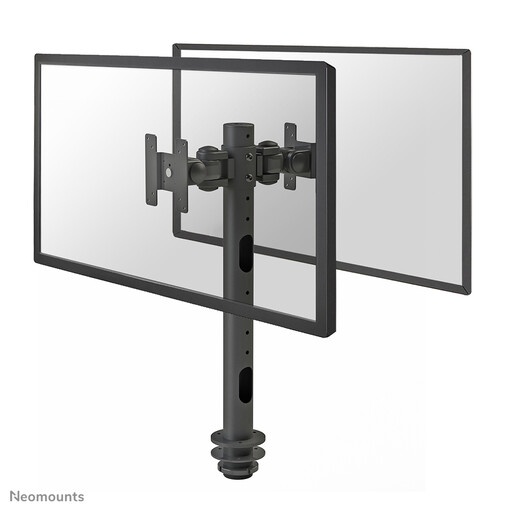
Why it suits this user: This monitor mount is designed for two screens up to 30 inches and can be fitted using a single through-desk mount. It’s a practical choice for a simple dual-monitor workstation.
The product specifications state a capacity of 10 kg per screen, VESA 75 × 75 and 100 × 100 mm, and height adjustment from 17 to 50 cm. Check that your desk has a suitable mounting hole.
Suitable for two screens, with tilt, swivel and rotation adjustment, plus cable management in the arm.
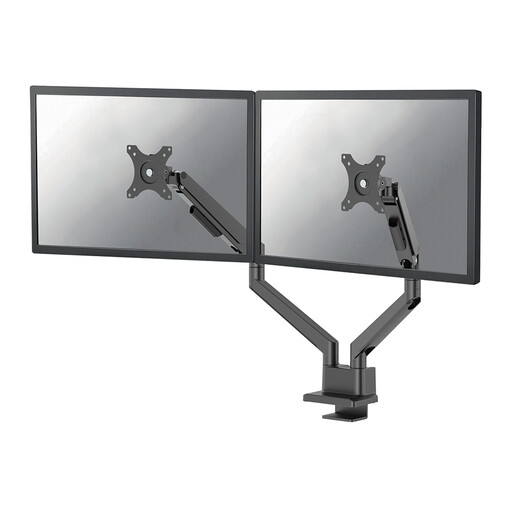
Why it suits this user: This dual monitor arm is suitable for two screens up to 32 inches and has a gas spring for height and depth adjustment. The product information gives a maximum load of 9 kg per screen.
The load capacity, VESA sizes and height and depth adjustment ranges are clearly specified. The 180° stop helps limit the arm’s range of movement when it’s positioned close to a wall.
Gas spring, quick-release VESA mount, cable management and a 5-year warranty stated by the manufacturer.
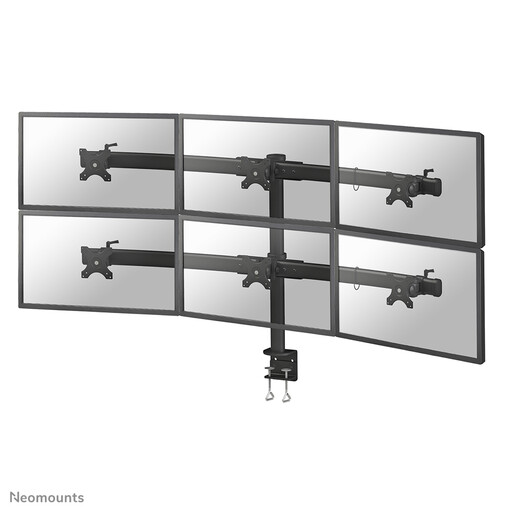
Why it suits this user: This monitor arm for 6 screens is designed for trading desks, control rooms, IT workstations and other multi-display setups.
The arm is specified for six screens measuring 19 to 27 inches and weighing up to 8 kg each. Check in advance that your desk can support the total weight.
Six VESA mounts, height adjustment from 22 to 70 cm and cable management for a tidy installation.
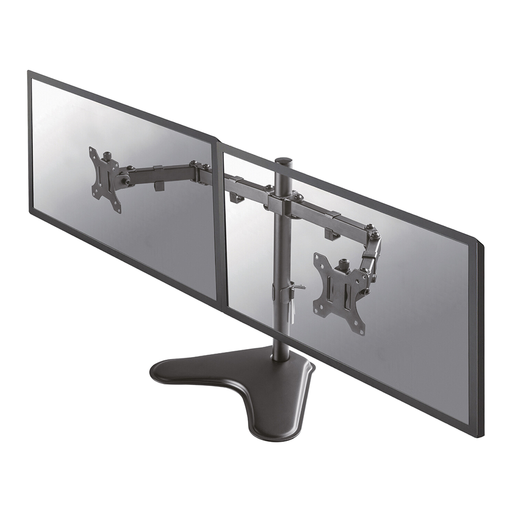
Why it suits this user: This laptop and monitor arm combines a VESA mount for a screen up to 32 inches with a holder for a laptop up to 15.6 inches.
The product specifications distinguish between a maximum of 8 kg for the screen and 4.5 kg for the laptop. This lets you check the two load limits separately.
Three pivot points, cable management, height adjustment from 0 to 44 cm, and support for clamp or through-desk mounting.
A monitor stand or monitor riser is usually easier to set up than an arm. You don’t need to fit a clamp or through-desk mount, so it can be a good choice if you rarely move your screen. A monitor riser usually raises the screen in fixed increments, while a monitor arm gives you more freedom to adjust its position.
For a laptop or lightweight screen, the Neomounts NSMONITOR20 may be worth considering. This monitor and laptop riser has an adjustable height range of 4.6 to 16.8 cm and a maximum load of 10 kg. If you’re looking for a wider stand, you could also consider a model for two screens. With products like these, always check the dimensions of the desktop and the stability of the surface.
We’ve put together a complete, up-to-date list of products that meet these strict selection criteria and the applicable European safety regulations.
No. Check the VESA size, the screen’s weight and the arm’s maximum screen size. A model without a VESA mount can only be used with a suitable adapter, if one is available for your screen.
That depends on the stated load capacity and the adjustable spring tension. Compare the weight of each screen with the product specifications. Adjust the arm according to the instructions and move the screen gently during the initial setup.
Its lifespan depends on the materials, how it’s mounted, the load it carries and how often it’s adjusted. Don’t exceed the maximum load capacity, check the screws regularly and stop using the arm if any parts become loose or damaged. A manufacturer’s stated warranty, such as 2 or 5 years, is a separate warranty term and not a guaranteed lifespan.
