
Vandaag of morgen in huis

Kwaliteit gegarandeerd

Welkomstaanbiedingen ontgrendelen: GRATIS bezorging | Tot 80% korting | Gratis 30 dagen JoyPlus-proefperiode
Download de app
A monitor arm can free up desk space and make it easier to position your screen at the height and viewing distance you prefer. However, not every monitor mount is suitable for every monitor, desk or working environment. An arm that appears flexible on paper may not have enough load capacity in practice, may not fit your VESA mount or may take up too much space behind the desk.
Pay particular attention to the construction and product specifications, rather than relying solely on terms such as “ergonomic”, “premium” or “space-saving”.
A 27-inch monitor is not automatically suitable for every monitor arm. Weight, including the stand or any accessories, is just as important. For example, an ultrawide monitor may fall within the stated screen size range but still exceed the specifications because of its weight or curved casing.
Always check:
Most monitor arms use a VESA mount, such as 75 × 75 mm or 100 × 100 mm. Measure the distance between the mounting holes on the back of the screen before ordering. A monitor arm without the correct VESA size cannot be mounted directly; an adapter plate may be required.
Also check the screws. The VESA size and screw length must match the instructions for your monitor.
A clamp mount is convenient for many standard desks, but the edge of the desk must be sufficiently sturdy. A thin desktop, glass surface or fragile chipboard may deform under concentrated pressure. A through-desk mount, also known as a grommet mount, may be an alternative if your desk has a suitable opening.
Also take the space behind the desk into account. A long arm may hit a wall or partition. Some models therefore have a 180° stop mechanism that limits the range of movement. This will not prevent an arm from being installed incorrectly, but it can limit contact with a wall.
For a single monitor arm, the load capacity of available models may be 7, 8, 9 or 18 kg, for example. With a dual monitor arm, you need to consider the weight per screen as well as the total load. According to the product information, an iiyama DS1002C-B1 supports two screens up to 30 inches and a maximum of 10 kg per monitor.
Do not treat the maximum load capacity as a target. A small margin makes it easier to adjust the arm so that it remains stable, particularly with a gas spring monitor arm.
An adjustable monitor arm may offer several functions:
A gas spring monitor arm is particularly practical if you adjust the position regularly. However, the gas spring must be set according to the weight of the screen. For a fixed workstation, a manually adjustable monitor stand may be sufficient.
Check the combination of VESA 75 × 75 mm or 100 × 100 mm, screen size and load capacity. For an ultrawide monitor arm, the shape and weight of the screen are also important. According to the product specifications, the Neomounts DS70PLUS-450WH1 is suitable for screens from 17 to 49 inches, with a maximum of 18 kg for flat screens and 14 kg for curved screens.
Before buying, also measure:
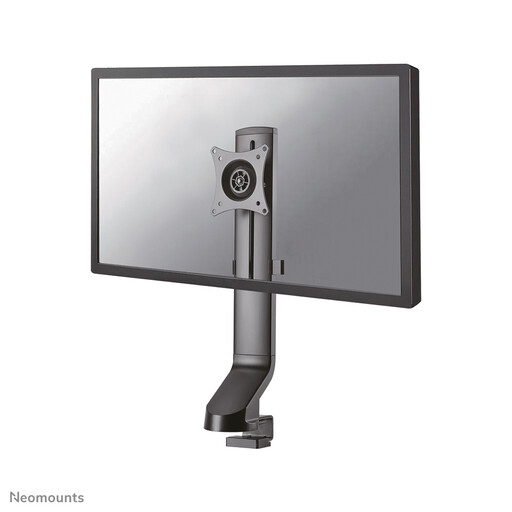
Why it suits this profile: This single monitor arm is suitable for screens up to 32 inches and weighing up to 8 kg. That makes it a practical choice for a standard home-working setup without an additional monitor.
The specifications state both the screen size and load capacity, as well as VESA 75 × 75 and 100 × 100 mm. This means you do not have to rely on screen size alone.
Manual height adjustment from 26 to 45 cm, 360° rotation and integrated cable management.
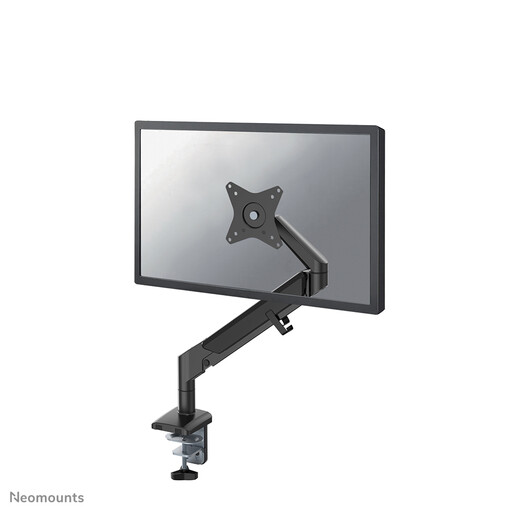
Why it suits this profile: The gas spring construction is designed for users who adjust their screen regularly and want a tidy desk with a compact arm design.
The 180° stop is designed to limit movement towards a wall or partition. The arm also has a specified load capacity of 9 kg.
Height adjustment from 26.5 to 55 cm, depth adjustment up to 49 cm and Quick-release VESA mounting.

Why it suits this profile: This monitor arm for 3 screens is designed for multitaskers, IT users and workstations where three screens are needed side by side.
The arm is specified for three screens from 10 to 27 inches, with a maximum of 6 kg per screen. This makes it possible to check the total load in advance.
Full-motion adjustment, cable management, Quick-release mounting and clamp or through-desk installation.
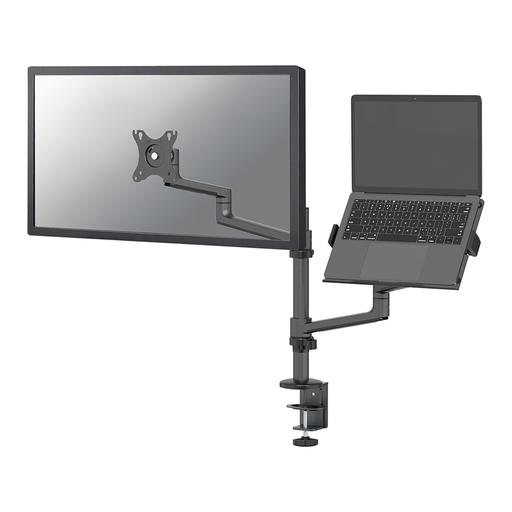
Why it suits this profile: This monitor arm with laptop stand is ideal for home workers who want to combine a monitor and laptop in one setup.
The product information specifies a maximum of 8 kg for the screen and 5 kg for the laptop separately. The VESA sizes 75 × 75 and 100 × 100 mm are also stated.
Full-motion adjustment, a short upper arm for limited desk depth, and both clamp and through-desk mounting.
We have put together a complete, up-to-date list of products that fully meet these strict selection criteria and the applicable European safety regulations.
No. Check the VESA size on the back of your screen, usually 75 × 75 mm or 100 × 100 mm. Also check the weight and screen size. If the mounting pattern differs, a suitable adapter plate may be required.
That depends on the mounting method and the manufacturer's instructions. A clamp can apply considerable pressure to a small surface area. Do not use a monitor arm on glass or a fragile desktop if the manufacturer advises against it. Check whether a sturdy through-desk mount or another type of monitor stand would be suitable.
Its lifespan depends on the weight of the screen, the quality of the desk, how frequently it is adjusted and how it is installed. Regularly check that the clamps, screws and VESA mounts are still secure. With models featuring a gas spring, it is important to set the spring tension correctly and not to exceed the maximum load capacity.
