
Vandaag of morgen in huis

Kwaliteit gegarandeerd

Welkomstaanbiedingen ontgrendelen: GRATIS bezorging | Tot 80% korting | Gratis 30 dagen JoyPlus-proefperiode
Download de app
A monitor arm can free up desk space and make it easier to position your screen. However, not every model is suitable for every monitor, desk or working setup. An arm that looks flexible on paper may not have enough load capacity in practice, may not fit your desk or may not offer enough freedom of movement.
The main pitfalls usually lie not in the appearance, but in the technical details. Before buying, check the number of screens, the VESA mount, the weight of each screen and how the monitor arm attaches to the desk.
A 32-inch monitor may fall within the stated size range, but that doesn’t automatically mean every monitor arm is suitable. A heavy ultrawide or curved screen may exceed the load capacity. Always check the weight of each screen, including any stand or accessories you plan to remove.
Many monitor arms use a VESA pattern of 75 × 75 mm or 100 × 100 mm. If your screen has a different pattern or no mounting points, you may need an adapter. A VESA monitor arm is therefore only ready to use when the screen’s mount matches the specifications.
A clamp mount needs a sturdy desk with enough clear space along the edge. For a through-desk mount, also known as a grommet mount, there needs to be a suitable hole. Check the cable routing, too. An adjustable monitor arm without practical cable management can still leave your workspace looking untidy.
A single monitor holder is enough for one screen. For two screens, you can choose a monitor arm for 2 screens or a monitor stand with a fixed crossbar. For three screens, a monitor arm for 3 screens is a practical choice if you have a wide workstation. A monitor arm for 6 screens is mainly intended for control rooms, financial workstations or intensive IT setups. Make sure your desk can support the total weight.
Don’t just compare the total load capacity. For multiple screens, the maximum weight per arm is particularly important. Examples from product specifications:
Allow for a safety margin and never use an arm above its stated limit. A heavy monitor can also create more leverage when positioned far from the desk.
A fixed monitor stand is often simple and stable. An adjustable monitor arm offers more freedom of movement, with features such as height adjustment, tilting, rotation and swivelling. A gas spring monitor arm uses a gas spring to help adjust the height. The tension still needs to be set to suit the weight of the screen.
Look out for these details:
The term ergonomic monitor holder doesn’t tell you much on its own. Practical adjustability and the final screen position matter more than the name.
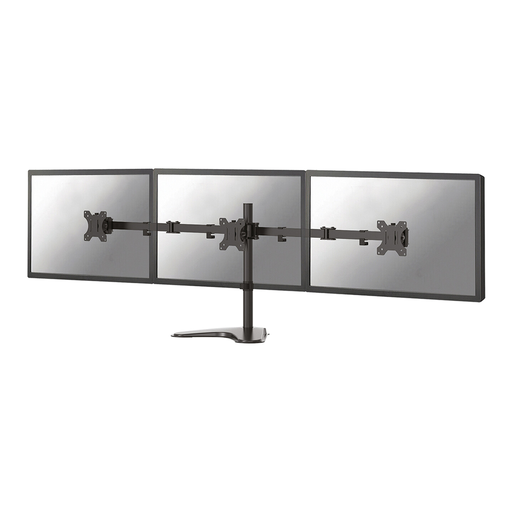
Why it suits this type of user: This monitor stand is designed for two screens and offers a straightforward starting point without a gas spring mechanism. Its height can be adjusted manually from 0 to 46 cm.
The specifications clearly state that it supports two screens up to 32 inches, with a maximum of 8 kg per screen and VESA 75 × 75 and 100 × 100 mm.
Tilt, rotation and swivel functions; cable management; depth adjustment from 4 to 40 cm.
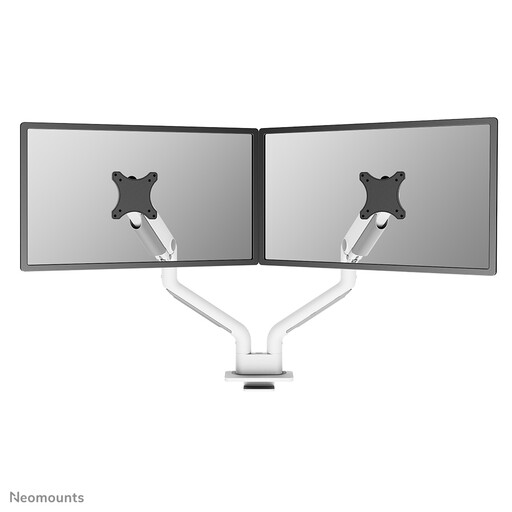
Why it suits this type of user: This dual monitor arm is suitable for two screens from 17 to 35 inches and features gas spring adjustment for height and depth.
The load capacity is specified as 18 kg per screen. The 180° stop is designed for positioning the arm close to a wall or partition.
Height adjustment from 20.2 to 52.2 cm; depth range from 8.8 to 62.5 cm; supports VESA 75 × 75 and 100 × 100 mm.
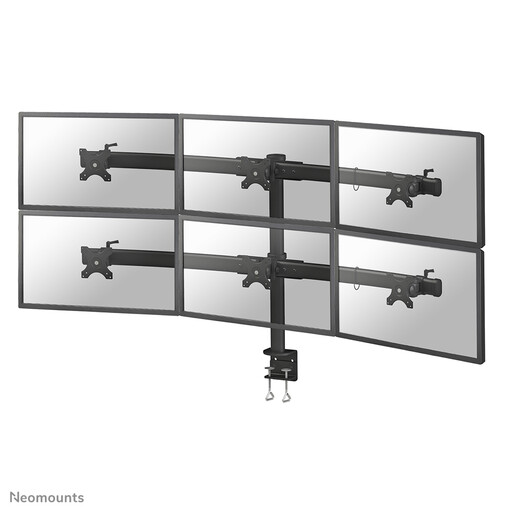
Why it suits this type of user: For a workstation displaying a lot of screen information, this monitor arm supports six screens from 19 to 27 inches.
The product information specifies a load capacity of 8 kg per screen and manual height adjustment from 22 to 70 cm. Check in advance that your desk can support the total weight.
Six screen positions; 360° rotation; 180° tilt and swivel; integrated cable management.
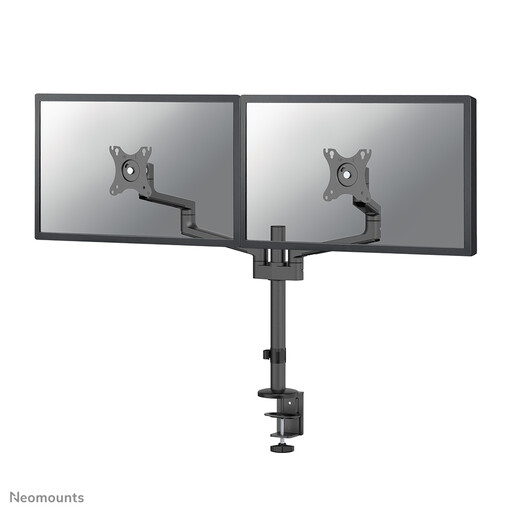
Why it suits this type of user: According to the product description, the short upper arm is designed to take up little depth when the desk is close to a wall.
The model has a depth range of 12.8 to 46 cm and supports two screens up to 27 inches and 8 kg per screen.
Clamp or through-desk mount; internal cable management; 360° rotation and manual height adjustment.
We’ve put together a complete, up-to-date list of products that meet these strict selection criteria and the applicable European safety regulations.
Before fitting the arm, check the maximum desk thickness and the condition of the desktop. Use a protective layer if the manufacturer recommends one or if the clamp will sit directly on a delicate surface. Then fit the VESA plate according to the instructions and tighten all the fixings securely.
When using the arm, remember to:
A monitor arm doesn’t use electricity. The main costs are therefore the initial purchase and any replacement parts or adapters. A gas spring can make adjustment easier, but it doesn’t need a separate power supply.
No. Check the VESA pattern, weight and screen size. Many models in this selection use 75 × 75 mm or 100 × 100 mm. A screen without suitable mounting holes may need an adapter.
It depends on how you use it. A monitor stand is often simple and stable, while a monitor arm frees up more space beneath the screen and offers greater adjustability. A stand may be enough for a fixed setup. If you regularly change your viewing angle, an adjustable arm is more practical.
Its lifespan depends on the load, installation and use. Keep within the stated load capacity, don’t overtighten the screws and check the moving parts periodically. Warranty periods vary by model, so check the product page and the statutory guarantee that applies to your purchase.
