
Vandaag of morgen in huis

Kwaliteit gegarandeerd

Welkomstaanbiedingen ontgrendelen: GRATIS bezorging | Tot 80% korting | Gratis 30 dagen JoyPlus-proefperiode
Download de app
A monitor arm can free up desk space and let you position your screen higher, lower or closer to you. But it’s not always wise to buy one in a hurry. An arm that looks suitable on paper may not have enough weight capacity in practice, may not fit your desk or may not offer enough movement for your preferred viewing angle.
For people who work from home, gamers, office workers and creative professionals, these are the main pitfalls to watch out for:
Always check the maximum weight per monitor, not just the total weight capacity. A dual monitor arm rated at 8 kg per screen isn’t automatically suitable for two screens weighing 16 kg in total if the desk mount can’t support them.
Take into account:
Specifications vary considerably for a monitor arm for 2 screens. The Neomounts DS70-250SL2, for example, supports two screens up to 32 inches and a maximum of 9 kg per screen. A six-screen setup needs extra consideration: the Neomounts FPMA-D700D6 is designed for six screens from 19 to 27 inches and is rated at a maximum of 8 kg per screen.
A VESA monitor arm generally uses screw patterns of 75 × 75 mm or 100 × 100 mm. Check the back of your monitor or its manual to confirm. Some screens have a different pattern or a recessed mount that requires an adapter.
Also check the arm’s size range:
An ultrawide monitor arm needs to support more than just the screen size. Curved screens may have a lower weight limit than flat screens, so check the product specifications for both types.
An adjustable monitor arm may work manually, with a gas spring or with another spring mechanism. A gas spring monitor arm is useful if you often change your screen’s position. The tension does, however, need to be adjusted to match the monitor’s weight.
Look out for the following:
A monitor stand without an arm may be a simpler option. An ergonomic monitor stand or laptop and monitor stand raises your screen, but usually offers less freedom to position it than a desk-mounted monitor arm.
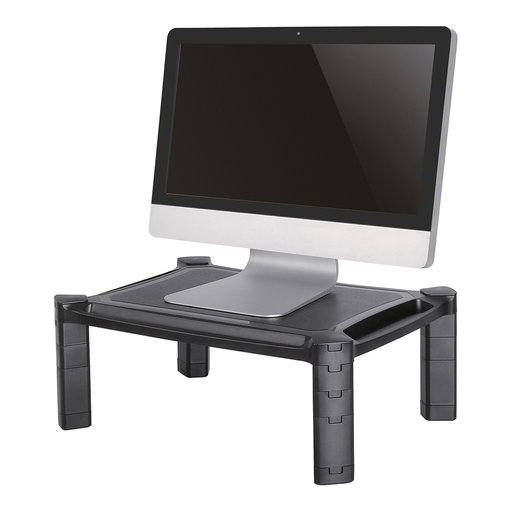
Why it suits this profile: This stand is ideal if you want to raise a screen or laptop without attaching an arm to your desk.
The maximum load of 10 kg and adjustment range of 4.6 to 16.8 cm are clearly stated. No VESA mount is needed.
Height-adjustable, suitable for a monitor or laptop and fitted with cable management.
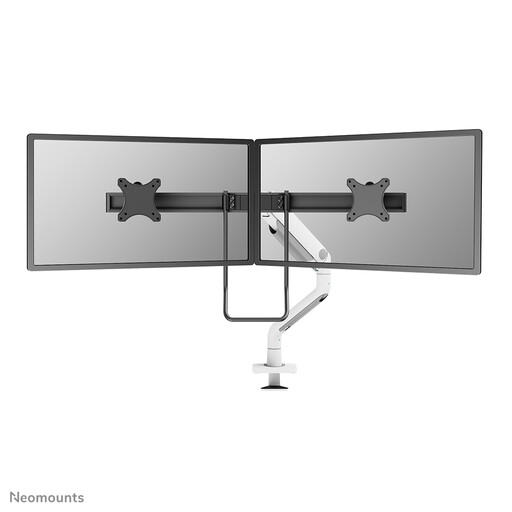
Why it suits this profile: A practical dual monitor arm for a permanent workstation with two medium-sized screens.
The weight capacity is specified as 8 kg per screen. The 180° stop helps prevent the screens from hitting a wall or partition.
Gas spring height adjustment from 19.1 to 52.7 cm, depth adjustment and support for VESA 75 × 75 and 100 × 100 mm.
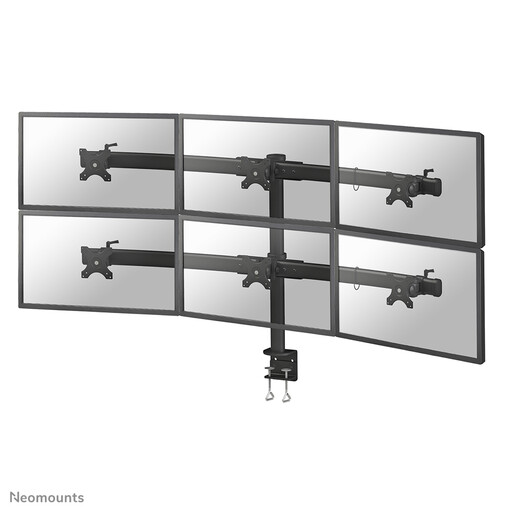
Why it suits this profile: Designed for IT workstations, trading floors or users who want to set up six monitors on one desk.
The manufacturer specifies six screens from 19 to 27 inches, with a maximum of 8 kg per screen. Check beforehand that your desk can support the complete setup.
Height adjustment from 22 to 70 cm, 360° rotation and integrated cable management.

Why it suits this profile: Designed for users with a large or curved ultrawide screen and plenty of desk space.
The maximum weight is 18 kg for flat screens and 14 kg for curved screens. This lets you check the limit for your specific screen type.
Supports screens up to 49 inches, with gas spring adjustment, VESA 75 × 75 and 100 × 100 mm, and a 180° stop.
We’ve put together a complete, up-to-date list of products that meet these strict selection criteria and current European safety regulations.
Attach the clamp to a sturdy part of the desktop and check that the desktop thickness is within the stated range. For a grommet mount, you’ll need a suitable hole. Tighten the mount evenly; applying too much force can damage the desk or clamp.
First attach the VESA plate to the monitor, then secure the screen to the arm. If you have a gas spring mechanism, adjust the tension to suit the screen’s weight. Leave enough slack in the cables so that moving the screen doesn’t pull on the connections. After installation, check all the screws and connections again.
No. Check the VESA pattern, weight and screen size. Many models support 75 × 75 mm and 100 × 100 mm, but this isn’t the case for every screen.
It can be, but only if the screen falls within the specified weight range. For an ultrawide or curved monitor, you should also check the specific limit for that type of screen.
Its lifespan depends on the materials, load, installation and how often the arm is moved. Use it within the specified limits and regularly check the screws, clamp and joints. Stop using it if any parts come loose, become distorted or are damaged.
