
Vandaag of morgen in huis

Kwaliteit gegarandeerd

Welkomstaanbiedingen ontgrendelen: GRATIS bezorging | Tot 80% korting | Gratis 30 dagen JoyPlus-proefperiode
Download de app
A monitor arm frees up desk space and gives you more control over your screen’s height, viewing angle and position. However, not every monitor mount is suitable for every monitor or desk. A heavy ultrawide monitor, an unusual VESA pattern or a desk top that’s too thin can quickly make an attractive deal unusable.
This buying guide explains what to look for in a monitor arm for working from home, gaming, an office setup or multiple screens.
A monitor arm for a 32-inch screen isn’t automatically suitable for every 32-inch monitor. The weight of the screen is just as important. A heavy monitor with a wide base or built-in power supply may exceed the arm’s weight limit. Check the weight without the original stand and compare it with the maximum load per arm.
Most models in this selection use VESA 75 × 75 mm or 100 × 100 mm. Measure the distance between the mounting holes on the back of your monitor before ordering. A monitor without a compatible VESA mount may need a separate adapter.
A desk-mounted monitor arm usually attaches with a clamp at the edge or a grommet mount through a hole in the desk top. Check:
A grommet mount can be handy for a fixed desk, while a clamp offers more flexibility for a temporary home-working setup.
Don’t just look at the total load capacity. With a dual monitor arm, you need to check the load per screen. For example, two screens weighing 8 kg each need an arm that supports at least 8 kg per monitor. With a monitor arm for 2 screens, also bear in mind the leverage when both screens are extended forwards.
For a monitor arm for 3 screens or a monitor arm for 6 screens, desk stability is especially important. The weight of the arm, screens and cables is concentrated at a single mounting point.
A fixed monitor stand takes up little space but offers fewer adjustment options. An adjustable monitor arm can combine height, depth, swivel and tilt adjustments. Pay particular attention to:
A gas spring monitor arm generally makes it easier to adjust the height and depth. The spring tension must be set to suit the weight of the screen.
A monitor arm with cable management routes power and display cables along the arm. This keeps your workspace tidy, but check beforehand that your cables are long enough to accommodate the full range of movement.
With models that have a top-fix clamp or grommet mount, installation is often carried out from above the desk. This is useful when you have limited space beneath the desk top. Tighten all the screws according to the instructions and check after installation that the arm doesn’t tilt.
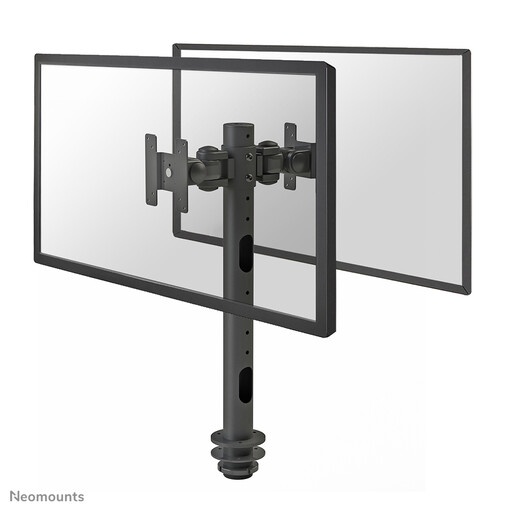
Why it suits this user: This dual monitor arm is suitable for two screens up to 30 inches and supports a maximum of 10 kg per screen. That makes it a good fit for a simple home-working setup with two standard monitors.
The load limit and VESA sizes of 75 × 75 and 100 × 100 mm are clearly specified. Make sure they’re compatible with your own screens.
Fits two screens, with height adjustment, tilt, swivel, rotation and integrated cable management.
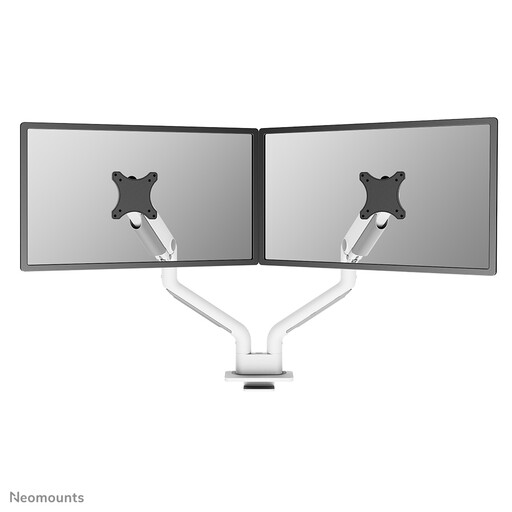
Why it suits this user: This monitor arm for 2 screens is designed for larger displays up to 35 inches and supports a maximum of 18 kg per screen. Its adjustment range suits a spacious office or home-working setup.
The higher load limit means you don’t have to choose based on screen size alone. The stated VESA support is 75 × 75 and 100 × 100 mm.
Gas spring height adjustment, depth adjustment up to 62.5 cm, cable management and a 180° stop.
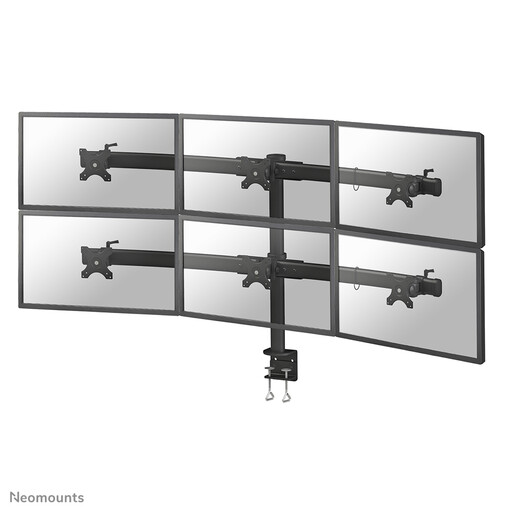
Why it suits this user: This solution is designed for a setup with six screens ranging from 19 to 27 inches. It’s ideal for dashboards, CCTV feeds, market data or other workspaces where you need to view lots of information at once.
The model is explicitly designed for six screens and supports a maximum of 8 kg per screen. Check beforehand that your desk can support the combined weight of the arm and monitors.
Six mounting points, height adjustment from 22 to 70 cm, 360° rotation and cable management.
We’ve put together a complete, up-to-date list of products that meet these strict selection criteria and comply with current European safety regulations.
No. Check the VESA pattern, weight and screen size. Many monitor arms support 75 × 75 mm and 100 × 100 mm, but these must match the mounting holes on your monitor.
It depends on how you use it. A gas spring monitor arm is useful if you regularly want to adjust the screen’s height or depth. A fixed monitor stand may be all you need if the monitor stays in one place and you’re looking for a compact solution.
Its lifespan depends on the construction, load and installation. Keep within the stated load limit, retighten fixings when needed and regularly check the clamp, screws and moving parts. This reduces the risk of the arm coming loose or becoming unstable.
