
Vandaag of morgen in huis

Kwaliteit gegarandeerd

Welkomstaanbiedingen ontgrendelen: GRATIS bezorging | Tot 80% korting | Gratis 30 dagen JoyPlus-proefperiode
Download de app
A monitor arm can free up desk space and give you more flexibility in positioning your screen. However, not every desk monitor mount is suitable for every monitor. The wrong combination of weight capacity, screen size or VESA size can result in an arm that gradually droops, a wobbly screen or a mount that doesn’t fit your desk.
For home workers, gamers, business users and content creators, there are three main pitfalls to watch out for:
With a dual monitor arm, the weight capacity per monitor matters, not just the total capacity. An arm with a capacity of 8 kg per screen can support two monitors weighing up to 8 kg each, including any stands you remove.
So check:
Choosing an arm with plenty of capacity to spare is useful if you plan to use a different screen later. Never exceed the stated limit.
A VESA 75x75 and 100x100 monitor arm uses the distance between the four mounting holes on the back of the screen. Measure this distance or check your monitor’s manual.
Also check the stated screen size range. An arm designed for 17 to 27 inches isn’t intended for a 34- or 49-inch ultrawide monitor, even if the VESA size matches.
For an ultrawide monitor arm, the arm’s construction and reinforced VESA head are important. The Neomounts DS70S-950WH1 supports screens up to 49 inches and has a stated weight capacity of 18 kg for flat screens and 15 kg for curved models.
An adjustable monitor stand or monitor arm can offer:
A gas spring generally makes it easy to adjust the height, but it does need to be tensioned correctly. A 180° stop is useful if your desk is close to a wall or partition. It limits the range of movement and can help prevent the screen from hitting the wall.
Check that your desk is suitable for the mount you’ve chosen, too. A top-fixing clamp is secured from above, while a through-desk mount requires a hole in the desktop.
The models below have been selected based on verifiable specifications such as screen capacity, VESA compatibility, adjustment range and mounting method. The technical details come from Neomounts product information.
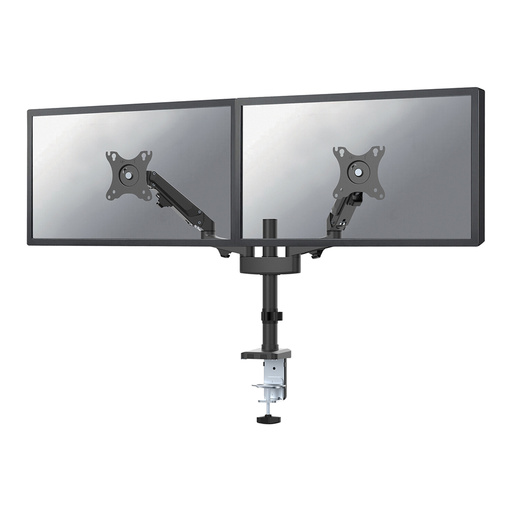
Why it suits this user: This dual monitor arm is designed for two screens measuring 17 to 27 inches, with a maximum weight of 7 kg per screen. It’s a good match for a straightforward home office with two compact monitors.
The screen size and weight capacity are clearly specified, so you can check in advance whether your monitors are within the limits.
Gas spring for height adjustment, VESA 75x75 and 100x100 mm, cable management, and both clamp and through-desk mounting.
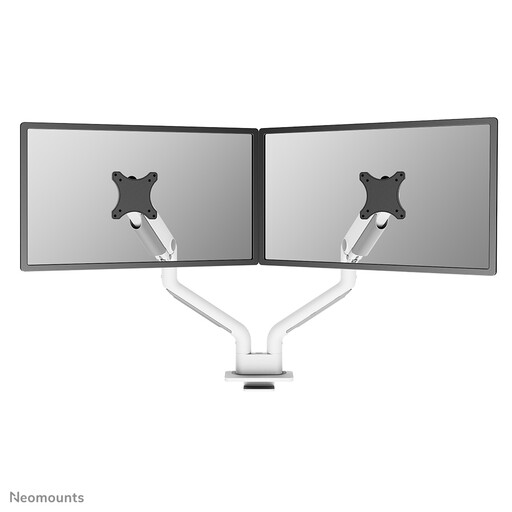
Why it suits this user: A good choice for business workspaces and creators using two larger screens. This model supports up to 18 kg per screen and offers height and depth adjustment.
Its high stated weight capacity means you don’t have to judge suitability by screen size alone. Be sure to check the actual weight of both screens.
Supports screens up to 35 inches, with a gas spring, quick-release VESA system, 180° stop and cable management.

Why it suits this user: Designed for users with a curved ultrawide monitor, whether for gaming, video editing or working with several windows side by side.
The product information specifies a capacity of up to 18 kg for flat screens and 14 kg for curved screens. This is an important factor when choosing an ultrawide model.
Reinforced head for curved ultrawide screens, supports up to 49 inches, with a gas spring, 180° stop and VESA 75x75 and 100x100 mm.
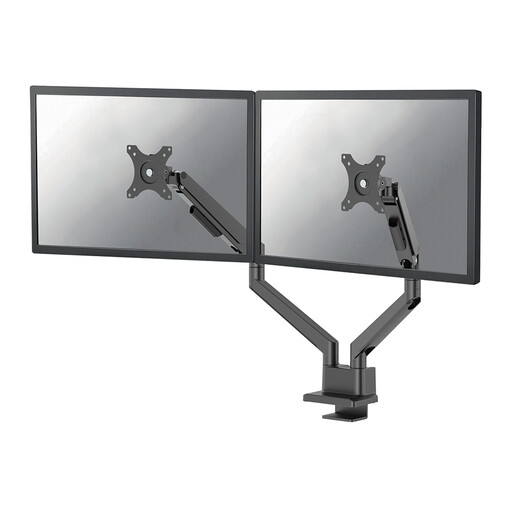
Why it suits this user: A practical choice if you use two monitors of different sizes and want to realign them regularly.
The gas spring, height adjustment from 21,5 to 49,5 cm and depth adjustment from 7 to 52,5 cm let you fine-tune the setup instead of relying on a fixed stand.
Supports two screens up to 32 inches, with a maximum of 9 kg per screen, full-motion adjustment, top-fixing or through-desk mounting and integrated cable management.
We’ve put together a complete, up-to-date list of products that meet these strict selection criteria and the applicable European safety regulations.
Before installation, work through these steps:
A 180° stop is no substitute for secure mounting. Even with cable management, make sure cables aren’t pulled tight or caught between moving parts.
No. Check the screen size, weight and VESA size. Many models in this selection support 75x75 and 100x100 mm, but these must match the mounting holes on your monitor.
It depends on how often you adjust the screen. A gas spring is particularly useful if you regularly switch between different viewing angles or working positions. If your screen stays in almost the same place, a simpler model may be enough.
Its lifespan depends on how it’s mounted, the load it carries and how often it’s moved. Keep the arm within its stated limits, don’t overtighten the fixings and check the screws periodically. The statutory guarantee in the European Union is at least two years; some Neomounts models also list an additional manufacturer’s warranty. Check the product page for details.
