
Vandaag of morgen in huis

Kwaliteit gegarandeerd

Welkomstaanbiedingen ontgrendelen: GRATIS bezorging | Tot 80% korting | Gratis 30 dagen JoyPlus-proefperiode
Download de app
A monitor arm for 2 monitors frees up desk space and helps you position two screens at the same viewing height. However, not every dual monitor arm is suitable for every monitor or desk. An arm that offers plenty of adjustment on paper may wobble in practice, lack sufficient load capacity or hit the wall.
For home workers, gamers, designers and business users, three things matter most: compatibility, load capacity and mounting. Read on to find out what to look for and which models suit different needs.
A monitor arm for 17-35 inch screens may sound versatile, but screen size isn’t the only thing to consider. Two wide monitors can take up more desk space than you expect. So check the depth adjustment, arm reach and distance from the wall too.
Weight also matters with larger screens. A 32 inch monitor may weigh more than a compact screen, especially when you take the stand or casing into account.
A VESA monitor arm will only work if the mounting holes on your monitor match the mounting plate. Common patterns are 75 x 75 mm and 100 x 100 mm. Measure yours before you order.
Check the position of the VESA mount too. On some ultra-thin or curved monitors, it’s recessed, which means not every mounting plate will fit properly.
A sturdy desk monitor arm needs a stable work surface. A thin desktop, hollow tabletop or desk with a fragile edge could be damaged or bent by the clamp. So check:
Tighten all the connections after installation and check them regularly. Never exceed the maximum load capacity.
Always check the maximum weight per screen, not just the total load capacity. An arm rated for 8 kg per screen is suitable for monitors that fall within this limit. If the manufacturer gives the weight without the stand, weigh your monitor without its stand too. Check the product specifications for the correct weighing method.
For heavy professional screens or large gaming monitors, a model with a higher capacity may be more practical. A higher weight limit doesn’t automatically mean that every desk is suitable.
An adjustable monitor arm may offer height, depth, tilt, rotation and swivel adjustment. A gas spring generally makes it easier to adjust the screen height, but the arm must be set up correctly for the weight of the monitor.
Pay particular attention to:
A 180° stop can be useful if your desk is close to a wall or partition. It limits the range of movement and helps prevent the arm from hitting the wall when you adjust it.
A monitor arm with cable management keeps power and display cables together along the arm. This prevents loose cables from getting in the way around the desk clamp, but check the available space: thick DisplayPort or HDMI cables can be difficult to feed through narrow cable channels.
A top-fix clamp is fitted from above the desk. This can be handy if you have limited space underneath the desktop. A grommet mount uses a hole in the desktop and can provide a secure installation, provided the desk is suitable.
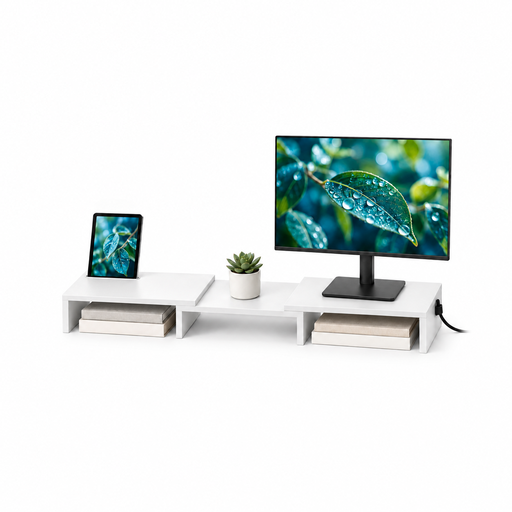
Why it suits this user: This stand for two screens is ideal if you want to position two monitors without attaching a gas-spring arm directly to your desk. The width and angle are adjustable, according to the product description.
A freestanding stand avoids the need for an unsuitable desk clamp. Be sure to check the dimensions and load capacity against your monitors first.
Adjustable width and angle; an alternative to mounting directly to the desktop.
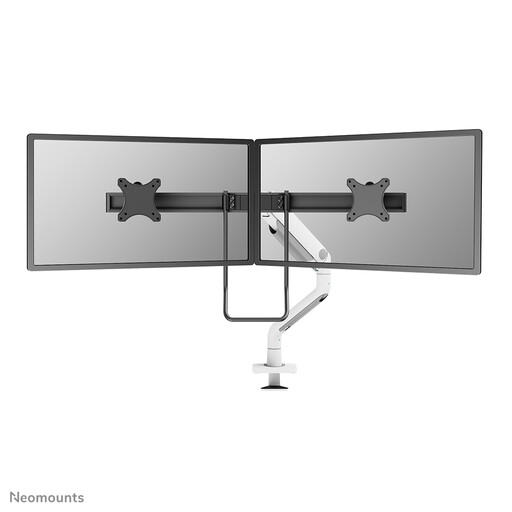
Why it suits this user: This gas-spring monitor arm supports two screens from 17 to 32 inch, with a maximum weight of 8 kg per screen. It offers height adjustment from 19,1 to 52,7 cm and depth adjustment from 17,3 to 71 cm.
The 75 x 75 and 100 x 100 mm VESA patterns, load capacity per screen and 180° stop are all clearly specified.
Gas-spring height adjustment; independent height adjustment; cable management; top-fix clamp and grommet mount.
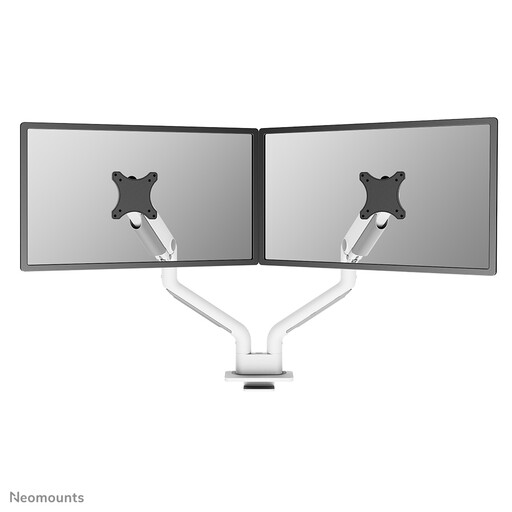
Why it suits this user: This model is designed for two smaller or larger screens up to 35 inch. According to the product information, it has a maximum load capacity of 18 kg per screen, with gas-spring adjustment and support for VESA 75 x 75 and 100 x 100 mm.
The higher stated load capacity gives you more headroom for heavier screens. Still, check the actual weight and the desk’s load capacity.
Up to 35 inch; 18 kg per screen; cable management; 180° stop; top-fix clamp and grommet included, according to the product description.
We’ve put together a complete, up-to-date list of products that meet these strict selection criteria and the applicable European safety regulations.
After installation, take a few minutes to run through these checks:
A monitor arm is no substitute for a stable desk. Remember to allow for power sockets, display cables and enough room to move behind the desktop.
No. Check the VESA pattern, usually 75 x 75 or 100 x 100 mm, and the weight of each screen. Monitors without suitable mounting holes may need a separate adapter. Also check the maximum screen size supported by the dual monitor arm.
That depends on the stated load capacity and whether the arm is adjusted correctly. A gas spring makes it easy to adjust the height, but the arm must be suitable for the weight of the monitor. Don’t loosen the connections while adjusting it, and check after installation that the screen stays stable.
Its lifespan depends on the materials, load, installation and use. Don’t exceed the maximum weight, avoid uneven loading and regularly check the clamps, screws and VESA mount. According to the product information, the Neomounts DS70S-950WH2 comes with a 10-year warranty; statutory warranty rights remain applicable under the relevant regulations.
