What should you look for when choosing?
Adjustable 27-inch QHD screen
A good fit if: you mainly write long documents and want a conventional screen width.
Trade-off: check that the resolution and text size are comfortable with your laptop and viewing distance.
27-inch 4K screen
A good fit if: you want to assess finer text on a 27-inch screen.
Trade-off: try the scaling settings on your own laptop and compare the ports on each model.
Ultrawide screen
A good fit if: you often use a draft, API reference and example requests side by side.
Trade-off: measure the desk width; docking, Ethernet and switching between peripherals vary by model.
Your choice mainly comes down to text readability, switching between laptops, readjusting the setup and having enough room for windows side by side.
| What to consider |
What to check before buying |
Who it matters most to |
| Readability of long documents |
View your own text from the intended distance; check the screen size, resolution and scaling settings. |
If I read and write for long periods, I want text to be comfortable to assess without focusing only on the pixel count. Around 29% of consumers prioritise readability most. |
| Switching between laptops |
For each laptop, check video over USB-C, the power delivery required, the monitor ports and the cable. |
At a shared workspace, I want to avoid having to reconnect lots of things when switching laptops. Around 29% of consumers prioritise switching between laptops. |
| Readjusting the setup for different users |
Check the height, tilt and swivel adjustments, and whether they will suit everyone using the screen. |
If several people use the same desk, I want to be able to adjust the screen position each time. Around 24% of consumers give adjustability top priority. |
| Viewing documentation and references at the same time |
Measure the available desk width and work out how many windows you actually use at once. |
If I want to view drafts and API references side by side, extra screen space is useful as long as the desk can accommodate it. Around 18% of consumers prioritise having windows side by side. |
Monitors for a shared workspace
This selection of Joybuy products includes both compact monitors for working with text and ultrawide models for viewing documents side by side. For a shared laptop workspace, always check the connections, power delivery and adjustment options of the specific model.
 No image available
Philips 6000 series 34B2U6603CH/00, 34-inch
An ultrawide screen for anyone who wants to view a draft and API references side by side.
3440 × 1440 pixels; Thunderbolt 4 with up to 100 W power delivery; Smart KVM, USB-A and Ethernet listed; 18 cm height adjustment.
Check that the Thunderbolt and power features are compatible with the laptop you want to connect.
View at Joybuy
 No image available
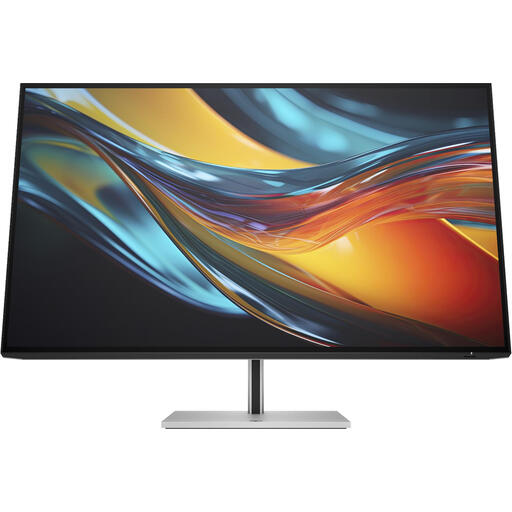
HP Series 7 Pro 31.5inch 4K Thunderbolt 4 Monitor - 732pk
A 31.5-inch 4K model for long documents and a shared workspace with multiple computers.
Thunderbolt 4 with up to 100 W laptop power delivery; built-in KVM and Ethernet; 15 cm height adjustment.
The product description says the charger is not included as standard and must be purchased separately.
View at Joybuy
 No image available
HP Series 5 Pro 23.8Inch FHD USB-C Monitor - 524pu
A 23.8-inch model to consider if you are looking for a more compact screen for a shared laptop workspace.
USB-C power delivery up to 100 W, Ethernet and a USB hub; the stand is height-adjustable, tiltable and swivelling.
The product description says the charger is not included as standard and must be purchased separately.
View at Joybuy
 No image available
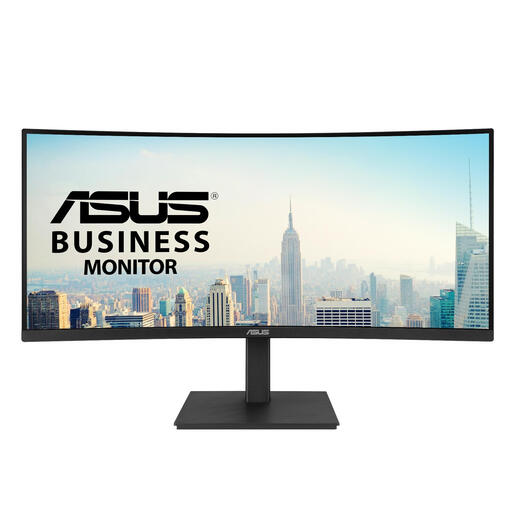
ASUS VA34VCPSR, 34-inch
An ultrawide model for anyone who wants to work with documentation and references side by side.
3440 × 1440 pixels and a 21:9 aspect ratio; USB-C power delivery up to 96 W, USB hub, Ethernet and height adjustment.
The product description lists a glossy screen finish that may reflect light. The charger must be purchased separately.
View at Joybuy
 No image available
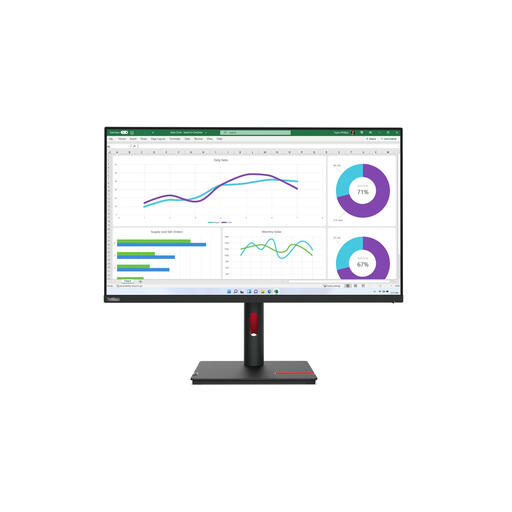
Lenovo ThinkVision T32h-30, 31.5-inch QHD
A larger QHD screen for long documents and a shared laptop workspace.
2560 × 1440 pixels; USB-C with DisplayPort Alt Mode and up to 90 W power delivery; 15.5 cm height adjustment, swivel and tilt.
The product description says the charger must be purchased separately. Check that the USB-C features are compatible with your laptop.
View at Joybuy
Frequently asked questions
Do I need to readjust the monitor every time I use a shared desk?
Yes. Whenever you switch places, check the workstation setup again. Arboportaal advises adjusting a workstation when you move to a new seat, as the right screen position may differ from one user to another.
What should I check if one USB-C cable does not seem to do everything?
Compare the laptop’s video capability and required power delivery with the specifications of the monitor and cable. Philips describes docking for the 27B2G5601/00, while EIZO lists DisplayPort Alt Mode and up to 94 W power delivery for the EV2740X. These model specifications do not prove compatibility with every laptop.
Is an ultrawide monitor suitable for API documentation?
An ultrawide screen may be a good fit if you often use a draft and references side by side and have enough desk width. Coolblue lists an ultrawide monitor as an option for using multiple programmes. Measure the space and consider how many windows you use at once.
What Dutch rule applies if I work at a screen for long periods?
According to Arboportaal, for employees who work at a screen for more than 2 hours a day, the screen and keyboard must not be attached to each other. This is not a universal product specification for every private buyer.
What protection applies to a monitor bought online?
For consumer purchases in the Netherlands, the legal guarantee applies alongside any manufacturer’s warranty, according to ACM ConsuWijzer. The Dutch government says that in many cases, distance purchases from a business also come with a 14-day cooling-off period. This is separate from your rights if a product is faulty.


