
Vandaag of morgen in huis

Kwaliteit gegarandeerd

Welkomstaanbiedingen ontgrendelen: GRATIS bezorging | Tot 80% korting | Gratis 30 dagen JoyPlus-proefperiode
Download de app
A tidy desk promotes a clear mind. Yet, the workspace, whether at home or in the office, is often dominated by a tangle of cables and a bulky computer tower. An All-in-One PC offers an elegant solution: all components are neatly integrated into the monitor. The MSI Modern series is a popular choice in this category, focusing on productivity and a sleek design.
As a Joybuy Product Recommendation Officer, I'm here to help you make the right choice. In this article, we'll explore the MSI Modern All-in-One PCs, so you can find a model that meets your needs, without the marketing jargon.
Before making a decision, it's helpful to consider a few specifications. This will help you determine which model is the best fit for your daily tasks.
The choice of display is crucial to your user experience. The MSI Modern series typically offers two sizes:
All-in-One PC 27 inch, such as the MSI Modern AM272, provides significantly more screen real estate. This is ideal for multitasking, working with multiple windows side-by-side, or for viewing media.Additionally, there is the option for an All-in-One with touchscreen. This can make interacting with applications more intuitive, similar to a tablet. It is especially useful for creative applications or quick navigation.
The processor, memory (RAM), and storage determine how smoothly your computer runs.
This combination of specifications makes the MSI Modern a capable workstation PC for both professionals and demanding home users.
Based on specifications and functionality, we have selected some popular MSI Modern All-in-One models.
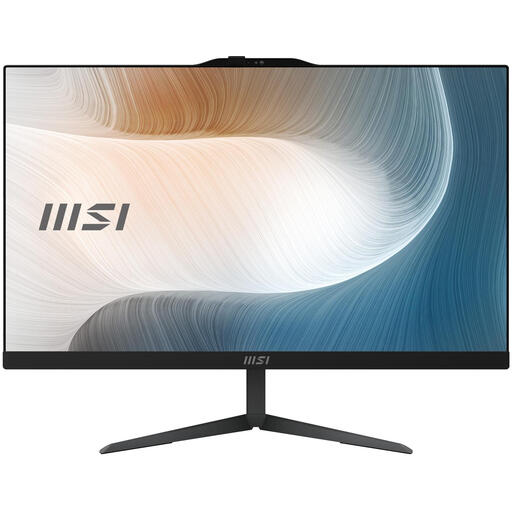
Why it stands out This model is a well-balanced all-in-one computer for the office and home. The combination of an Intel Core i5 processor and a fast SSD delivers solid performance for daily productivity. Its sleek, black design fits into almost any professional environment.
Highlights
Who is it for? Ideal for professionals, freelancers, and remote workers looking for a reliable and fast computer for working from home without unnecessary frills. The Pro version of Windows also offers additional security and management features useful in a business environment.
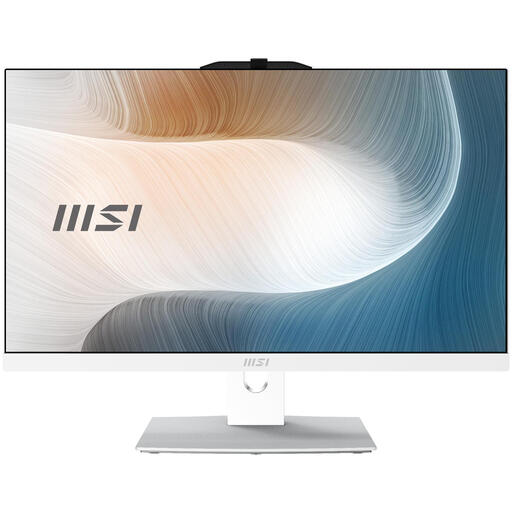
Why it stands out The addition of a touchscreen makes this model particularly interactive. The fresh, white color gives it a modern aesthetic that fits well in creative or design-oriented workspaces. The Intel Core i3 processor is capable for everyday tasks.
Highlights
Who is it for? Perfect for users who prefer touch controls for navigation or creative programs. It's also a great choice for students and families seeking a versatile and intuitive computer for study and multimedia.
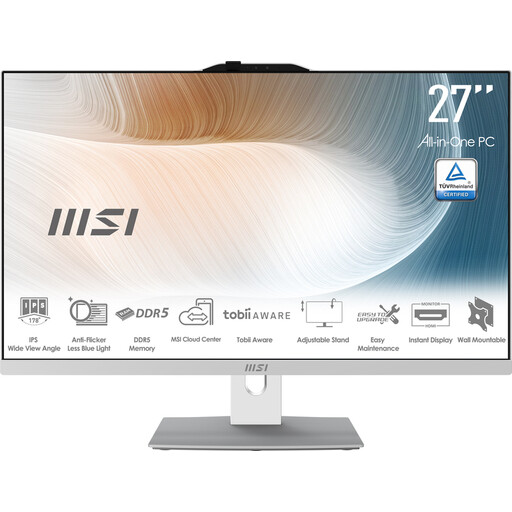
Why it stands out With its large 27-inch screen, this model is designed for those who want to see and do more. It's a powerful workstation PC that is ideal for multitasking. According to MSI, this model is equipped with extras like the MSI AI Engine for automatic performance adjustments and Eye Care technology to reduce eye strain.
Highlights
Who is it for? Excellent for demanding users who work extensively with spreadsheets, graphic design software, or multiple documents simultaneously. The large screen and eye-friendly technologies make it a comfortable choice for long workdays.
An MSI All-in-One PC is a specific choice. If you are looking for different configurations, brands, or types of computers, you can explore our broader selection.
See more options in our Mobile computer workstation desk category for a complete overview.
1. Is an MSI All-in-One PC suitable for office work? Yes, the MSI Modern series is very well-suited as an all-in-one computer for the office. Models with an Intel Core i5 processor, 8 GB of RAM, and an SSD offer more than enough performance for most office applications. The inclusion of Windows 11 Pro on many models provides additional business-oriented features.
2. What is the advantage of an All-in-One PC over a traditional desktop? The main advantages are space-saving and simplicity. Since all the hardware is built into the monitor, you don't need a separate computer tower. This results in a cleaner desk and significantly fewer cables. Furthermore, components like the webcam and speakers are often already integrated.
3. Can I upgrade the memory or storage of an MSI Modern All-in-One later? According to MSI's product information, many models in the Modern series are designed with serviceability in mind. For example, the memory (RAM) is often expandable up to 64 GB, and there is sometimes an extra bay for a 2.5-inch storage drive. However, it is advisable to check the specific specifications of the model you are considering.
