
Collector with linked source folders
You want to open photos, manuals or proof of purchase quickly from your catalogue. Microsoft Support explains how Excel can link to files, while Yard Tower describes how to link documents to models.


Start by deciding whether your catalogue uses local Excel files and linked source folders, or runs in a browser. This determines which software you need and whether your files must be available offline. Then compare the storage space for your photos and documents, the screen for data entry and the connections for your devices. A more compact screen may give you less room to work.
You want to open photos, manuals or proof of purchase quickly from your catalogue. Microsoft Support explains how Excel can link to files, while Yard Tower describes how to link documents to models.
You want to choose which photos and documents stay available locally and which you access through cloud storage. The Consumers' Association discusses storage space for large files, while Microsoft Support explains how to make OneDrive files available offline.
You want to view or update your catalogue at home and elsewhere. Yard Tower describes access through modern browsers, while the Lenovo PSREF lists the connections available on specific IdeaPad configurations.
First decide whether you use local Excel links or a browser-based catalogue. These approaches differ in how you manage files and access them offline. Then compare the storage, screen and ports with your collection and devices.
| What to consider | What to look for | Who is this most important for? |
|---|---|---|
| Working file links | Check whether your catalogue uses local Excel links or runs in a browser. After moving or syncing files, test a few links to make sure they still open. | If I want to open photos and proof of purchase from my catalogue, I need the links to keep working; around 36% of consumers prioritise working file links. |
| Space for and access to photos and documents | Compare the size of your files with the storage on the exact configuration. Also decide which cloud folders need to be available offline. | When I keep lots of photos of my models, I want to know which files will fit locally and which I need offline; around 29% of consumers prioritise storage for photos and documents. |
| Data entry and transferring files | Compare the screen size and resolution with your workspace. Check that the configuration has the USB ports or card reader your devices need. | If I regularly enter data and transfer photos from my own devices, screen space and connections matter; around 21% of consumers prioritise their data-entry workspace. |
| Taking it with you and accessing your catalogue elsewhere | Compare the weight and screen size of the exact configuration. Check that your catalogue and essential documents are available wherever you work. | When I want to use my catalogue in different places, I look for a balance between portability and comfortable data entry; around 14% of consumers prioritise portability. |
Excel links can point to files in a specific location. If you change the folder structure, you may no longer be able to open photos or documents from the catalogue.
Keep your catalogue and source folders in a clear, consistent structure, and test a few links after moving them.
Finding missing files and fixing links can take extra time.
Microsoft Support explains that OneDrive files may be available online only. So, seeing a file in a folder does not automatically mean you can open it without an internet connection.
Set essential folders to always be available on your device, and check that you have enough local storage for them.
The Lenovo and Dell ranges include different configurations. The 13-inch MacBook Air reviewed has two Thunderbolt 4/USB-C ports, so you may need an adapter for existing USB-A devices or memory cards.
Before buying, check the exact configuration, storage and connections against your files and devices.
The IdeaPad Slim 3 15AHP10 is a Windows range worth considering if you need screen space and connections for catalogue work.
The Dell 15 range offers configurable Windows laptops for data entry on a larger screen.
The MacBook Air M5 is a macOS option if your catalogue software is available on macOS, or if you use Excel for Mac or a compatible browser-based catalogue.
This Joybuy selection focuses on Windows laptops for local Excel catalogues and linked source folders. Compare the storage, screen space and connections of each configuration with your collection and devices.
 No image available
Suited to anyone who wants to manage a local catalogue on a Windows laptop and use it in different places.
The product details list Windows 11 Pro, a 512 GB SSD, a 13.8-inch screen and a weight of 1.34 kg.
 No image available
Suited to anyone managing a local Windows catalogue who wants to keep photos or documents on their laptop.
This configuration lists Windows 11 Home, a 1 TB SSD, a 14-inch WUXGA screen, an SD card reader and USB-C. The stated weight is 1.39 kg.
 No image available
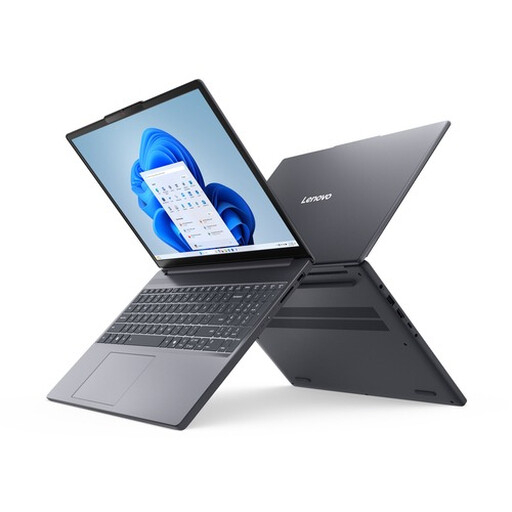
Suited to anyone who wants a 15.3-inch screen for entering catalogue details and transferring files from a memory card or USB device.
This configuration lists Windows 11 Home, a 512 GB PCIe 4.0 SSD, USB-A, USB-C and an SD card reader.
 No image available
Suited to anyone who wants to enter data in a local Windows catalogue on a larger screen.
The product name lists a 16-inch QHD+ OLED screen with a 240 Hz refresh rate, an Intel Core Ultra 9 386H processor, a GeForce RTX 5060, 32 GB DDR5 and a 1 TB SSD.
 No image available
Suited to anyone who wants to manage a local catalogue on a larger screen and keep documents stored locally.
The product details list Windows 11 Home, 32 GB LPDDR5x, a 1 TB SSD and a 16-inch 2.8K OLED screen with a 120 Hz refresh rate.
Not just for basic catalogue data entry. The Consumers' Association suggests 8 GB of RAM and 256 GB of storage as a guide for basic office software, and recommends more storage if you have lots of large photo files. So, start by working out how much space your own photos and documents take up.
Copy both your catalogue and its source folders, then test a few links in the new location. Microsoft Support explains that Excel file links may depend on how file paths are stored. Set OneDrive folders you need without an internet connection to always be available on your device.
That depends on the software and service you choose. Microsoft distinguishes between Microsoft 365 in a browser and installable desktop apps, so check what is included with the specific laptop and which version you want to use.
According to ACM ConsuWijzer, the statutory cooling-off period for an online consumer purchase usually ends 14 days after delivery, subject to applicable exceptions. You are also entitled to a product that conforms to the contract. If there is a fault, the seller is your point of contact for a remedy under the statutory guarantee.