
Collector with a dedicated catalogue programme
You want to keep using your chosen programme. First, check that it works with the laptop’s operating system; the software requirements will determine which models are suitable.


Start with your catalogue software: a browser-based catalogue or spreadsheet gives you more choice of operating system, while a local programme may have specific requirements. Then compare the physical keyboard layout, screen space, ports, and options for exporting and backing up data. For straightforward data entry, extra processing power isn’t automatically useful.
You want to keep using your chosen programme. First, check that it works with the laptop’s operating system; the software requirements will determine which models are suitable.
You regularly enter model names, railway companies and notes in different languages. A familiar physical keyboard layout and the ability to switch easily between input sources can be important. Microsoft Support and Apple Support explain how to set up input layouts or sources.
You want to view information and photos together, and be able to export and back up your collection data. Yard Tower describes export options including Excel and CSV; check that the available export format suits your catalogue.
A good fit if: your catalogue programme requires Windows, or you want to manage your files locally on a Windows laptop.
Keep in mind: changing the input layout won’t change the physical labels on the keys. Also check your programme’s requirements.
A good fit if: your catalogue works in a compatible browser or there’s a macOS programme available. On a Mac, you can switch between input sources.
Keep in mind: don’t assume it supports a Windows programme; check with the software maker. You may need a suitable adapter for older USB-A equipment.
A good fit if: your catalogue works in a browser and you can edit the spreadsheet files you need with the available apps.
Keep in mind: Google describes support for Microsoft 365 files, but that doesn’t prove that every local catalogue programme will work. Also check how you’ll access your data without an internet connection.
| Buying consideration | What should you check? | Who is this most relevant to? |
|---|---|---|
| Software compatibility | Check your programme’s system requirements. Yard Tower lets you explore export options including PDF, Excel and CSV. | If you already have a catalogue programme in mind, first check that it works with your chosen operating system. An estimated 31% of consumers say software compatibility is their main buying concern. |
| Multilingual input | Test the physical keyboard layout and the characters you use often. Microsoft Support and Apple Support explain how to configure input layouts or sources. | If you enter a lot of information in different languages, familiar key labels and accents can make all the difference. An estimated 25% of consumers say multilingual input is their main buying concern. |
| Screen and photos | Compare the screen size and resolution of the exact model. Also check that the card readers and ports are suitable for your equipment. | If you want to view catalogue information and collection photos side by side, available screen space matters. An estimated 19% of consumers say screen space and photos are their main buying concern. |
| Portability | Compare the size and weight with your bag and workspace. Check whether the required charger is included. | If you also update your inventory at exhibitions or in storage, you’ll want to know whether the laptop is practical to carry. An estimated 13% of consumers say taking a laptop to another location is their main buying concern. |
| Backing up data | Check which fields and photos are included when you export. Windows File History can save copies of personal files and folders. | If you want to be able to transfer or restore your collection, an export or separate backup is important alongside the storage on your laptop. An estimated 12% of consumers say data retention and portability are their main buying concern. |
Changing the input layout in software won’t change the physical labels on the keys.
Check the layout on the exact model and try the accents and symbols you enter frequently.
According to the product information, no charger is included with the Lenovo IdeaPad Slim 5 14AKP10 and Acer Aspire Go 15 NX.JRREH.018 models reviewed.
Before buying, check what’s in the box and which charging solution is suitable for the exact model.
Storage on your laptop isn’t a separate recovery copy of your catalogue.
Check where your catalogue stores its data, export a copy, and make sure your backup includes the photos and files you need.
The IdeaPad Slim 5 14AKP10 is a compact Windows option for data entry and transferring files.
The Aspire Go 15 AG15-72P is a larger Windows option for everyday data entry at a fixed workspace.
A MacBook Air is a macOS option if your catalogue works in a compatible browser or there’s a suitable Mac app.
The OmniBook 5 range includes 16-inch Windows models for those who mainly enter information at a spacious workspace.
The Vivobook 15 X1504 series is an option for everyday data-entry tasks.
This selection includes Windows laptops and a MacBook for catalogue work. Before you buy, check whether your catalogue works in a browser or is compatible with Windows or macOS.
 No image available
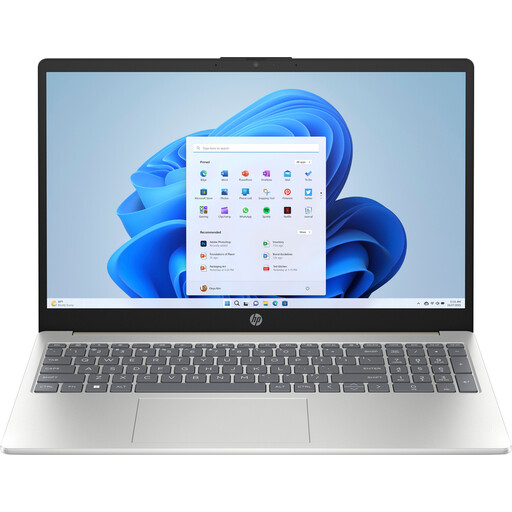
A Windows option for catalogue work and regular data entry at a workspace.
Windows 11 Home, a 15.6-inch Full HD screen and a keyboard with a numeric keypad. The title lists 8 GB of DDR5 memory and a 512 GB SSD.
 No image available
A Windows laptop for catalogue data and transferring files.
The 15.3-inch WUXGA screen has a 16:10 aspect ratio. The model lists 16 GB of DDR5 memory, a 512 GB PCIe 4.0 SSD and an SD card reader. The keyboard is English EU; this is not the same as the selected input language.
 No image available
A compact Windows option if you want to work on your catalogue in different locations.
The description lists a 14-inch Full HD screen and a weight of around 1.40 kg. It also specifies Windows 11 Home, 16 GB of DDR4 memory, HDMI and a MicroSD card reader.
 No image available
A macOS option if your catalogue works in a browser or your chosen programme is compatible with macOS.
The title lists a 15-inch screen, 16 GB of memory and 512 GB of storage. The description mentions Thunderbolt 4 ports and macOS input sources for different languages. According to the description, a power adapter isn’t included; you’ll need a suitable USB-C adapter.
 No image available
A Windows laptop for viewing catalogue information and photos on a larger screen.
The description lists a 15.6-inch Full HD screen, Windows 11 Home, 16 GB of memory and a 512 GB SSD. It also mentions microSD and HDMI.
Not for straightforward data entry, browsing and office work alone. Consumentenbond provides a basic configuration as a guide for everyday use; check for extra requirements if your chosen programme or photo editing has any.
Yes, you can add input layouts or sources in Windows and macOS. Also check that the physical layout is comfortable for the characters you use frequently.
Check your catalogue’s export options and make a separate backup. Yard Tower describes exporting to formats including Excel and CSV; Windows File History can save copies of personal files and folders.
According to ACM ConsuWijzer, if a laptop doesn’t meet what you could reasonably expect under normal use, the seller must put things right at no cost. This could mean a repair, replacement or refund. Don’t assume that every laptop has the same fixed warranty period.
According to ACM ConsuWijzer, online purchases generally come with a statutory 14-day cooling-off period after delivery. Check the applicable terms and exceptions, and handle the device carefully while you assess it.