What should you look for?
Start with the shooting distance and lighting setup: Tangible Day says lighting is at least as important as camera placement when filming miniature painting.
| What to consider |
What to look for when buying |
Who will value this? |
| Sharp detail and room to work |
Compare the lens mount, magnification and focusing distance. Check that you have enough room to paint while keeping the model sharply in frame. |
I want to see the brush tip clearly without the camera restricting the space for my hands. Around 36% of consumers say capturing sharp detail is their main buying concern. |
| Visibility against a dark backdrop |
Record a test shot under the planned lighting and assess the model, your hands and the background together. |
I want the model and layers of paint to remain visible without losing the look of the dark backdrop. Around 29% of consumers give visibility and colour top priority. |
| Recording without an unexpected stop |
Check the stated recording time for each video mode and test your chosen resolution in a session of a similar length. Also consider power and storage. |
I want to record a painting step without having to start again halfway through. Around 21% of consumers prioritise uninterrupted recording. |
| Easy setup and clear explanations |
Check that you can see the screen from your painting position and that the camera has connections for the microphone you want to use. |
I want to check my framing quickly and record clear explanations. Around 14% of consumers prioritise ease of use and spoken commentary. |
Joybuy products
This Joybuy selection includes webcams, a compact pocket camera and a mirrorless camera with a 16–50 mm zoom lens. For your painting setup, check that the model can be captured sharply from your chosen distance and appears large enough in the frame.
 No image available
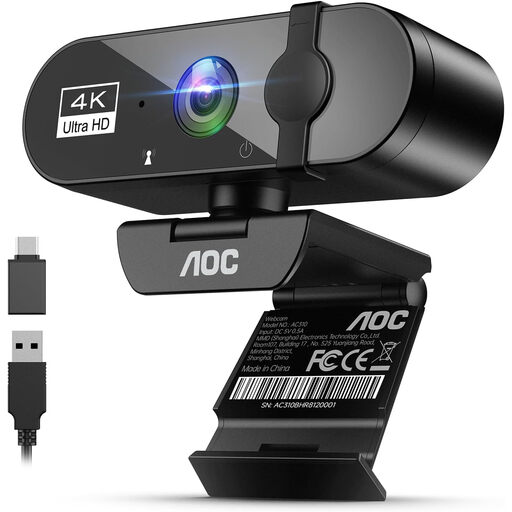
AOC 4K webcam for PC with microphone
For a computer-based setup where both the work surface and your painting hand need to fit in frame, the stated field of view may be useful. Check in a test shot that the small model appears large and sharp enough.
The product name specifies 4K video, a 99° field of view and a built-in microphone.
View at Joybuy
 No image available
DJI Osmo Pocket 4 Standard Combo
This pocket camera could suit a compact video setup; check that its fixed camera position and viewing angle work with the way you paint.
The product name specifies a 1-inch CMOS sensor, 4K/240fps video, 3-axis stabilisation, 107 GB of built-in storage and a 2-inch rotating screen.
View at Joybuy
 No image available
Philips 4000 Series 4K UHD Webcam SPL6408BT/00, EU version
If you’re recording spoken explanations at your computer, the stated built-in microphones may be useful. Test the audio and framing from your painting position.
The product name specifies autofocus, dual built-in microphones and a privacy cover.
View at Joybuy
 No image available
Sony ZV-E10 with 16–50 mm zoom lens, black
The zoom lens can be useful if you want to film both the work surface and a tighter shot. Record a test of the brush details from your planned camera distance.
The product description states that an SD memory card is not included.
View at Joybuy
 No image available
Insta360 Link 2C Standard Bundle, Graphite Black
This webcam could work well for recording your work surface at a computer. Check in advance that the camera and required software are compatible with your system.
The product name specifies a 1/2-inch sensor and 4K video. The product description states that it is not compatible with ARM-based Windows systems.
View at Joybuy
Frequently asked questions
Do you need 4K to show brush details?
No, 4K isn’t essential in itself. Tangible Day suggests both 1080p and 4K as possible starting points for miniature-painting videos; framing, focus, lens and lighting all matter too. Test the smallest detail you want to explain in the format you plan to deliver.
How can you stop your hand from hiding the model?
Test the camera position and framing while you’re actually painting. In a documented test setup by Tangible Day, one camera angle proved awkward because the painter’s hand would have covered the subject.
Can you rely on Nikon’s stated 125 minutes for a long lesson?
Not if you want to film in 4K. Nikon’s 125-minute figure applies to Full HD 24p/25p at 25 °C, while its figure for 4K UHD is around 35 minutes; achievable recording time also depends on the battery and internal temperature.
What are your rights when buying a camera online in the Netherlands?
For a distance purchase by a consumer, you generally have a 14-day cooling-off period; check the applicable exceptions and seller information. The Dutch government describes the statutory guarantee as the right to a product that meets reasonable expectations, with no fixed statutory guarantee period. If there’s a fault, contact the seller.
Can you publish a painting lesson if other people are recognisable in it?
If other people are recognisable in the footage, the Dutch Data Protection Authority says you need a lawful basis under the GDPR. Consent is one possible example of such a basis, but it isn’t the only one.


