
Vandaag of morgen in huis

Kwaliteit gegarandeerd
Download de app
Categorieën

A stable internet connection is essential, whether you're on the road for work, out camping, or need a backup for your home internet. However, the market for mobile Wi-Fi routers can be overwhelming. Terms like MiFi, 4G router, and travel router are often used interchangeably, increasing the risk of making the wrong purchase. A common problem is buying a device that doesn't match your specific needs—for instance, a router without a SIM card slot when you're looking for complete independence. This article will help you understand the key specifications and make an informed decision.
To choose the right portable router, it's crucial to focus on the technical specifications that matter for your use case.
Connectivity: 4G, 5G, or via USB Modem?
Wi-Fi Standard: Wi-Fi 4, 5, or 6?
Battery Life and Power For use without a power outlet, battery capacity, expressed in milliampere-hours (mAh), is a crucial factor. Some models also function as a power bank to charge other devices. Other, more compact models are powered via a USB port and have no internal battery.
Number of Connections and Ports Check how many devices can connect simultaneously. Also, note the presence of physical ports, such as an Ethernet (LAN) port for a stable, wired connection to a laptop, for example.
Size and Durability For Wi-Fi at the campsite or on adventurous trips, a rugged, water- and dust-resistant (IP-certified) model can be a wise choice. For the business traveler, a compact and lightweight design is often more important.
Based on the criteria above, we have selected a range of products with different specifications for various use cases.
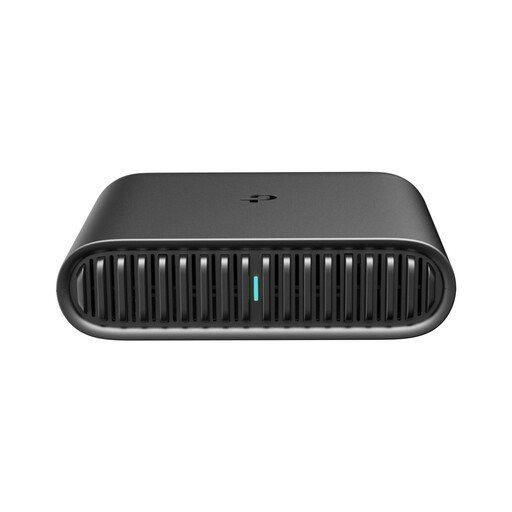
Why this product The TL-WR1502X is a versatile travel router that combines modern technology with a compact design. The device has no built-in battery or SIM card slot but is powered via USB and can establish a mobile internet connection through an external 3G/4G USB modem. Its support for Wi-Fi 6 makes it a future-proof choice.
Advantages
Who is this for? This model is ideal for travelers who want to set up a personal and secure Wi-Fi 6 network in various locations (like hotels with a wired internet connection). It's also suitable for users who already own a USB modem and want to use it to create a hotspot.
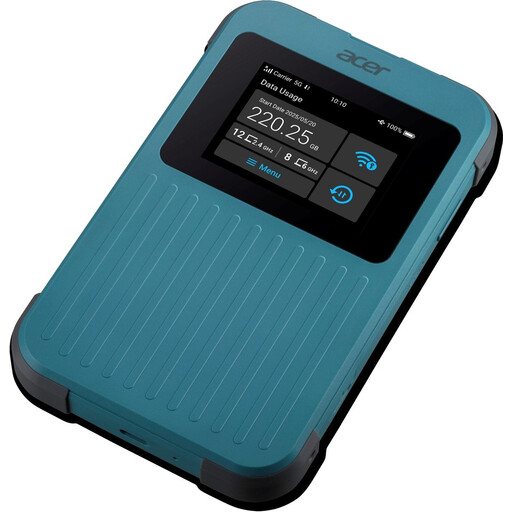
Why this product The Acer Connect M4E is a complete 5G router for the demanding user. With support for both a physical SIM card and eSIM, a very large battery, and a rugged design, this device is built for maximum performance and reliability in any location.
Advantages
Who is this for? Perfect for digital nomads, campers, and anyone who depends on a fast and stable internet connection in remote locations or while traveling. Its rugged build and power bank function make it an excellent choice for outdoor use.
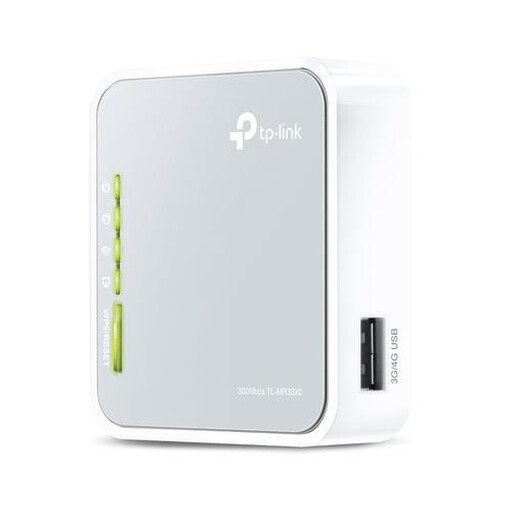
Why this product The TL-MR3020 is an extremely compact and affordable solution for sharing a 3G/4G connection. Like the TL-WR1502X, this model works with an external USB modem. Its small size and power supply via a Mini-USB port make it one of the most portable options on the market.
Advantages
Who is this for? This MiFi router is intended for the budget-conscious traveler looking for a simple, no-frills solution. It's suitable for sharing an internet connection from a USB modem with a few devices for light tasks like browsing and emailing.
The products mentioned above represent different categories within the mobile router market. Your ideal device depends entirely on your personal requirements for speed, battery life, size, and budget. For a complete overview of all available models, from simple 4G hotspots to advanced 5G routers, you can browse our category page.
View all WLAN Routers on Joybuy.
1. What is the difference between a MiFi router and a travel router? A MiFi router (also known as a router with a SIM card) has a built-in modem and a SIM card slot. You insert a SIM card, and the device independently connects to a 4G or 5G network. A travel router typically does not have this; it's designed to convert an existing internet connection (like from a hotel Ethernet cable or an external USB modem) into a personal Wi-Fi network.
2. Do I need a special data plan for a router with a SIM card? You will need a data plan, but it doesn't have to be a special one. A data-only SIM card is often the most cost-effective option. You can choose a monthly plan or a prepaid SIM card, which offers flexibility for occasional use, such as during holidays.
3. Can I also use a mobile router at home? Yes, a mobile router can be an excellent backup solution for your home. If your fixed broadband connection fails, a 4G or 5G router can get you back online quickly. For permanent home use, however, a fixed connection is generally more stable and cost-effective.