
Developers inspecting Safari on iPhone or iPad
If you need to inspect web content in Safari on a real iPhone or iPad, Apple Developer's guidance is based on using a connected Mac.


Start by choosing according to the device you need to inspect. Chrome can remotely debug Android devices from Windows, macOS or Linux, while Apple describes using a connected Mac to inspect web content on an iPhone or iPad in Safari. Then choose between a compact PC and a tower based on the ports you need, the space available and any potential upgrades. You don't automatically need a larger case to check a mobile viewport.
If you need to inspect web content in Safari on a real iPhone or iPad, Apple Developer's guidance is based on using a connected Mac.
For viewport simulation or remote debugging of an Android phone, you can use Chrome on Windows, macOS or Linux, as described by Chrome for Developers.
You want to position your computer, monitors and phone cables so they don't get in the way of your workspace. Check the dimensions and ports of the configuration you choose, and leave room to change your posture, as advised by Arboportaal.
Choose this option if: you mainly use Chrome Device Mode and may also remotely debug an Android device, and want to take up as little desk space as possible.
Trade-off: ports and configurations vary by model. This option doesn't replace Apple's recommended approach of using a connected Mac to inspect iPhone or iPad web content in Safari.
Choose this option if: inspecting web content in Safari on a real iPhone or iPad is part of your work.
Trade-off: the Mac mini (2024) is available in several M4 and M4 Pro configurations. Check the memory and video specifications, as well as the cables you need.
Choose this option if: internal upgrades are important to you and you have enough room for a larger case.
Trade-off: a tower takes up more physical space. Check the upgrade options for the exact configuration rather than judging by the case design alone.
First, establish whether you need to test a simulated viewport, a real Android phone, or an iPhone or iPad in Safari. Then compare the actual ports and dimensions with your displays, cables and desk.
| What to consider | What should you check? | Who is this important for? |
|---|---|---|
| iPhone and iPad inspection | Check whether you need Safari Web Inspector on a connected Apple device, and whether the Mac and connection you choose will work with your setup. | If I need to inspect web content in Safari on a real iPhone or iPad, I want to know whether my desktop supports that workflow. Around 27% of consumers give this inspection task top priority. |
| Android and responsive testing | Decide whether viewport simulation is enough or whether you also want to remotely debug an Android phone. If so, check the connection you need. | If I check responsive layouts and sometimes need a real Android phone, I want to be able to weigh up both testing methods. Around 37% of consumers prioritise Android and responsive debugging. |
| Making it work with a sit-stand desk | Compare the dimensions, monitor outputs, USB port accessibility and cable lengths you need with your workspace. | If I adjust my desk, I want my computer, displays and cables to remain usable. Around 18% of consumers give workspace fit top priority. |
| Future upgrades | Check which memory, storage or other internal upgrades are possible for each model, and how much space the case takes up. | If I want to be able to change or add components later, I want to know what the specific model can accommodate before choosing a case. Around 18% of consumers make room for upgrades their main priority. |
Chrome Device Mode simulates a mobile viewport. Google describes remote debugging of a real Android phone as a separate workflow. Apple describes inspecting iPhone and iPad web content in Safari on a connected Mac.
Before choosing, make a note of the real devices and browsers you need to reproduce errors on.
Testing on a real device may also require a test phone, cable or another computer setup.
For the NUC 14 Pro, ASUS distinguishes between complete mini PCs and kits. Some kits don't include a pre-installed operating system or memory.
Check the exact model code and what comes with the configuration you want to buy.
A kit may require you to buy memory, storage or an operating system separately.
The ports on the configuration you choose determine whether you can connect your monitors and test phone as intended. With a sit-stand desk, the cable routing must also allow for the desk to move.
Compare the ports on the exact model with your displays and phone, and check that the cables have enough slack when you adjust the desk.
You may need different cables or a suitable connection solution.
The Mac mini is worth considering if you need to inspect Safari on a connected iPhone or iPad.
The ThinkCentre M70q Gen 5 is a compact desktop worth comparing if space around your workspace is at a premium.
The HP Pro Mini 400 G9 is a compact business desktop worth comparing with a larger case.
Among the models reviewed here, Dell offers the compact Pro Micro QCM1250 and the larger Pro Tower QCT1255.
The NUC 14 Pro range is worth considering if you're comparing a mini PC with a kit and want to check the configuration yourself.
This selection features compact mini PCs for desktop use. For each configuration, check that the operating system, ports and included components suit your testing setup. For inspecting iPhone or iPad web content in Safari, a connected Mac remains Apple's recommended option.
 No image available
A compact Windows 11 mini PC to compare for a desktop setup with mobile viewport testing.
The product information lists two HDMI outputs, a Type-C video output and four USB ports. The stated dimensions are 105 × 113 × 45 mm. Check that the connections suit your displays and test phone.
 No image available
A Windows 11 Pro mini PC to compare if you need two HDMI connections for a desktop setup.
The product information lists two HDMI 2.0 outputs supporting 4K at 60 Hz, and a case measuring 128 × 128 × 51,5 mm. Check that these connections are suitable for your monitors.
 No image available
A mini PC to compare for a mobile layout workspace with multiple displays.
The product information lists 4K output for three displays, 16 GB RAM, a 512 GB SSD and Wi-Fi 6. Check that the ports on this configuration suit your monitors.
 No image available
A compact Windows 11 Pro mini PC to compare if desk space is limited.
The product information lists a DisplayPort output, Gigabit Ethernet, VESA mounting options and a case 36,5 mm thick. According to the product information, the power adapter isn't included and must be purchased separately.
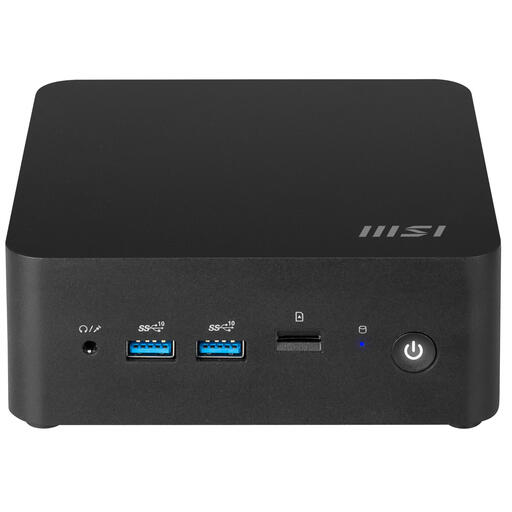 No image available
A barebone mini PC to compare if you want to check for yourself which components will suit your desktop setup.
The product information lists a 0,84-litre case, VESA mounting, Thunderbolt 4 connections and support for four displays. Check which components are included with this barebone configuration.
Not for every issue. Chrome Device Mode simulates a mobile viewport, among other things. Chrome for Developers also describes remote debugging while a page is running on a real Android phone. Choose your testing method based on the device and browser where the issue occurs.
Apple Developer describes using Safari Web Inspector on a connected Mac. Turn on Web Inspector on your iOS or iPadOS device, connect it to the Mac and select the page from Safari's Develop menu. Your device may ask you to trust the Mac.
No. Arboportaal advises setting up your workspace so you can work comfortably and changing your posture regularly, for example by working standing up from time to time. Employers also have responsibilities to ensure safe and healthy working conditions for employees who work with display screens.
For a consumer purchase, the Dutch government says you're entitled to a product that works properly; any manufacturer's or seller's warranty is separate. For distance purchases, a 14-day cooling-off period applies in many cases. Check whether your purchase is covered by these rules; a business purchase isn't automatically a consumer purchase.
Check which components and software are included with the exact configuration. For the NUC 14 Pro, ASUS distinguishes between complete mini PCs and kits. Some kits don't include a pre-installed operating system or memory.