What should you look for when buying?
First decide whether you mainly need overview shots or close-ups. Then compare the lens and shooting setup, before considering which camera body features suit the way you take photos.
| What to consider |
What to look for |
Who is this most important for? |
| Colour and white background |
Check that the camera body offers adjustable white balance and RAW support. Keep the lighting and background as consistent as possible, too. |
If I want to show the colours of tiles and grout as consistently as possible, I pay attention to lighting and white balance. Around 33% of consumers put colour consistency first. |
| Small tiles and grout lines |
Compare the maximum magnification and focusing distance of the specific lens. Also check the lens mount and what’s included in the kit. |
If I want to photograph individual details at a large size, the lens needs to be suitable and there must still be room for lighting. Around 27% of consumers put detail magnification first. |
| Repeatable framing |
Consider whether you can place the camera in a fixed position and view the screen clearly from there. |
For a series of samples, I want to keep the camera and background in the same place each time. Around 20% of consumers say a repeatable setup is their top priority. |
| Complete camera kit |
Check whether you’re buying a camera body or a kit, which lens model is included and what else you’ll need for your setup. |
If I want to know in advance what I need for a complete shooting setup, I look beyond the camera body alone. Around 20% of consumers put the cost of the complete kit first. |
Cameras at Joybuy
The camera options below are relevant to this topic. For each model, check whether the lens and focusing capabilities suit your mosaic sample and the crop you want.
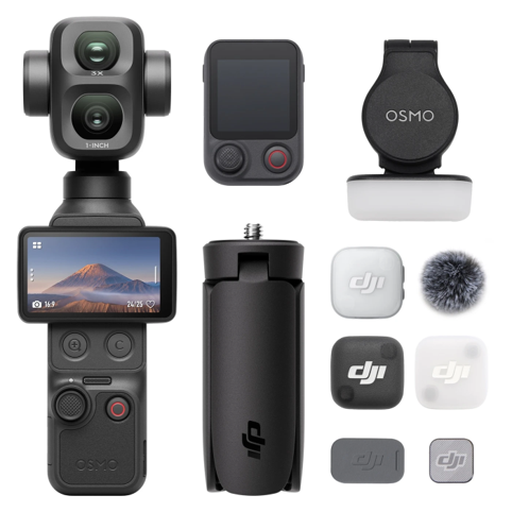 No image available
Osmo Pocket 4P Vlog Combo, black
Check whether this vlogging model is suitable for a fixed reproduction photography setup and the crop you want.
View at Joybuy
 No image available
Komery W6 digital camera, 64 MP, 12× optical zoom and 4K
Check whether the camera can focus at the distance you’ll be shooting your sample from, and whether there’s room for lighting in that setup.
The product name lists 64 MP, 12× optical zoom, 4K and Wi-Fi.
View at Joybuy
 No image available
DJI Osmo Pocket 3 vlogging camera
For this model, check separately whether the camera and lens are suitable for the framing and close-up shots you want of your mosaic sample.
The product name lists a 1-inch CMOS sensor and 4K/120fps video.
View at Joybuy
 No image available
Sony ZV-E10 with 16–50mm zoom lens, black
Check whether the included lens gives you the crop and focusing distance you need for your sample.
The product name lists a 16–50mm zoom lens.
View at Joybuy
 No image available
Sony Alpha A6100 with 16–50mm f/3.5-5.6 OSS II lens
Check the magnification and focusing distance of the included lens for the details you want to photograph.
The product name lists a Sony E PZ 16–50mm f/3.5-5.6 OSS II lens.
View at Joybuy
Frequently asked questions
Do I need a macro lens for my mosaic sample?
Not for every overview shot. If you want to show small grout lines or tiles at a larger size, check the maximum magnification of the specific lens at the settings you’ll use. Canon Netherlands lists different figures for the RF-S 18-45mm, depending on focal length and focusing mode; these details don’t automatically apply to other lenses.
How can I make a series of photos comparable?
Put the camera in a fixed position and keep the framing, background and lighting the same. Set the white balance carefully if the light creates a colour cast. Canon Netherlands explains the benefits of using a tripod for consistent composition and why white balance matters in challenging lighting conditions.
Does a two-year manufacturer’s warranty also set the limit for my statutory rights?
No. ACM ConsuWijzer distinguishes between a manufacturer’s or seller’s warranty and your statutory rights. With normal use, a product must meet the standard you could reasonably expect, and the seller is responsible for this. There isn’t one fixed statutory warranty period that applies to every camera.
Can I share photos of a mosaic sample with other people?
This depends, among other things, on what you photograph and publish. The Dutch government points out that you can’t simply publish other people’s protected work without permission. If recognisable people appear in the image, privacy rules may also be relevant, as explained by the Dutch Data Protection Authority. Whether a particular mosaic is protected and who owns the rights must be assessed on a case-by-case basis.
Can I return a camera bought online if the kit isn’t suitable?
For a standard online purchase by a consumer, ACM ConsuWijzer says you generally have a statutory cooling-off period of up to 14 days after delivery. Before using or returning the camera, check the applicable terms and what’s included in the kit you received.


