What should you look for when buying?
Start with the framing you want, then consider how sharpness throughout the depth of the subject, consistent colours and the complete camera-and-lens combination fit your way of working.
| What to consider |
What to look for |
Who should pay particular attention? |
| Magnifying small details |
Compare the magnification of the supplied lens with that of a compatible macro lens, and consider the framing you want. |
I want to fill the frame with small faces or paint details, so I choose based on lens magnification; around 36% of consumers prioritise detail magnification. |
| Keeping the whole figure in focus |
Check whether the camera body offers focus bracketing or stacking, and whether the lens you choose works with that feature. |
If protruding parts need to stay sharp from front to back, I want to know how multiple focus positions are processed; around 29% of consumers prioritise sharpness across the whole figure. |
| Reproducing white and colour consistently |
Check that you can adjust white balance and exposure, and keep the light source and setup the same between shots. |
For a series of catalogue images, I want to maintain an even white background and consistent colours; around 21% of consumers prioritise uniform white product photos. |
| Total cost of the kit |
Compare the camera body, the lens actually included and any separate macro lens as one complete kit. |
I want to know in advance which combination is ready for the framing I want, without assuming a lens is included; around 14% of consumers prioritise the total cost of the kit. |
Joybuy products
The product titles below cover a range of items and do not all specify a mirrorless camera with a macro lens. Before buying, check whether the product is suitable for photographing miniature figures and supports the interchangeable lens you want.
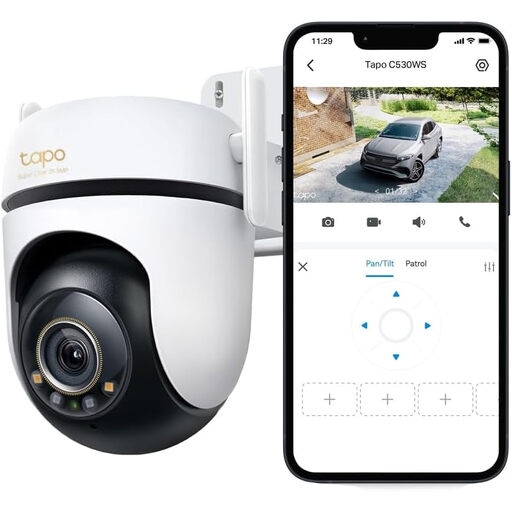 No image available
TP-Link Tapo C530WS outdoor security camera
The product name describes an outdoor security camera, not a mirrorless camera for photographing miniatures.
The product name lists 64 MP and 12× optical zoom.
Joybuy
 No image available
Komery W6 digital camera
The product name describes a digital camera with 12× optical zoom; check whether the specific version offers the close-up framing you want.
The product name lists 64 MP, 4K video and Wi-Fi.
Joybuy
 No image available
DJI Osmo Pocket 3 Creator Combo
The product name describes a compact camera for photography and video; check whether this version meets your needs for close-ups of static figures.
The product name lists a 1-inch CMOS sensor, 4K/120fps video, 3-axis stabilisation and an included microphone.
Joybuy
 No image available
DJI Osmo Pocket 3
The product name describes a camera for photography and video; check whether this version suits the framing you want for miniature figures.
The product name lists a 1-inch CMOS sensor, 4K/120fps video, 3-axis stabilisation and a 2-inch rotating touchscreen.
Joybuy
Frequently asked questions
Do I need a 1:1 macro lens for every miniature figure?
No, it depends on the framing you want. A less powerful lens may be enough for a whole figure, while very small details may need greater magnification. Canon lists a lower maximum magnification for the RF-S 18-45mm kit zoom than 1:1 for the macro lenses mentioned.
How can I photograph several figures against the same white background?
Keep the background, light source and camera setup as consistent as possible, and check the white balance under the lighting you use. Nikon Netherlands describes white balance as a setting linked to the lighting; changes in lighting conditions may mean you need to check it again.
Do I need to combine stacked images on my computer?
It depends on the camera and the workflow you choose. Canon describes in-camera depth compositing for the EOS R50, while OM SYSTEM offers in-camera focus stacking on the OM-5 Mark II; with OM SYSTEM, also check that your chosen lens supports the feature. In a software-based workflow, images taken at different focus points are combined afterwards.
What rights apply in the Netherlands when buying online and if problems arise later?
When buying remotely from a business, you will generally have a 14-day cooling-off period, although exceptions may apply and the specific terms of purchase matter. The Dutch government also advises that if a product is faulty, you should contact the seller to claim your statutory guarantee; any manufacturer’s guarantee may apply in addition. These rules do not necessarily apply to business purchases or purchases from a private individual.


