
Makers showing off their stitches
You want to show patterns, seams and fibres up close. Choose a lens based on the magnification you need and how much room you’ll have left for your lighting.


Start by choosing a lens that can capture the composition you want. A suitable standard lens may be enough for a whole glove, while small stitches need greater magnification. Under artificial light, white balance and possible banding with an electronic shutter are important considerations. Also check whether the offer includes a camera body or a complete kit. None of the camera bodies reviewed has been proven to be a clear winner for this specific task.
You want to show patterns, seams and fibres up close. Choose a lens based on the magnification you need and how much room you’ll have left for your lighting.
You photograph gloves under artificial light and want to minimise colour differences between shots with a controlled lighting setup and suitable white balance.
You want to frame complete gloves consistently from one shot to the next. So, consider the lens, the space available and what’s included in the kit on offer.
| What to consider | What should you check? | Who is this important for? |
|---|---|---|
| Magnification for knitting details | Check the maximum magnification of the specific lens and whether you can achieve the composition you want in your workspace. Canon specifies a maximum magnification of 1:2 for the RF 35mm F1.8 MACRO IS STM; Nikon specifies 1:1 for the NIKKOR Z MC 50mm f/2.8. | If you want stitches or fibres to fill the frame, the magnification of your chosen lens matters more than the camera body’s resolution alone. Around 33% of consumers put detail reproduction first. |
| Colour under artificial light | See which white balance settings the camera offers, then take test shots using your own lights and a neutral reference. | If you photograph gloves under artificial light, you’ll want to assess colours carefully in your own setup. Around 27% of consumers prioritise colour consistency. |
| Consistent full-glove shots | Measure the space available for your camera, glove and lights, and check whether the lens can achieve the composition you want in that space. | When photographing a collection, you’ll want to frame complete gloves in a consistent way, without having to rethink your setup every time. Around 20% of consumers give consistent full-glove shots their highest priority. |
| What’s included in the kit | Check whether the offer is for a body or a kit, which lens is included and whether it fits your camera mount. | If you don’t already have a suitable lens, you’ll want to know exactly what you’re getting and whether the kit can handle the photos you want to take. Around 20% of consumers look first for a complete, usable kit. |
The camera body’s specifications won’t tell you how large a stitch will appear in the frame with your chosen lens.
First decide how large you want the detail to appear, then compare the lens’s magnification, mount and focusing distance.
An interchangeable-lens camera needs a suitable lens, and what’s included can vary between offers.
Check the exact variant and box contents before comparing a body with a kit.
Canon warns that some flickering LED and fluorescent light sources can cause banding when using an electronic shutter.
Take test shots with your own lighting and check the shutter settings on the model you’re considering before settling on a workflow.
An RF-system option to explore if you’re considering a lens for full-glove shots or a dedicated macro lens for close-ups.
A Z-system option to explore if close-ups of stitches and fibres are important to you.
A compact mirrorless camera option to consider if you’d also like to use a focus-stacking feature.
An X-mount option to consider for RAW photography and close-ups with a separate macro lens.
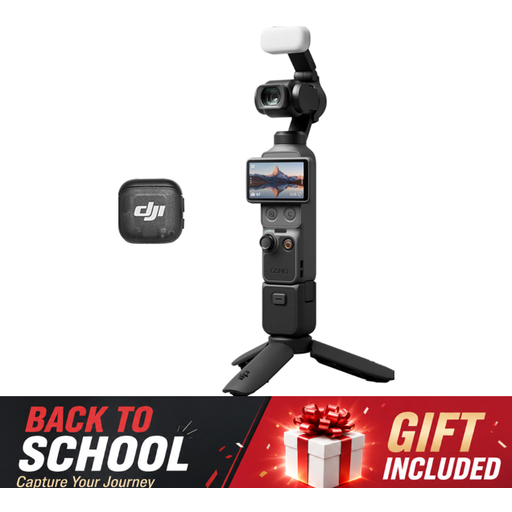
These products include a mirrorless camera kit for flexible framing and a compact vlogging camera. Check whether each model’s close-up capabilities are suitable for capturing your knitting details.
 No image available
The product name describes this model as a vlogging camera, not an interchangeable-lens mirrorless camera. Check whether its close-up capabilities are suitable for photographing stitches and fibres.
The product name lists a 1-inch CMOS sensor, 4K/120fps video and 3-axis stabilisation.
 No image available
This kit may suit anyone looking for an interchangeable lens and the flexibility of a zoom lens to frame a whole glove. For small stitches, it’s worth checking the magnification of the specific lens.
The product name lists the 16-50mm f/3.5-5.6 OSS II lens.
Not necessarily. Start with the composition you want to achieve in your workspace. If you want to photograph individual stitches, compare the magnification of the specific lens. Canon and Nikon’s 1:2 and 1:1 figures apply to the lenses mentioned, not automatically to every lens used with the same camera body.
Take a test shot under the lighting you actually use, then compare automatic white balance with a suitable setting or a neutral reference. Nikon explains that automatic white balance and a setting based on the light source can produce different results.
According to Canon, some flickering light sources can cause banding when you use an electronic shutter. Check a test shot and the shutter settings on the exact model; this doesn’t mean every combination will produce stripes.
Check whether the offer includes just a camera body or a lens as well, and whether that lens is suitable for the composition you want. A standard lens may be enough for a whole glove, but you may need a separate macro lens for small stitches.