
Miniature painter selling painted details
You want to show texture and brushstrokes. Check the magnification of the specific lens, as well as whether you’ll have room to position your lighting around the miniatures.


Choose a camera based on the smallest paint details you want to show, and always assess the camera body together with the lens you’ll use. A compact camera with a close-up mode keeps your set-up simple; a mirrorless camera gives you more choice of macro lenses, but you’ll need to factor in lens costs, space for lighting and a stable set-up.
You want to show texture and brushstrokes. Check the magnification of the specific lens, as well as whether you’ll have room to position your lighting around the miniatures.
You photograph different miniatures regularly and want to keep framing and colours consistent. A fixed camera set-up and controlled white balance can help.
You want to start by taking overview shots, then choose an additional lens later if the one included in the kit doesn’t capture the details at a large enough size.
Choose this option if: you mainly want to photograph entire miniatures and accessible details without changing lenses. OM SYSTEM states that the TG-7 has a microscope mode that can focus from 1 cm.
Bear in mind: you can’t replace the fixed lens with a different macro lens later. Also check whether there’ll be enough room for lighting at the close-up distance you need.
Choose this option if: overview shots are your priority and you want to see whether the included lens captures enough detail before investing in another one.
Bear in mind: Canon states that the RF-S 18-45mm offers a maximum magnification of 0.25× in MF mode. This isn’t the same as the 1:1 magnification of a dedicated macro lens.
Choose this option if: you want to capture tiny brushstrokes at a larger size, or choose a lens suited to the space around your set-up. Nikon, Sony and OM SYSTEM specify 1:1 magnification for certain macro lenses.
Bear in mind: that magnification applies to the lens specified, not to every camera or kit. Depth of field can be limited in close-up shots, and focus-stacked images may need post-processing.
| What to consider | What should you check? | Who is this important for? |
|---|---|---|
| Fine paint details | Compare the crop you want with the maximum magnification of the exact lens, and check that there’s still room for lighting. | If you want the smallest details to fill the frame, the magnification of the lens you use is key; around 31% of consumers say this is their main buying concern. |
| Consistent colours | Check whether you can set the white balance and recreate the same lighting and background. | If you want the paintwork on different miniatures to look consistent, choose a repeatable set-up. Around 25% of consumers give colour consistency their top priority. |
| Sharpness and repeatability | Take a test shot and check whether the relief is sharp enough. If you need to focus at multiple distances, check the features of the exact camera model. | If you photograph miniatures with protruding details or often take new product photos, sufficient depth of field and repeatable framing are important; around 25% of consumers say this is their main concern. |
| What’s included in the kit | Check which lens is included, which mount the camera body has and whether you’ll need a separate lens later. | If you want to start with one complete kit and know in advance what you can actually photograph, check the box contents carefully. Around 19% of consumers prioritise the cost and contents of the kit. |
The included lens also affects how large small details appear in the frame. Canon states that the RF-S 18-45mm offers a maximum magnification of 0.25× in MF mode; a 1:1 specification for another lens doesn’t automatically apply to a kit lens.
Check everything included in the kit and try cropping a test photo of your smallest miniatures before you decide.
You may need to buy a separate compatible macro lens to capture a larger crop of fine details.
Placing the camera or lens close to your subject can limit the space available for soft, even lighting. So the stated focusing distance alone won’t tell you whether you can position your lights properly.
Test the magnification you want with your miniature and lighting in the set-up you plan to use.
Different parts of a three-dimensional miniature may sit at different focusing distances. Nikon describes focus stacking as combining shots taken at different focus points to show more depth in focus.
Start by assessing a standard test shot, then check whether your camera supports the focus bracketing or stacking method you want to use.
Focus stacking may require extra shots and processing time.
Canon offers EOS R50 kits with interchangeable RF-S lenses, as well as separate RF macro lenses.
The Z50II is an interchangeable-lens camera, while the NIKKOR Z MC 50mm f/2.8 is a separate Z-mount lens.
A Sony α6400 with an E-mount can be paired with the separate E 30mm F3.5 Macro SEL30M35.
The TG-7 has a fixed lens with a microscope mode, while the OM-5 Mark II is a mirrorless camera with interchangeable lenses.
This Joybuy selection includes cameras and camera bundles for photography. For each model, check whether the lens and close-up capabilities suit the details you want to show on your painted miniatures.
 No image available
For close-ups of miniatures, check whether the camera can capture the crop you want and whether the lighting will suit your set-up.
The product name lists the Ulanzi VL49 RGB LED Video Light as part of the bundle.
 No image available
Assess the camera against the close-up shots you want, and check whether the zoom lens frames the details of your miniatures as you’d like.
The product name lists 12× optical zoom, 4K and a 64 MP sensor.
 No image available
If you’re looking for a zoom lens, check that the included lens can capture your smallest details before choosing this camera for miniature photography.
The product name lists a 16–50mm zoom lens.
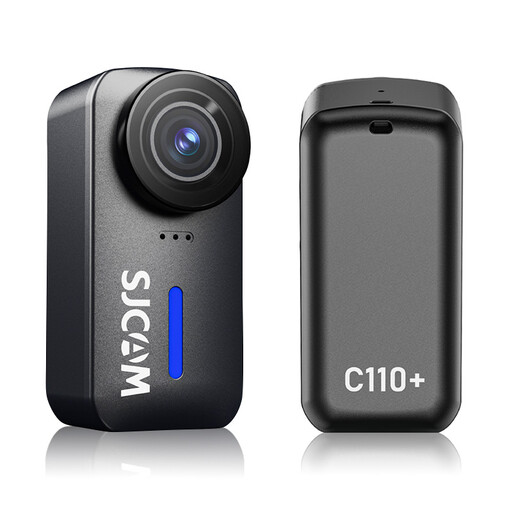 No image available
Check whether the angle of view and close-up capabilities suit the framing you want for your miniatures.
The product name lists 4K and 20 MP photos.
 No image available
According to the product name, this kit includes a zoom lens. Check that its range and close-up capabilities suit the detail shots you want to take.
The product name lists a 16–50mm f/3.5–5.6 OSS II lens.
No. Start by cropping a test photo to show the whole miniature and the smallest detail you want to feature. Canon specifies a maximum of 0.25× in MF mode for the RF-S 18-45mm; specific separate Nikon and Sony lenses offer 1:1. The magnification you need depends on your miniatures and the images you want to create.
Keep the camera, background and lighting in the same positions as far as possible, and check the white balance. A tripod can help you repeat the composition; miniatures with depth may need several shots focused at different distances.
Check the exact model name and mount of the camera body and lens, and see which lens is already in the box. A macro listing for a separate lens doesn’t mean it’s included with the kit you buy.
According to Dutch government information, the statutory 14-day cooling-off period applies to consumers, not to business purchases made by a trader. If you place a business order, check the seller’s returns policy and don’t automatically assume that consumer rights apply.
The Dutch government states that you must not mislead customers online and must provide accurate information. So check that colour adjustments and lighting don’t give a misleading impression of the miniature you’re selling.