
Vandaag of morgen in huis

Kwaliteit gegarandeerd

Welkomstaanbiedingen ontgrendelen: GRATIS bezorging | Tot 80% korting | Gratis 30 dagen JoyPlus-proefperiode
Download de app
A mini projector can quickly turn a white wall into a big screen. It sounds simple, but not every compact projector is right for a living room, bedroom or evening outdoors. Terms such as “4K support”, “high lumens” and “smart” can give a misleading impression of how well a projector will perform.
So focus on the specifications that make a difference in everyday use. A small projector with low brightness can work well in a darkened room, but disappoint in daylight. A built-in Android interface is useful, but it doesn’t automatically mean that every streaming service will work without an additional device.
A model labelled “4K supported” or “8K supported” can often process files at that resolution. That doesn’t mean the projector itself displays content in 4K or 8K. Always check the native resolution.
A native 720p projector displays a maximum of 1280 × 720 pixels. A Full HD projector with native 1080p displays 1920 × 1080 pixels. You’ll notice the difference most with subtitles, presentations, sports and games.
Manufacturers use different terms, including lumens, LED lumens, ANSI lumens and ISO lumens. These figures aren’t directly comparable. Where possible, look for a stated ANSI or ISO rating and take the lighting conditions into account.
A projector with 120 ANSI lumens is best suited to a dark bedroom or a darkened living room. A higher brightness is more practical for a bright room. Outdoor projection usually requires a dark setting too; even a bright portable projector won’t replace a television in strong daylight.
An Android projector or smart projector may offer apps, screen mirroring and wireless connections. However, app support, DRM restrictions and software updates can vary by model. An official licence is relevant for Netflix. With other models, you may need an HDMI device, such as a streaming stick.
Also check whether Wi-Fi is only used for screen mirroring or supports direct streaming too. Bluetooth is usually for audio, such as connecting a soundbar or headphones, rather than for transmitting video wirelessly.
For a mini projector for a home cinema, the room matters more than the figure on the product page alone.
A bigger picture needs more light. As a result, a 120-inch projection from a compact projector may look less bright than a 60-inch image.
Native 720p is suitable for films and series if you’re watching from further away in a dark room. For text, presentations and gaming, native 1080p is often a more sensible choice. A 4K projector with true native 4K resolution is generally larger and heavier than a mini projector. Many compact models support 4K decoding, but project in 720p or 1080p.
Check the recommended projection size too. The maximum screen size listed in the product description isn’t always the size at which the picture will remain clearest.
A projector with automatic keystone correction corrects the trapezoid shape that appears when the device isn’t positioned directly opposite the wall. Autofocus sharpens the image without you having to turn a focus ring by hand. These features are especially useful in a bedroom, on a camping table or at a party.
Also check for:
A mini projector usually takes up less space than a television, but it still needs ventilation. Don’t place it on a bed, duvet or soft sofa. The fan can be audible, especially in a quiet bedroom. If you watch late at night, Bluetooth audio may be a better option than the small built-in speaker.
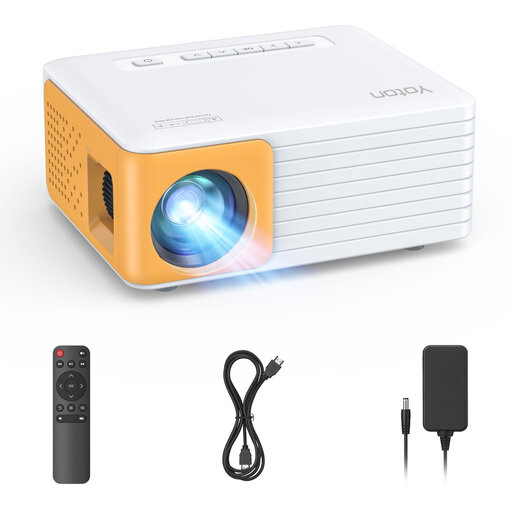
Why it suits this profile: This compact 420-gram model is designed for easy use in a dark room, while travelling or during a presentation.
The product information clearly states 120 ANSI lumens and a native resolution of 1280 × 720. This makes it easier to set realistic expectations when using it in a darkened room.
420 grams, HDMI and USB, vertical keystone correction of ±15 per cent and support for 1080p input.
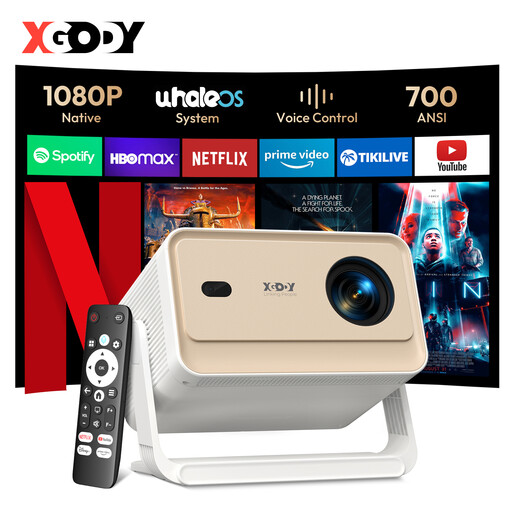
Why it suits this profile: If you want to watch films, series and games on a bigger screen, you get native 1080p, 700 ANSI lumens and automatic picture adjustments.
The specifications distinguish between native 1080p and support for 8K content. Autofocus, automatic keystone correction and obstacle detection reduce the need for manual adjustments.
Native 1920 × 1080, 700 ANSI lumens, Wi-Fi 6, Bluetooth 5.4, and support for HDMI and USB.
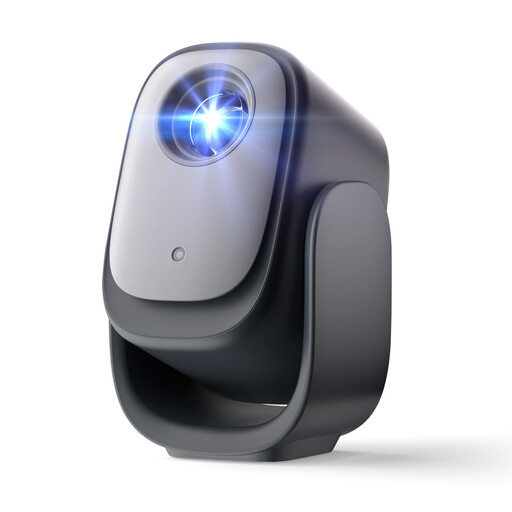
Why it suits this profile: This model is aimed at users who want to start streaming quickly and spend less time focusing and aligning the picture.
The product description mentions autofocus and keystone correction. It also states that the projector has an official Netflix licence; check that the app is currently supported after purchase.
Wi-Fi and Bluetooth, autofocus, automatic keystone correction, obstacle detection and direct access to the streaming feature mentioned in the product information.
We’ve put together a complete, up-to-date list of products that meet these strict selection criteria and the applicable European safety regulations.
It depends on the operating system, app support and any DRM restrictions. Some models state that they have an official Netflix licence. Other projectors may need a streaming stick or an HDMI connection. Check this before buying if Netflix is one of your main reasons for getting a projector.
Place the projector on a stable, flat surface and point the lens as straight as possible towards a light-coloured wall or projection screen. Use autofocus and keystone correction if available. It’s better to make the picture smaller than to position the projector at an extreme angle; digital correction can affect picture quality.
Its lifespan depends on the light source, ventilation, how long it’s used and how it’s stored. Many LED models state a theoretical lifespan of tens of thousands of hours, but brightness may gradually decrease in practice. Let the device cool down after use, keep the ventilation openings clear and store the projector somewhere dry and dust-free.
