First, choose a mini PC with an operating system that supports your writing software, then check the connections for your screens and peripherals. A ready-to-use Windows PC or Mac mini needs less setup than a barebone; a fanless model may suit a quiet workspace, but always check the exact configuration and what else you’ll need.
Who is a mini PC suitable for?
Scriptwriters who rely on specific software
If you already use a particular writing programme or file format, first check that the software works with the mini PC’s operating system. Final Draft and Microsoft publish system requirements for their software; check the requirements for the version you use.
Writers who view their script alongside reference material
If you want to keep notes or research open while you write, compare the mini PC’s outputs with the connections on your screens. Lenovo lists DisplayPort and HDMI for the ThinkCentre neo 50q Gen 5 family; the specific model determines which connections you actually get.
Writers with a small, quiet workspace
On a compact desk, size and cooling can matter. For the Cubi N ADL, MSI distinguishes between the fanless S model and the standard, actively cooled model; check the full configuration and the peripherals you’ll need.
What should you look for when choosing one?
| What to consider |
What to look for |
Who is this most relevant to? |
| Writing software |
Check the system requirements for the exact version of your programme and the installed version of Windows or macOS. |
If I want to keep using my existing writing programme and file format, I start by checking the software requirements. Around 28% of consumers prioritise compatibility with writing software. |
| Screen space |
Compare the video outputs on the exact PC model with the inputs on your monitors. Lenovo lists DisplayPort and HDMI for the ThinkCentre neo 50q Gen 5 family. |
If I want to see my script and research notes at the same time, I first check whether my screens can be connected. Around 22% of consumers prioritise having space for both their script and reference material. |
| Noise and size |
Check whether the specific model on offer is fanless. MSI specifies that the Cubi N ADL S is fanless, while the standard Cubi N ADL is actively cooled. |
On a small desk where fan noise bothers me, I look at the cooling method and the space available. Around 17% of consumers prioritise a quiet, uncluttered writing space. |
| Complete workspace |
Work out which components you already have and what else your chosen PC requires. ASUS states that the NUC 15 Pro+ NUC15CRS-B kit does not include memory, storage or a pre-installed operating system. |
If I want to set up my entire writing space in one go, I check which components and software I still need. Around 17% of consumers start by considering how complete their setup is. |
| Saving script versions |
Check how your writing programme saves versions, and set up a separate backup too. Arc Studio describes saving files locally while working offline and syncing them once you reconnect; VeiligInternetten recommends making regular backups. |
If I want to be able to restore earlier versions, I look at version control as well as a separate backup. Around 16% of consumers prioritise keeping script versions. |
Common buying mistakes
-
Assuming a barebone is ready to use straight away
A kit may be missing components that come with a pre-configured mini PC. ASUS states that the NUC 15 Pro+ NUC15CRS-B does not include memory, storage or a pre-installed operating system.
Compare everything you need for your writing space and check what you’ll have to install or connect yourself.
-
Assuming the cooling method is the same across a product family
According to MSI, the Cubi N ADL S is fanless, while the standard Cubi N ADL is actively cooled. So the family name alone doesn’t tell you how the model on offer is cooled.
Check the full model name and the specifications of the version you’re considering.
-
Confusing syncing with a full backup
Syncing can update files across devices, but a separate backup helps you keep a copy that you can restore. VeiligInternetten recommends making regular backups.
Check how your writing programme manages versions, and choose a backup method that also suits the way you work.
Brands to compare
HP
The Pro Mini 400 G9 is an example of a pre-configured business Windows mini PC.
- For model 6D494EA#ABH, HP specifies Windows 11 Pro, 16 GB RAM and a 512 GB SSD.
- These specifications apply to that model; check the full model number before comparing configurations.
Apple
The Mac mini is worth considering if your writing programme works on macOS or you want to use that environment.
- Apple lists models of the Mac mini with M6 that include 16 GB of memory and support for external displays.
- Check the exact memory and storage configuration, the display setup and compatibility with your software.
MSI
The Cubi N ADL S is one to compare if you’re looking for a compact Windows setup with fanless cooling.
- MSI specifies that the S model is fanless and distinguishes it from the standard, actively cooled model.
- Memory, storage and operating system vary by configuration; the stated cooling method is not an independent noise measurement.
Lenovo
The ThinkCentre neo 50q Gen 5 is a business-oriented Tiny option to compare for connections and upgrade options.
- Lenovo documents DisplayPort, HDMI and two DDR5-SODIMM slots for the product family.
- Installed components and optional connections can vary by model; check the full model number.
ASUS
The NUC 15 Pro+ NUC15CRS-B is a kit for anyone who wants to choose their own memory, storage and operating system.
- ASUS lists multiple display outputs.
- According to ASUS, this kit does not include memory, storage or a pre-installed operating system; you’ll need to buy additional components and install the software yourself.
Joybuy product picks
These picks include a Mac mini and pre-configured Windows mini PCs for a compact writing workspace. Compare software compatibility and connections with your own programme and screens.
 No image available
Apple Mac mini M6, 12-core CPU and 12-core GPU, 24 GB, 512 GB SSD
Suited to a writing workspace with software that runs on macOS; check your programme’s compatibility first.
M6 chip; 12-core CPU and 12-core GPU; 24 GB memory; 512 GB SSD.
View at Joybuy
 No image available
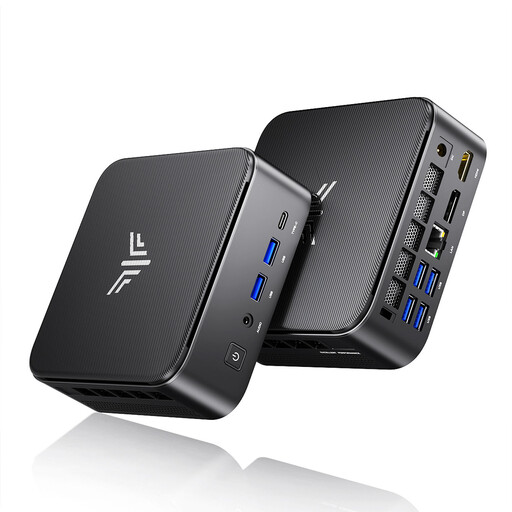
ACEMAGIC E3B Mini Desktop, AMD R5 7430U, 16 GB, 512 GB SSD
Suited to a Windows writing setup if the listed configuration works with your programme and workspace.
Windows 11 Pro; AMD R5 7430U; 16 GB LPDDR4X 3200MT/s; 512 GB SSD.
View at Joybuy
 No image available
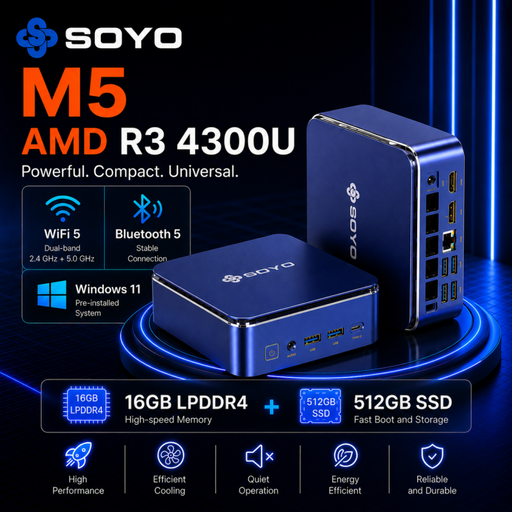
SOYO M5 Mini PC, AMD Ryzen 4300U, 16 GB, 512 GB SSD
A Windows mini PC to compare if you want to work with your script and reference material in a compact workspace.
Windows 11 Pro; AMD Ryzen 4300U; 16 GB LPDDR4; 512 GB SSD.
View at Joybuy
 No image available
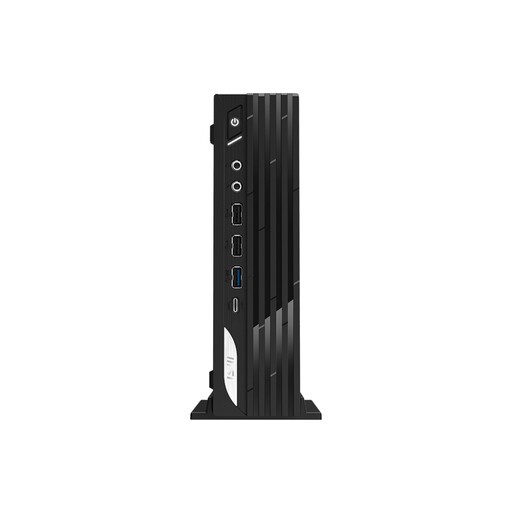
MSI Pro DP21 14M-1042EU, Intel Core i7-14700, 16 GB DDR5, 1 TB SSD
Suited to a pre-configured Windows workspace; check that its connections work with your monitor and peripherals.
Windows 11 Pro; Intel Core i7-14700; 16 GB DDR5; 1 TB SSD.
View at Joybuy
 No image available
MSI CUBI NUC AI 1UMG-005EU, Intel Core Ultra 7 155H, 16 GB DDR5, 1 TB SSD
A compact Windows option to compare if you want to use several screens alongside your script.
Windows 11 Pro; Intel Core Ultra 7 155H; 16 GB DDR5; 1 TB SSD.
View at Joybuy
Frequently asked questions
Do I need a powerful graphics mini PC for writing a stage play?
Start with the requirements of your writing programme and the screens you want to use. A software minimum, such as the minimum Microsoft lists for Microsoft 365 for home, doesn’t prove that every PC with that configuration will perform well when running several tasks at once.
How do I connect my existing screen or two screens?
Compare the inputs on your screens with the outputs on the exact mini PC model, and check whether you’ll need suitable cables. The ThinkCentre neo 50q Gen 5 family lists DisplayPort and HDMI; Apple sets out requirements for supported display combinations for the Mac mini with M6.
How can I avoid losing an earlier version of my script?
Make a separate backup regularly, for example in the cloud or on an external drive. Arc Studio describes managing drafts and saving files locally while working offline; check the settings and don’t rely on syncing alone.
What else do I need to arrange with a mini PC kit?
Check which components and software are missing from the kit before deciding whether it’s right for your workspace. ASUS states that the NUC 15 Pro+ NUC15CRS-B does not include memory, storage or a pre-installed operating system.
Is a new mini PC with Windows 10 still a sensible choice?
According to Microsoft, standard support for Windows 10 ended on 14 October 2025. Microsoft describes a separate programme for extended security updates, subject to certain conditions; so don’t assume a Windows 10 PC will continue to receive standard security updates.


