
Teams that need to test Safari
You need a dedicated workstation for inspecting web pages in Safari on macOS and want to decide which other devices you need alongside it. Apple Developer documents Safari Web Inspector and WebDriver for macOS.


A Mac mini is an obvious choice for local Safari inspection or automation; for a shared Windows workstation with managed user profiles, a business Windows mini PC is a better fit. A barebone kit is an option if your IT team wants to choose and install the memory, storage and operating system itself. Also check the exact configuration, display ports and peripherals: a desktop does not automatically replace testing on the physical devices in your test plan.
You need a dedicated workstation for inspecting web pages in Safari on macOS and want to decide which other devices you need alongside it. Apple Developer documents Safari Web Inspector and WebDriver for macOS.
Colleagues take turns using one PC and want to manage user accounts and test data carefully. Microsoft Learn documents settings for shared Windows devices; the Dutch Data Protection Authority gives accounts linked to one person as an example of a security measure.
You choose the displays, connections and system configuration, or deliberately want to assemble a barebone kit yourself. So compare not just the PC, but also the components and peripherals needed for the complete workstation.
A good fit if: you want to inspect or automate Safari locally; Apple documents Web Inspector and WebDriver for macOS.
Bear in mind: check the memory, storage and connections for each configuration; physical mobile devices are still relevant for testing on real devices.
A good fit if: several colleagues use the same test workstation and IT wants to manage user profiles. Microsoft Learn documents Shared PC settings for this purpose.
Bear in mind: check the Windows edition and profile deletion policy; a Windows PC does not provide the local Safari development environment that Apple documents for macOS.
A good fit if: your IT team wants to choose and install the memory, storage and operating system itself.
Bear in mind: components and installation work are part of the decision; also check what the exact kit includes, including the power cable.
| What to consider | What should you check? | Who should weigh this more heavily? |
|---|---|---|
| Browsers and test devices | Decide in advance which browsers, operating systems, physical devices and accessibility checks belong in your test matrix. | If I need to test a particular browser or device combination, I want to make sure the computer I choose is suitable for it. Around 33% of consumers prioritise the browser and device coverage they need. |
| Users and test data | Check whether the Windows edition supports the Shared PC settings you need, and agree what happens to profiles and local files when users sign out. | When colleagues take turns using a PC, I want individual access and a clear policy for profiles and any test data. Around 27% of consumers give separate users and data top priority. |
| Connections and workstation setup | Compare the display outputs and USB ports on the exact configuration with your existing monitors and peripherals. Arboportaal states that when you work at a screen for more than 2 hours a day, the screen and keyboard must not be attached to each other. | If I’m setting up a shared workstation with existing screens and devices, I want to know whether everything can be connected properly. Around 20% of consumers prioritise their workstation setup. |
| Delivery and management | For each configuration, check whether the operating system, memory, storage and required peripherals are included; for business purchases, also check the agreed service provision. | If I want to set up a test workstation that’s ready to use, I want to know in advance which components and installation steps are still needed. Around 20% of consumers give complete delivery and management effort top priority. |
A complete configuration and a barebone kit may differ in what’s included. ASUS states that the NUC15CRS-B kit does not come with a pre-installed operating system, memory or storage.
Compare what’s included in the exact configuration and check which components still need to be chosen and installed.
A computer that works for one browser won’t automatically cover the other browsers, devices or accessibility checks you need to test. Apple describes Safari developer tools on macOS; MDN Web Docs stresses the importance of testing on relevant browsers and devices.
First, list the browser, operating system and device combinations you need. Then choose your computer and any additional test devices.
On a shared PC, sign-ins, browser profiles and local files can remain on the device between users. The Dutch Data Protection Authority gives individual accounts as an example of a security measure when an organisation processes personal data.
Agree with IT how users will access the PC and whether profiles will be kept or deleted when they sign out. Microsoft Shared PC settings can manage profile deletion; tailor this choice to the test settings you need.
A Mac mini with macOS is worth considering if you want to inspect or automate Safari locally.
The ThinkCentre Neo 50q Gen 5 Tiny configuration 13B9CTO1WWNL2 is an example of a business Windows mini PC.
The ProDesk 4 Mini G1i is a business Windows option. Check the configuration and service provision for each version.
The NUC 15 Pro+ kit NUC15CRS-B is an option if your IT team wants to choose the system components itself.
The Dell Pro Micro QCM1250 is a business Windows option with a range of support choices.
This selection features mini PCs for a compact shared test workstation, with a focus on connections for displays and peripherals. Check that each model’s operating system and full configuration meet your test plan.
 No image available
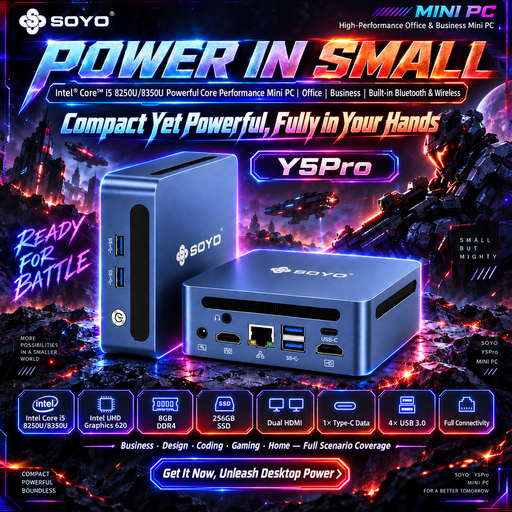
Worth considering for a compact Windows 11 test workstation with multiple displays; check that the configuration suits your test matrix.
The title lists Windows 11, 8 GB DDR4 and a 256 GB SATA SSD. The product description mentions two HDMI outputs, a Type-C video output and four USB ports.
 No image available
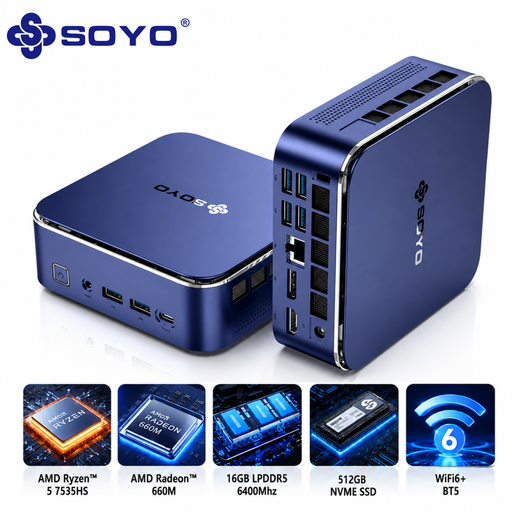
Worth considering if you’re looking for a mini PC with multiple listed video outputs and connections for peripherals.
The title lists Windows 11 Pro, 16 GB LPDDR5 and a 512 GB NVMe SSD. Listed video outputs include HDMI, DisplayPort and Type-C; the title also mentions six USB 3.0 ports and a Type-C port.
 No image available
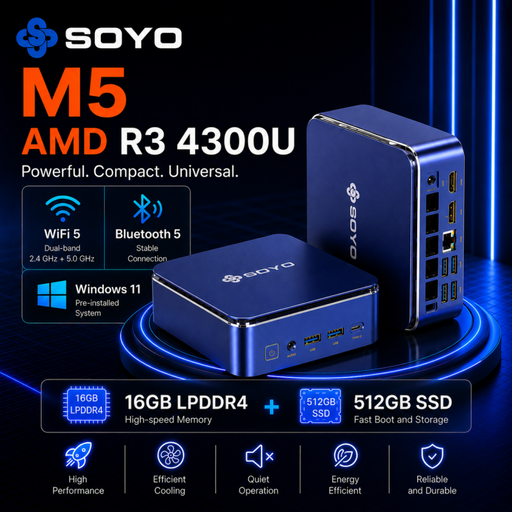
Worth considering if you’re looking for a mini PC with connections for up to three displays; check the exact ports against your existing monitors.
The title lists Windows 11 Pro, 16 GB LPDDR4 and a 512 GB SSD. The listed display outputs are HDMI, Type-C and DisplayPort; the product description mentions six USB 3.0 ports and a Type-C port.
 No image available
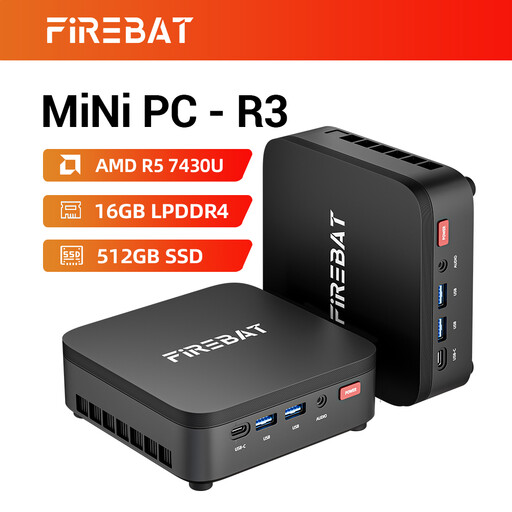
Worth comparing if a setup with up to three displays running at the same time is useful for your testing.
The title lists 16 GB RAM, a 512 GB SSD and Wi-Fi 6. The product description mentions support for three displays running simultaneously.
 No image available
Worth considering if you need support for multiple displays and VESA mounting in a compact test workstation.
The title lists Windows 11 Pro, 16 GB DDR5 and a 1 TB SSD. The product description mentions support for up to four displays, two HDMI outputs and two Thunderbolt 4 outputs. Keep the ventilation openings clear and use the original power adapter.
No, it doesn’t have to be a Mac mini; first decide which Safari tests you need to run. Apple documents Web Inspector and Safari WebDriver on macOS, as well as how to inspect connected iPhone and iPad devices from a Mac. A Mac mini is a compact Mac option for this, but physical devices are still relevant when testing on real mobile devices.
Agree with IT how users will access the PC and what happens to profiles and local files when they sign out. Microsoft Learn documents Shared PC settings, including profile deletion; the documented configuration settings support Windows Pro, Enterprise and Education, among other editions. Check the edition of the PC you choose before opting for this management approach.
That depends on the exact kit. ASUS lists the NUC15CRS-B without a pre-installed operating system, memory or storage; you’ll need to choose and install those components. Also check whether the specific version includes a suitable power cable.
According to Arboportaal, when you work at a screen for more than 2 hours a day, the screen and keyboard must not be attached to each other. Workstation requirements depend on the work and how the equipment is used, not on the mini PC brand.
The Dutch Data Protection Authority gives accounts linked to one person as an example of a security measure. Discuss with IT which access and profile settings are appropriate for the data processing and the risks; this example alone is not a general statement about every test system.