What should you look for when buying?
First check that the exact model supports both of your screens at the same time. Then confirm which browser environment and complete configuration you need.
| What to consider |
What should you check? |
Who is this important for? |
| Connecting two screens |
Check support for simultaneous displays, video outputs, and the specified resolution and refresh rate for your monitors. |
I want to view the page and test results at the same time, and first make sure both screens work with my preferred settings. Around 33% of consumers prioritise screen connections. |
| Memory and local testing |
Compare the installed memory and included storage with the browsers, development tools and tests you want to run at the same time. |
If I use several browsers and local tools side by side, I want to know what’s actually installed, not just what can be upgraded. Around 27% of consumers prioritise memory and space for running tests simultaneously. |
| Browser environment |
Decide whether you need to test Safari itself or whether tests in Chromium, Firefox and WebKit using your testing software will do. |
If my testing requires Safari on macOS, I don’t want to mistake a WebKit test for a Safari test. Around 20% of consumers prioritise the right browser environment. |
| Complete configuration |
For the full model number, check whether memory, storage, operating system, power cable and any necessary screen cables are included. |
I want to get started as soon as it arrives and know in advance which components or software I still need to arrange. Around 20% of consumers make package contents their top priority. |
Joybuy products for web testing on two screens
These mini PCs are Windows options to consider for web testing on two screens. Before you decide, check simultaneous display support, connections and package contents for the exact model.
 No image available
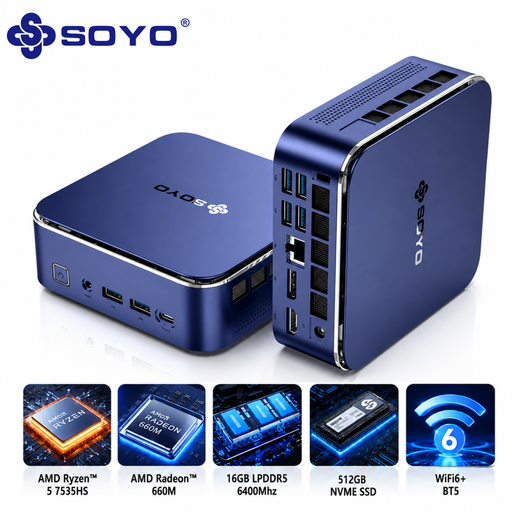
SOYO S5Air Mini PC, AMD Ryzen 5 7535HS
A Windows 11 Pro model to consider for a workspace with browser and development tasks on two screens; check the screen combination supported by the exact configuration.
16 GB LPDDR5 memory and a 512 GB NVMe SSD.
The product name lists HDMI 2.0, DisplayPort 1.4 and Type-C.
Joybuy
 No image available
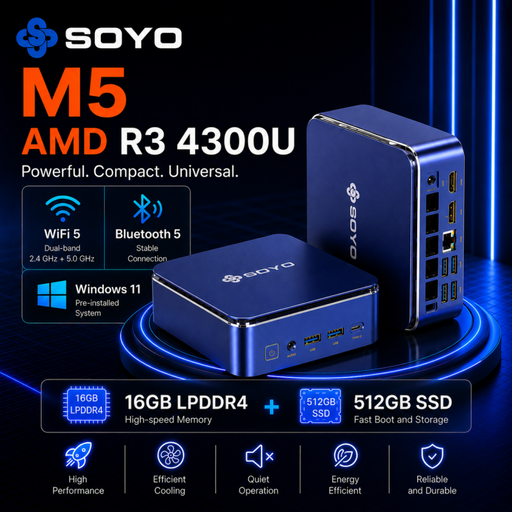
SOYO M5 Mini PC, AMD Ryzen 4300U
A Windows 11 Pro mini PC to consider for browser and development work; check whether the exact model supports both your screens at the same time.
16 GB LPDDR4 memory and a 512 GB SSD.
The product name lists HDMI 2.0, Type-C and DisplayPort 1.4.
Joybuy
 No image available
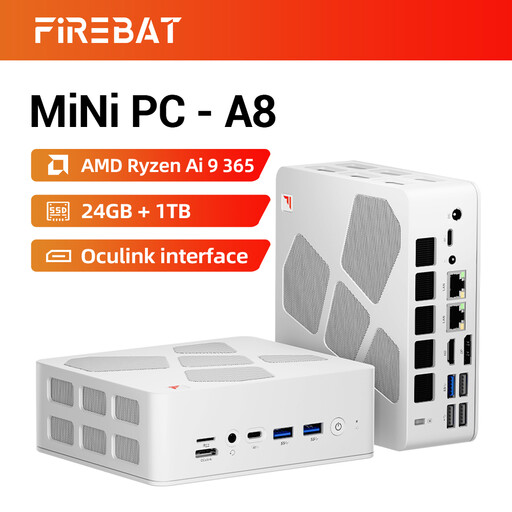
FIREBAT A8 Mini PC, AMD Ryzen AI 9 365
An option to consider if you run several local tests; check the connections and screen settings for your two monitors.
24 GB DDR5 memory and a 1 TB SSD.
The product name lists support for four 4K screens, as well as HDMI 2.1 and USB4.
Joybuy
 No image available
MSI CUBI NUC AI 1UMG-005EU
A Windows 11 Pro mini PC to compare for a workspace with local browser and testing tools; make sure its display configuration suits your monitors.
Intel Core Ultra 7 155H, 16 GB DDR5 memory and a 1 TB SSD.
Joybuy
 No image available
Lenovo ThinkCentre M70q Gen 5, Intel Core i7-14700T
A Windows 11 Pro configuration to consider for local browser and testing tasks. Confirm that this exact model can drive your chosen two screens at the same time.
16 GB DDR5 memory and a 512 GB SSD.
Check the package contents: according to the product information, the power adapter is sold separately.
Joybuy
Frequently asked questions
Do I need two HDMI ports for two screens?
No, you don’t necessarily need two HDMI ports if the mini PC has another suitable video output. Check that the exact model supports two external screens at once and that its outputs are compatible with your monitors. According to MSI, the Cubi 5 12M combines HDMI, DisplayPort and Thunderbolt.
Can I replace Safari tests with Playwright tests in WebKit?
Not if you need to check how things behave in Safari itself. Playwright supports tests in WebKit as well as Chromium and Firefox, while Apple describes separate Safari testing options. So first decide whether your testing requires Safari on macOS.
What should I check after connecting both screens?
Check that the operating system recognises both screens, then set your preferred extended display, resolution and refresh rate within the capabilities of the PC and monitors. Apple documents several screen combinations for the 2024 Mac mini with M4, so check which combination applies to your model and screens.
Which components might a barebone kit be missing?
It depends on the model. ASUS says the NUC 14 Pro Kit is supplied without memory, storage or a pre-installed operating system. Check the package contents for the full model number before comparing the kit with a complete PC.
What are my rights when buying online in the Netherlands?
For distance purchases, you’re generally entitled to a 14-day cooling-off period, although exceptions apply. The Dutch government also states that you’re entitled to a product that works properly and that the seller must provide a solution if there’s a problem. Check who the seller is and which terms apply to your order.


