Who is this guide for?

Users of existing weather data

You want to use downloaded weather data or an existing charting service in a compact workspace. That doesn’t necessarily mean you need to connect your own weather station. The KNMI Data Explorer offers charts, maps and summaries.

Weather station owners

You want to receive readings from your own station and create charts or reports. Check that the software or driver supports your exact station model; WeeWX refers users to specific hardware and drivers for station support.

Users with multiple screens

You want to view charts, source data and other windows at the same time while using a height-adjustable desk. The video outputs on the exact PC configuration and your cable setup are important factors to consider.

What should you consider when choosing?

What to consider What to check Who is this most relevant to?
Data source and software Make a note of your station model and the software you want to use. Then check the required operating system, driver and connection. If you want to read data from your own station, you’ll want to make sure the PC and station software work together. Around 33% of consumers in this buying context say their main concern is the data source and software.
Memory and storage Compare the included RAM and SSD with your local files and programmes. If you’re considering a kit, check which components you’ll still need. If you use local archives and several programmes at once, you’ll want to know exactly what comes with the configuration you choose. For around 27% of consumers, memory and storage for multitasking are top priorities.
Screens and cables Compare the video outputs on the exact configuration with your monitors’ inputs. Allow enough room for the cables throughout the desk’s full range of movement. At a sit-stand desk, you’ll want to connect your screens without the cables becoming taut as you adjust the height. Around 20% of consumers place the most importance on their screen and cable setup.
Noise and long-term use Check the cooling system on the exact configuration and consider where you’ll place the PC. Store important measurement files in a way that suits your archiving needs. If the PC is close to your workspace or regularly records data, you’ll want to consider cooling and file storage. For around 20% of consumers, quiet operation or long-term use is their main concern.

Common buying pitfalls

  • Choosing based only on the processor and forgetting about your weather station

    A general mini PC specification doesn’t confirm that the software or driver supports your station.

    Before choosing, check your exact station model, the relevant driver and the required operating system.

    You may need extra setup time or equipment to use a different data connection or software.

  • Assuming a USB-C port can be used as a monitor output

    A USB-C connection doesn’t automatically support video; this must be specified for the port on the configuration you choose.

    Compare the video outputs with your monitors’ inputs and check which cables you’ll need.

    You may need a suitable cable or adapter for your chosen connection.

  • Treating a kit as a ready-to-use mini PC

    The ASUS NUC 14 Pro range includes kits without a pre-installed operating system as well as mini PCs.

    Check the full model code and what’s included in the box before comparing configurations.

    Depending on the kit, you may still need memory, storage and an operating system.

Brands to compare

MSI

The Cubi N ADL and Cubi 5 ranges offer specific options to compare for a compact workspace.

  • MSI offers a fanless S version of the Cubi N ADL and lists different monitor connections.
  • Cooling and connections vary by range and configuration. Check the RAM and SSD included with the specific product, too.

Lenovo

The business-focused ThinkCentre M70q Gen 5 Tiny is a compact PC range to consider if you need conventional connections.

  • Lenovo lists HDMI, DisplayPort, USB-A and Ethernet among the connections available in this range.
  • Optional ports and included components vary by configuration, so check the exact model.

HP

The Pro Mini 400 G9 is a business mini PC range, with a Dutch product configuration to use as a point of comparison.

  • HP lists a Dutch product configuration of the Pro Mini 400 G9.
  • Its suitability for your weather station and monitors depends on the configuration you choose and your requirements.

ASUS

The NUC 14 Pro range includes several configurations, including mini PCs and kits.

  • ASUS distinguishes between mini PC, kit and board versions.
  • A kit without an operating system may require extra components. Check the model code and what’s included in the box.

Dell

The Dell Pro Micro is a compact business PC range to compare with other complete desktop PCs.

  • Dell offers a choice of configurations and services on its Dutch product page.
  • Ports and features may vary depending on the configuration you choose.

Mini PCs at Joybuy

This selection includes mini PCs for viewing weather charts across multiple screens and processing data locally. Check that the connections, configuration and software suit your data source and desk setup.
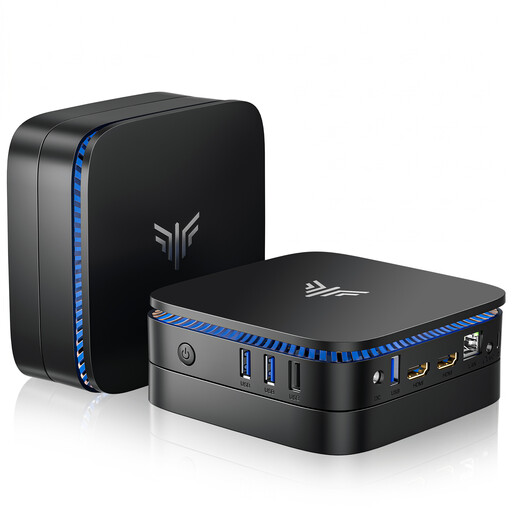
ACEMAGIC AK1PLUS mini PC

ACEMAGIC AK1PLUS mini PC

An option to compare if you use local files and programmes and need an HDMI connection.

Intel Celeron N5095; 16 GB LPDDR4X; 256 GB M.2 2280 SATA SSD; Windows 11 Pro; HDMI 2.0; 4K 60 Hz.

View at Joybuy
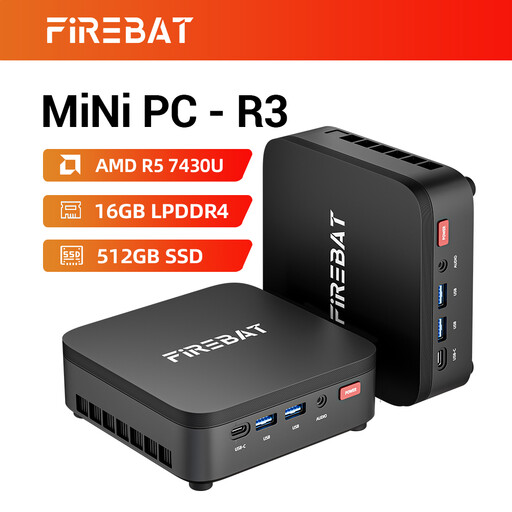
FIREBAT R3 mini PC

FIREBAT R3 mini PC

An option to compare if you use local files and programmes and want to connect multiple screens.

AMD Ryzen 5 7430U; 16 GB RAM; 512 GB SSD; supports three 4K screens.

View at Joybuy
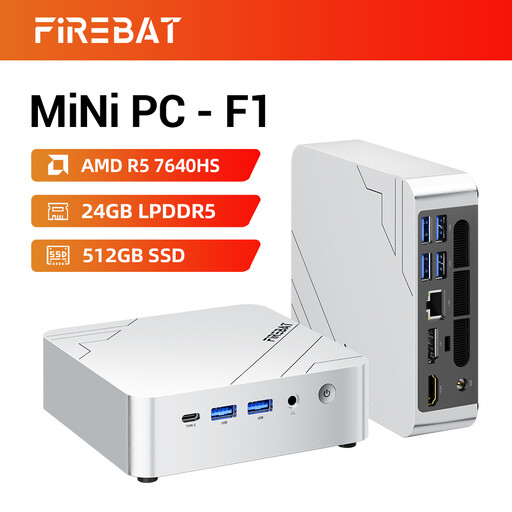
FIREBAT F1 mini PC

FIREBAT F1 mini PC

An option to compare for working with local files and using multiple screens.

AMD Ryzen 5 7640HS; 24 GB LPDDR5; 512 GB PCIe 4.0 SSD; USB 4.0; HDMI 2.1; supports three 4K screens.

View at Joybuy
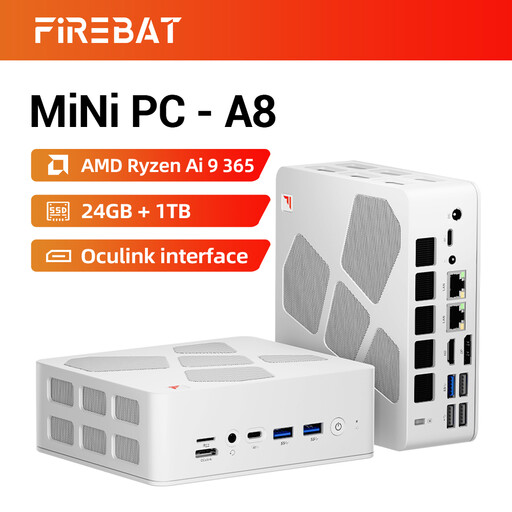
FIREBAT A8 mini PC

FIREBAT A8 mini PC

An option to compare if you need multiple screens and local data processing.

AMD Ryzen AI 9 365; 24 GB DDR5; 1 TB PCIe 4.0 SSD; HDMI 2.1; supports four 4K screens.

View at Joybuy

MSI Cubi NUC AI 1UMG-005EU mini PC

MSI Cubi NUC AI 1UMG-005EU

An option to compare if you process local weather data and want to connect multiple screens.

Intel Core Ultra 7 155H; 16 GB DDR5; 1 TB SSD; Windows 11 Pro; two HDMI outputs and two Thunderbolt 4 ports; supports up to four screens; VESA mounting.

View at Joybuy

Frequently asked questions

Do you need your own weather station to plot historical weather data?

No, you can view historical weather data without connecting your own station. The KNMI Data Explorer includes a chart builder. If you want to read data from your own station, check separately that the software and driver support your exact model.

How do you connect a mini PC to an adjustable desk?

Match your monitor plugs to the video outputs on the configuration you choose, and allow enough room for the cables throughout the desk’s full range of movement. Before mounting the PC, check that the mounting pattern is compatible; a stated VESA pattern alone doesn’t confirm that your bracket is suitable.

How much memory and storage do you need for weather charts?

It depends on your software, local archives and how many programmes you use at once. Compare the included RAM and SSD storage with the way you work; don’t rely on the product range name alone.

Is an ASUS NUC 14 Pro kit ready to use straight away?

Not always: ASUS offers both mini PCs and kits, and some kits don’t come with a pre-installed operating system. Check the full model code and packaging to see which components you’ll still need.

Can you keep using an existing script for KNMI weather data?

Check which method your script uses to retrieve data. KNMI says that the method described for automatically retrieving data will be discontinued at the end of 2026, and advises users to switch to the KNMI Data Platform.
