
Players with limited desk space
You want to leave room for your screen and hands. So compare the dimensions and connections of the exact configuration.


Start with the requirements of the most demanding game you want to play, then measure how much space you actually have for the PC, cables, screen and controls. A mini PC usually takes up less desk space, but check the graphics in the exact configuration. A compact desktop with a dedicated graphics card needs more room, and you should also compare its specifications with the game's requirements. Before choosing, check the full configuration and the applicable product safety requirements too.
You want to leave room for your screen and hands. So compare the dimensions and connections of the exact configuration.
Perhaps you want to play Gloomhaven and are comparing the processor, memory and, above all, graphics with the publisher's requirements, rather than relying on the ‘gaming’ label alone. The Twin Sails Interactive Help Center lists a minimum of 8 GB RAM and a GeForce GTX 760 or Radeon R9 280 for Gloomhaven, among other requirements.
You want to know which operating system, memory, storage and connections are included, and whether you need to buy a screen, keyboard or mouse separately. For IdeaCentre Mini configuration 91B2007JEZ, Lenovo Netherlands states that the screen, keyboard and mouse are sold separately.
First compare the space needed for the full setup with the requirements of the games you’ve chosen. Then check which components and connections you already have.
| What to consider | What should you check? | Who should consider this? |
|---|---|---|
| Space for the whole setup | Compare the width, depth and height of the exact PC configuration with the space available. Allow room for connections, cables and air vents too. | If you have a small desk, you’ll want to leave enough space for your screen and controls; around 33% of consumers prioritise the space available for their setup. |
| Graphics for your chosen game | Compare the exact GPU, processor, RAM and storage with the publisher’s requirements. Gloomhaven specifies a minimum of 8 GB RAM and a GeForce GTX 760 or Radeon R9 280. | If you mainly want to play one specific adaptation, you’ll want to know whether the full configuration meets that game’s requirements; around 27% of consumers prioritise suitability for the game. |
| What else you’ll need | Check the included memory, storage and Windows version, as well as the screen, mouse, keyboard and compatible cables. | If you want a ready-to-use gaming setup, you’ll want to know in advance what you already have and what’s missing; around 20% of consumers say having everything they need is their main concern when buying. |
| Playing together and controls | For each game, check whether it supports your preferred local or online game mode, and which devices and connections your setup will use. | If you want to play with others, you’ll want to use your preferred game mode and controls without making assumptions about the PC; around 20% of consumers prioritise playing together. |
Not all games have the same requirements. The Twin Sails Interactive Help Center lists a minimum of 8 GB RAM and a GeForce GTX 760 or Radeon R9 280 for Gloomhaven, among other requirements. A product label alone doesn’t tell you whether a specific configuration meets the requirements of the games you want to play.
Before choosing a PC based on its size, compare its full configuration with the requirements of the most demanding game you want to play.
The case dimensions don’t tell you how much space you’ll need for the screen, cables, controls and air vents altogether.
Plan your complete setup and check the port positions and placement instructions for the exact configuration.
With Lenovo IdeaCentre Mini configuration 91B2007JEZ, the screen, keyboard and mouse are sold separately.
Check what’s included in the box and what you already own before comparing complete setups.
The ROG NUC range is a gaming mini PC option for anyone considering a small case with a dedicated GPU.
The Nitro 20 is a compact desktop range worth comparing if a dedicated graphics card is important and you have room for a larger case.
IdeaCentre Mini is a space-saving desktop range for buyers who want to compare their games’ requirements with its integrated graphics first.
The Victus 15L is a compact desktop option with a dedicated GPU in the configuration described.
The MPG Trident AS 14th is a relatively narrow gaming desktop range to compare for case shape and connections.
These PCs include mini PCs and compact desktops to compare with the space available on your desk and the requirements of your chosen digital board games. Check the exact configuration and the components you’ll need for a complete setup for each model.
 No image available
A compact desktop to compare with your games’ requirements; keep the ventilation openings clear when positioning it.
Intel Core 5 210H; RTX 5050; 16 GB RAM; 1 TB SSD; Windows 11 Home.
 No image available
A gaming PC to compare with the requirements of your chosen adaptations; make sure there’s enough airflow around the system.
The product title lists Radeon RX 9070, R7, 16 GB and 1 TB storage.
 No image available
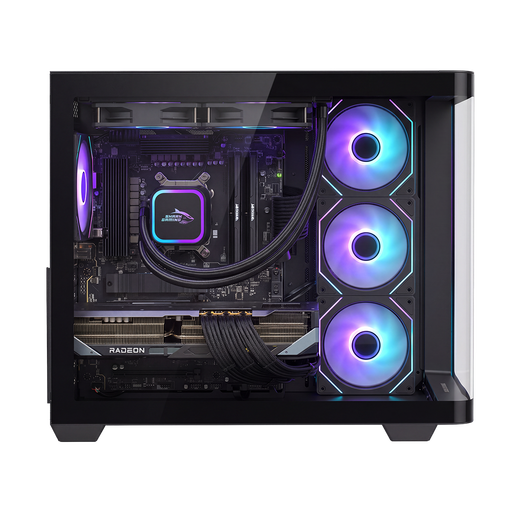
A gaming desktop to compare with your games’ requirements and the space available for the case and cables; don’t block the ventilation openings.
The product title lists Radeon RX 9070 XT, R7, 16 GB and 1 TB storage.
 No image available
A compact mini PC for a small desk setup; compare its integrated graphics with the requirements of the games you want to play.
AMD Ryzen 5 7640HS; Radeon 760M graphics; 24 GB LPDDR5 RAM; 512 GB PCIe 4.0 SSD.
No, that isn’t a general requirement for all adaptations. Compare the exact PC configuration with each game’s requirements. For Gloomhaven, the Twin Sails Interactive Help Center lists a GeForce GTX 760 or Radeon R9 280 and 8 GB RAM as minimum requirements, among others.
Measure the case and allow for cables and the position of the air vents. Follow the manufacturer’s placement instructions for the specific configuration; the external dimensions alone don’t indicate a universal clearance for ventilation.
No. According to ACM ConsuWijzer, your statutory rights apply alongside any manufacturer’s warranty. What you can expect from a product depends on the product and the circumstances. Contact the seller if you have a problem.
For a standard online consumer purchase, ACM ConsuWijzer says you generally have a statutory cooling-off period of up to 14 days after delivery. Check which exceptions and returns conditions apply to your purchase.
According to the Dutch government portal, suppliers of electrical and electronic equipment must comply with the applicable European requirements. The manufacturer must apply the required CE marking and draw up an EU declaration of conformity; check the documents for the exact configuration.