
Household budgeter using two screens
You might want to keep a cashbook on one screen and charts or your budget on the other. Nibud suggests using a digital cashbook, for example in Excel, to keep track of your spending.


Choose a mini PC that can run two screens at once, with video outputs that work with your monitors and cables. A ready-to-use Windows mini PC is a good fit if your household budgeting software runs on Windows; a Mac mini is an option if your software works with macOS. Choose a barebone only if you want to select and install the components and operating system yourself.
You might want to keep a cashbook on one screen and charts or your budget on the other. Nibud suggests using a digital cashbook, for example in Excel, to keep track of your spending.
You also use your PC for financial information, so you pay attention to supported software, updates and backups. Veilig Internetten advises checking your bank’s full web address when banking online.
You don’t want to install memory, storage and an operating system yourself first. So check the exact configuration: manufacturers distinguish between complete mini PCs and barebones.
A good fit if: your cashbook or spreadsheet runs on Windows and you don’t want to install an operating system, memory and storage yourself.
Bear in mind: what’s included can vary by configuration; also check that both monitors can connect to the available outputs.
A good fit if: your household budgeting software and other essential apps work with macOS.
Bear in mind: display support depends on the chip configuration; check the connections on the model you choose.
A good fit if: you want to choose and install the memory, storage and operating system yourself.
Bear in mind: the system may not be ready to use straight out of the box; factor in the components and installation work when making your choice.
| What matters | What should you check? | Who will find this important? |
|---|---|---|
| Two separate screens | Check that the exact configuration has two video outputs that can be used at the same time, and that they match the inputs on both monitors and the cables you need. | I want to see my cashbook and charts side by side, not just the same image on both screens. Around 36% of consumers prioritise having two separate screens. |
| Protecting financial information | Check that the supplied operating system is supported and make a plan for updates and backups. | If I store financial files or bank online, I want a supported system and the ability to restore my files. Around 29% of consumers prioritise protecting financial information. |
| Ready to use straight away | For the exact configuration, check whether the operating system, memory, storage and any necessary accessories are included. | I want to set up my cashbook without having to choose components and software first. Around 21% of consumers prioritise a complete configuration. |
| Total cost of the setup | Compare what else you’ll need besides the PC, such as cables, input devices or any missing components. | I want to know in advance what I need for a working two-screen setup and which items I already have. Around 14% of consumers prioritise the total cost of the setup. |
The PC’s connections, cables and monitors all need to be compatible. GEEKOM lists two HDMI ports for the AS6, but only one HDMI cable in the box.
Make a note of the inputs on both monitors and compare them with the exact PC configuration and what’s included in the box.
You may need an additional compatible cable or adapter.
ASUS states that the barebone version of the ExpertCenter PN52 has no pre-installed operating system and no storage included.
Check which components are missing from the configuration you’ve chosen and compare the cost of the complete setup.
Depending on the configuration, you may need to arrange memory, storage and an operating system.
Microsoft Support states that regular support for Windows 10 ended on 14 October 2025.
Check which operating system is actually installed and arrange updates and backups.
Switching to another supported installation may take extra time or cost more.
The Dutch Government explains that a manufacturer’s warranty is in addition to your statutory rights. In the Netherlands, there is no fixed statutory warranty period; what you can reasonably expect from a product is also taken into account.
Keep your proof of purchase and contact the seller if the product is faulty.
The Cubi 5 12M and PRO DP21 14M are different mini desktop configurations to compare for a two-screen setup.
The ExpertCenter PN52 may be worth considering if you want to compare complete configurations with a barebone.
The Pro Mini 400 G9 is a business mini PC range worth exploring if connections and the details of the exact configuration are important to your choice.
The Mac mini is a macOS option if your household budgeting software and other essential apps work with it.
The AS6 is worth considering if you want to connect two HDMI monitors directly.
These mini PCs include ready-to-use configurations and a barebone for different two-screen setups. Check the connections and included components for each model.
 No image available
A configuration to consider if you want to connect two HDMI monitors and get started with Windows straight away.
The product details list pre-installed Windows 11, 8 GB RAM and a 256 GB SATA SSD.
The description mentions two HDMI outputs and support for multiple screens at the same time; check that these connections work with your monitors.
 No image available
The product details list HDMI and USB-C for multi-monitor configurations; check that the connections work with your two screens.
The product name lists 128 GB RAM, a 4 TB SSD and NVIDIA DGX OS.
 No image available
A configuration to compare if you’re looking for Windows and multiple video outputs for your screen setup.
The product name lists W-11 Pro, 16 GB LPDDR4 memory and a 512 GB SSD.
The product name mentions HDMI 2.0, Type-C and DisplayPort 1.4 for a triple-display setup; check the connection for each screen.
 No image available
The product name lists 4K quad-display support; check that the available connections work with your screens.
The product name lists 24 GB DDR5 RAM, a 1 TB PCIe 4.0 SSD, HDMI 2.1 and USB4.
 No image available
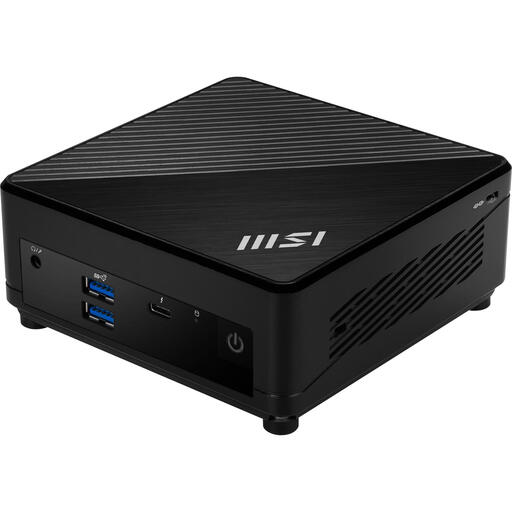
This barebone is for anyone who wants to choose their own components and operating system; remember to factor in the installation involved.
The product details list an Intel Core i7-1255U, HDMI 2.0b and DisplayPort 1.4.
According to the product details, no operating system is installed. Check which other components are included with this configuration.
Connect both screens to suitable video outputs that work at the same time. Microsoft Support explains how to set up separate displays in Windows; choose Extend rather than Duplicate, and check the connections on the exact PC configuration beforehand.
Not if the configuration is missing components or software you need to get started. ASUS states that the ExpertCenter PN52 barebone has no pre-installed operating system and no storage included; also check whether memory and accessories are included.
Make a separate backup and keep your software up to date. If you bank online, use a secure connection and check your bank’s full web address; Veilig Internetten warns that an https indicator alone isn’t enough to rule out a fake website.
No. According to the Dutch Government, there is no fixed statutory warranty period in the Netherlands; the period also depends on what you can reasonably expect from the product. If a product is faulty, contact the seller.
For distance purchases from a business, the Dutch Government says you have a 14-day cooling-off period in many cases. Check the seller’s information about the applicable cooling-off period and conditions; an online purchase from a private individual isn’t automatically covered by the same rules.