
Vandaag of morgen in huis

Kwaliteit gegarandeerd

Welkomstaanbiedingen ontgrendelen: GRATIS bezorging | Tot 80% korting | Gratis 30 dagen JoyPlus-proefperiode
Download de app
Buying a mini PC and suitcase seems straightforward until you compare the specifications. A compact computer may look powerful based on its core count, while details such as ports, cooling and upgradability are less clearly stated. With suitcases, it’s not just about capacity: external dimensions, weight, lock type and wheels all affect how practical your luggage will be on a business trip.
Three common pitfalls deserve particular attention:
For office work, working from home and business applications, the processor, RAM and SSD matter more than the product name alone. Check the following:
Pay attention to the ports too. For a flexible workstation, USB4, HDMI 2.1, USB ports, Ethernet and support for multiple screens are useful. The FIREBAT A8 lists support for 4K across four screens, dual 2.5G Ethernet and Oculink. According to the product information, the FIREBAT F1 supports 4K output across three screens, USB4 and 2.5G Ethernet.
A business laptop needs to be fast enough, but it should also suit the way you work. The Lenovo V15 G5 IRL has a 15.6-inch Full HD screen, an Intel Core i5-13420H processor, 16 GB DDR5 memory and a 512 GB PCIe 4.0 NVMe SSD.
Also check:
A 24-inch suitcase is generally intended as medium-sized luggage for trips lasting several days. The Kono ABS suitcase measures 66 × 45 × 26.5 cm externally, weighs 3.2 kg and has a capacity of 58 litres. The manufacturer recommends it for trips of four to six days, but the capacity you need depends on your clothes, shoes and equipment.
Size matters even more for cabin luggage. The Kono 20-inch cabin suitcase measures 55 × 40 × 20 cm. The aluminium-frame version measures 55 × 37.5 × 23 cm and has a capacity of 39 litres. Always check your airline’s current terms before you travel; permitted dimensions and weights vary by ticket and airline.
Also consider:
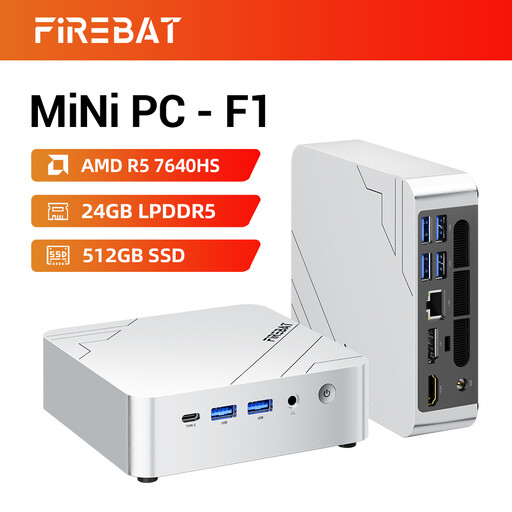
Why it suits this profile: A compact option for working from home, everyday computing and light gaming, without the need for a large desktop tower.
The configuration clearly lists 24 GB LPDDR5 RAM, a 512 GB PCIe 4.0 SSD and ports for up to three 4K screens.
Ryzen 5 7640HS with 6 cores and 12 threads, Radeon 760M graphics, USB4, HDMI 2.1 and Wi-Fi 6E.
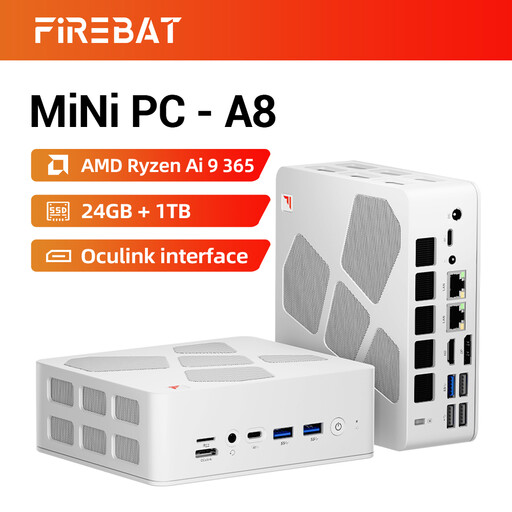
Why it suits this profile: Designed for users who value plenty of ports, multiple screens and extra processing power.
The relevant ports and memory configuration are clearly listed, rather than relying on a general gaming claim.
Ryzen AI 9 365 with 10 cores and 20 threads, 24 GB DDR5, 1 TB SSD, dual 2.5G Ethernet and support for four 4K screens.
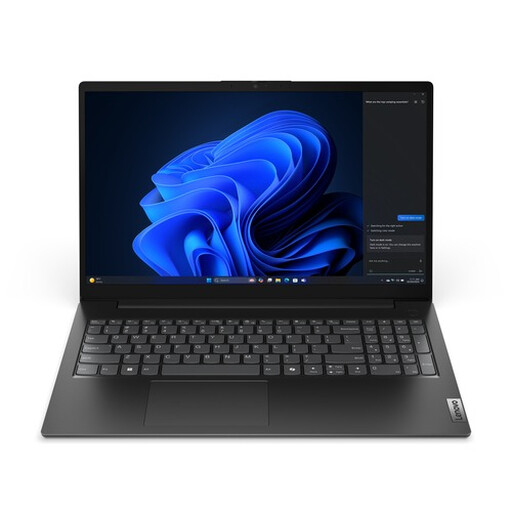
Why it suits this profile: For anyone looking for a complete mobile workstation with Windows 11 Pro, a built-in screen and an integrated webcam.
The product details list the screen type, brightness, weight, ports, memory, storage and keyboard layout.
Intel Core i5-13420H, 16 GB DDR5, 512 GB SSD, Wi-Fi 6, Gigabit Ethernet and Windows 11 Pro.
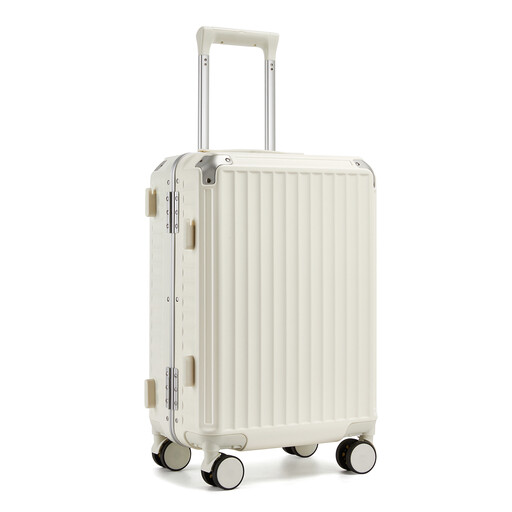
Why it suits this profile: For business trips where quick access, compact dimensions and well-organised luggage matter.
The external dimensions, capacity and weight are listed. Still, check these details against your airline’s requirements.
PC hard-shell case with an aluminium frame, zipperless closure, TSA lock, phone holder, cup holder and 360-degree wheels.
We’ve put together a complete, up-to-date list of products that meet these strict selection criteria and the applicable European safety regulations.
Yes, as long as the ports and configuration suit your work. Check that the mini PC has enough USB ports, a suitable monitor connection, Wi-Fi or Ethernet, and sufficient memory. You’ll often need a monitor and wireless accessories for a tidy workstation.
Power consumption depends on the processor, graphics workload, settings and how long you use it. A mini PC generally uses less power than a large desktop during light office work, but for a reliable comparison, check the stated power adapter rating and measurements under load. The adapter rating is not the same as continuous power consumption.
A 20-inch cabin suitcase can be practical for a short trip, provided it meets the size requirements for your ticket. A 24-inch suitcase often offers more room for trips of four to six days. Also check the empty weight, as a heavy suitcase leaves less room within your baggage allowance.
