First, choose a desktop that works with your existing log tools, screens and access controls. A mini PC can save space; a compact desktop with a separate screen may be a good fit if you have room and the configuration meets your requirements. Neither option makes shared use secure by default: set up individual accounts and session locking, and check the exact configuration and service terms before buying.
Who is this desktop for?
Team handling sensitive logs
Shares a workspace and needs to restrict access to logs to authorised people, particularly when they contain personal data. The Dutch Data Protection Authority and the National Cyber Security Centre highlight considerations around access management.
Analyst working with multiple windows
Views logs alongside dashboards, tickets or documentation and needs to check in advance that the required software, screens and connections will work with the chosen desktop.
IT manager for shared workspaces
Needs a computer that fits on a shared desk and is straightforward to configure, maintain and support.
What should you look for?
Business mini PC
A good fit when: desk space is limited and the chosen configuration has enough connections for your existing screens, input devices and network.
Bear in mind: check the ports, mounting options, upgrade potential and included accessories for each configuration. A small case is no substitute for individual accounts or session locking.
Compact desktop with a separate screen
A good fit when: you have room for a larger case and configuration or upgrade options are important.
Bear in mind: check the exact configuration, screen ports, network connection and management requirements here too.
| What to consider |
What should you check? |
Who is this important for? |
| Access and privacy |
Make sure account management, updates and security features meet your IT policy; set up individual accounts and session locking. |
If I view logs that may contain sensitive data on a shared computer, I want to restrict access to authorised colleagues. Around 33% of consumers put secure access first. |
| Log tools and windows |
Make a note of the software and screens you use; check the memory, storage, video outputs and network port required for the exact configuration. |
If I have logs open alongside dashboards, tickets or documentation, the computer needs to work with my software and screen setup. Around 27% of consumers prioritise ease of use for their work. |
| Space and connections |
Measure the available space, note the plugs you need and check that the placement and ventilation meet the manufacturer’s instructions. |
If I put the desktop on a shared desk, I want it to fit and connect to my existing equipment. Around 20% of consumers prioritise space and connections. |
| Management and service |
Compare the product number, included equipment and service terms; also check whether the purchase is personal or on behalf of a business. |
If IT manages the computer or support is important, I want to know in advance exactly which configuration and service I’m buying. Around 20% of consumers prioritise management and purchase terms. |
Buying pitfalls
-
Assuming a security claim means a shared workspace is securely set up
Protecting personal data depends in part on organisational measures, not just the computer’s case.
Make sure the computer meets your IT policy, and set up individual accounts and session locking.
Allow time to set up and manage accounts, access rights, updates and session locking.
-
Assuming every configuration in a product range is identical
The Lenovo ThinkCentre M70q Gen 5 configurations shown differ in areas such as operating system and storage capacity.
Compare the full product number and the specifications of the configuration you’re ordering with your workspace requirements.
-
Choosing a mini PC without checking your workspace requirements
A compact case alone doesn’t tell you whether the computer will work with your video and network connections or the equipment you want to use.
Make a note of your screen inputs, network connection and available space in advance, then check the specifications for the exact configuration.
Brands to compare
HP
The HP Pro Mini 400 G9 is an example of a small business desktop suited to a desk with limited space.
- The 6D494EA#ABH configuration reviewed lists Windows 11 Pro, 16 GB RAM and a 512 GB SSD.
- Check the ports, accessories and configuration you’re ordering. HP’s security statements are manufacturer claims.
Dell
The Dell Pro Slim QCS1255 is a compact desktop option for use with a separate screen.
- The Dutch configuration reviewed lists a Ryzen 5 8600G, Windows 11 Pro, 16 GB RAM and a 512 GB SSD.
- Dell says that configuration choices can change the specifications, so check the version you’re ordering.
Lenovo
The ThinkCentre M70q Gen 5 is part of the Tiny range, for anyone looking for a mini desktop with a specific configuration.
- The configurations shown offer different operating system and storage options.
- Compare the product number with your IT policy requirements. Lenovo’s security descriptions are manufacturer claims.
MSI
The PRO DP10 13M is a compact business range where ports and storage options may be important.
- MSI lists features including HDMI, DisplayPort, RJ45 and support for two M.2 SSDs.
- Check what’s included in the specific configuration. MSI lists Windows 11 Home and recommends Pro for business use; check the configuration of the model on offer.
Joybuy products
This selection focuses on mini PCs for a shared workspace. Check that the connections and configuration of each version work with your log tools, screens and network.
 No image available
SOYO Y5Pro Mini PC
Its compact design may suit a shared desk; check that the connections work with your existing screens and network.
Intel Core i5 8250U/8350U, 8 GB DDR4, 256 GB SATA SSD and Windows 11. Listed connections: two HDMI outputs, Type-C video and RJ45.
View at Joybuy
 No image available
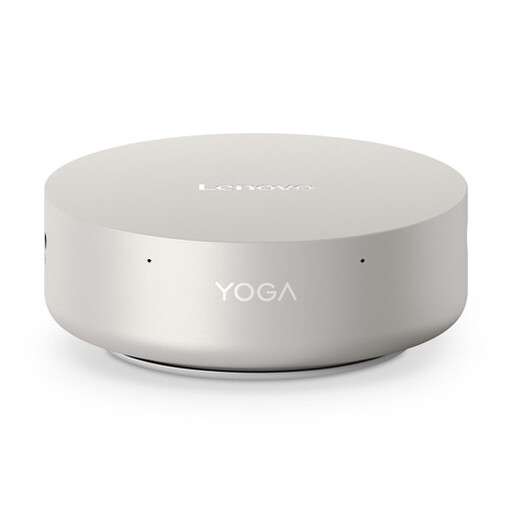
Lenovo Yoga Mini 01IPH11 Copilot+ PC
Check the stated screen support and connections against the screens and software in your shared workspace.
Intel Core Ultra 5 325, 16 GB LPDDR5X, 512 GB PCIe 4.0 SSD and Windows 11 Home. The description lists a 0.65-litre case and support for up to four independent screens.
View at Joybuy
 No image available
SOYO S5Air Mini PC
Consider this configuration if its connections and specifications suit the screens and log tools at your shared workstation.
AMD Ryzen 5 7535HS, 16 GB LPDDR5, 512 GB NVMe SSD and Windows 11 Pro. Listed video outputs: HDMI, DisplayPort and Type-C.
View at Joybuy
 No image available
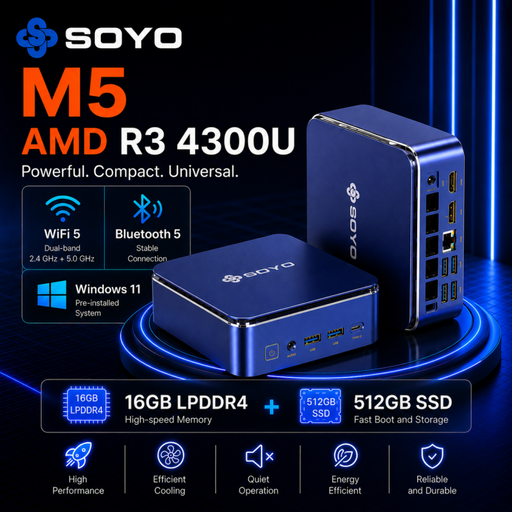
SOYO M5 Mini PC
Check that the listed video and network connections match the equipment you use at your shared desk.
AMD Ryzen 4300U, 16 GB LPDDR4 and 512 GB SSD. Listed connections include HDMI 2.0, DisplayPort 1.4, Type-C video, six USB 3.0 ports and RJ45.
View at Joybuy
 No image available
FIREBAT F1 Mini PC
The listed screen output and network connection may be useful for a multi-screen setup; compare them with your own configuration.
AMD Ryzen 5 7640HS, 24 GB LPDDR5 and 512 GB PCIe 4.0 SSD. The product title lists support for three-screen output, 2.5G Ethernet, USB 4.0 and HDMI 2.1.
View at Joybuy
Frequently asked questions
How should you use a shared computer when server logs may contain personal data?
Restrict access to people who need it for their work, and use individual accounts. The Dutch Data Protection Authority lists accounts linked to one person as a security measure; the National Cyber Security Centre advises limiting access to information and systems to what is needed for the task.
Does this desktop need Windows 11 Pro?
You can’t tell from the purchase question alone. Check which operating system and management features your log tools and IT environment require. Microsoft states that support for Windows 10 ended on 14 October 2025, so also check the support available for the configuration you choose.
What should you consider when setting up and maintaining a computer on a shared desk?
Check that the connections work with your screens and network, follow the manufacturer’s ventilation instructions, and arrange updates and session locking. The Dutch Working Conditions Portal also highlights the importance of screen-based work and office workstation setup for employees.
What warranty applies when buying in the Netherlands?
The Netherlands Authority for Consumers and Markets describes the statutory guarantee for consumer sales: the seller must offer a solution if a product does not meet reasonable expectations. Don’t assume these consumer rules automatically apply to a business purchase; check the agreed service and warranty terms instead.


