
Administrator who views logs remotely
Wants to view logs on existing servers and is mainly looking for suitable network, display and software connections.


If you mainly search logs on a remote server, start with a compact PC that has the right network and display connections; you may not need extra local processing power. If you process files locally or use several analysis programmes at once, match the supplied processor, memory and storage to your software and files. If the logs contain personal data, the need for checks and appropriate security will also depend on the risk assessment, as the Dutch Data Protection Authority explains.
Wants to view logs on existing servers and is mainly looking for suitable network, display and software connections.
Processes files on the PC itself or uses several analysis programmes, so compares the supplied configuration with those programmes’ requirements.
Wants to place the PC behind a monitor or elsewhere in the workspace, and checks that the model and any mounting options suit the setup.
First decide where the logs will be processed and which connections your workspace needs. Then compare the local configuration and placement options.
| What to consider | What should you check? | Who is this important for? |
|---|---|---|
| Connections and remote access | List your network, displays and management programmes; check the ports and supplied operating system for the exact model. | I mainly want to search existing servers and view the results at my workstation. Around 33% of consumers say remote access is their top purchasing priority. |
| Memory and storage | Compare your software and files’ requirements with the installed RAM, storage and processor; check upgrade options separately. | When I analyse files locally or use programmes at the same time, I want to know what is actually installed. Around 25% of consumers give local processing top priority. |
| Desk placement | Measure the available space and check the dimensions, any mounting bracket and cable access for the specific model. | With limited desk space, I want to know whether the PC will fit behind a monitor without making the connections difficult to reach. For around 25% of consumers, placement comes first. |
| Handling sensitive logs | Determine whether logs contain personal data, who needs access and whether copies are stored locally; tailor the setup to the risk assessment. | If my logs may contain personal data, I want to consider access and any local storage carefully. Around 17% of consumers put the handling of sensitive logs first; the Dutch Data Protection Authority links the need for regular checks to the risk assessment. |
A barebone model may be missing components you need to use the PC. The specifications for a product range don’t confirm which components are included with every model.
Check the full contents and configuration of the specific offer before comparing it with a fully equipped mini PC.
A barebone may still need memory, storage, an operating system and installation work.
Mounting may be optional, and connections can vary by model. ASUS lists an optional VESA mount for the PN64.
Compare the exact model, display ports, included bracket and cable clearance with your workspace.
A commercial manufacturer’s or seller’s warranty is separate from your statutory rights. ACM ConsuWijzer, the Dutch consumer information service, notes that the seller is responsible if a consumer product is faulty.
Read the commercial service terms and consider your consumer rights separately. For a business purchase, check the terms that apply to that transaction.
The Cubi N ADL S is a compact option to compare if network and display ports matter. The S-225BEU model reviewed is a barebone.
The ThinkCentre M70q Gen 5 Tiny is worth comparing if you’re looking at configurable business mini PCs and placement options.
The ExpertCenter PN64 is worth comparing if you want to match the connections and mounting options to your existing equipment.
The Pro Mini 400 G9 is a business mini PC range you can compare for configurations and service terms.
The OptiPlex Micro is a compact business desktop worth comparing if mounting options and access to product support matter.
These compact mini PCs are suited to local log work and connecting to a small workspace. Compare the listed configuration and connections with your software and setup.
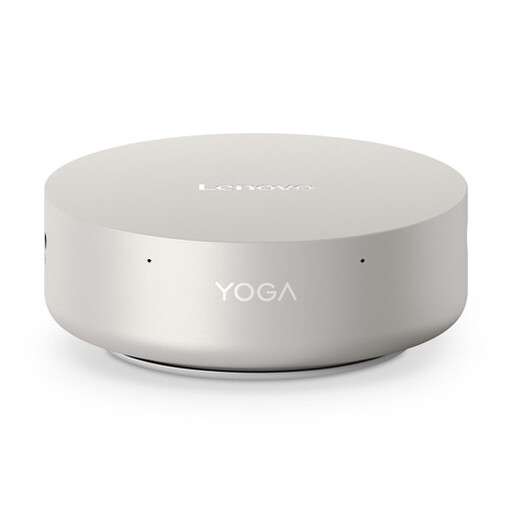 Image unavailable
A compact option to compare if local analysis and multiple displays are part of your workspace.
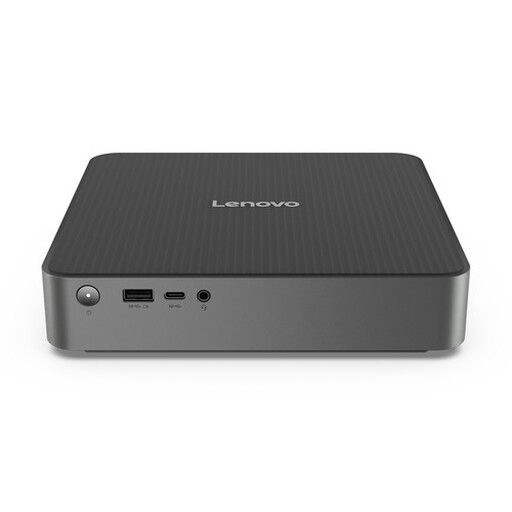 Image unavailable
A compact configuration to consider if you need local processing and connections for multiple displays.
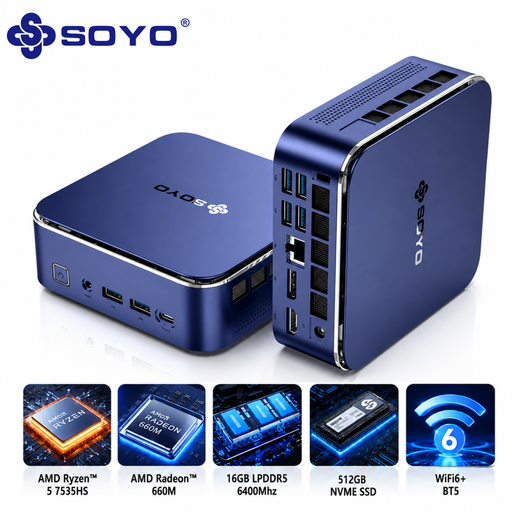 Image unavailable
A compact model with wired network and display connections to weigh up against your local analysis needs.
 Image unavailable
A business mini PC to compare if local analysis, the supplied configuration and placement matter.
 Image unavailable
A compact configuration to compare if you need local analysis and multiple network connections.
Not necessarily. If the server does the searching and the PC mainly displays the results, start by comparing the software requirements, connections and display setup. If you process files locally, match the processor, RAM and storage of the exact model to your programmes; a specification alone doesn’t prove how well it will perform for your task.
Some models can be mounted this way. MSI specifies VESA 100 × 100 mm for the Cubi N ADL S, and Lenovo describes mounting the ThinkCentre M70q Gen 5 behind a monitor. Check the mounting pattern, the bracket required and the space for cables; ASUS lists the VESA mount for the PN64 as optional.
For a Dutch consumer purchase made at a distance, ACM ConsuWijzer says you will generally have up to 14 days from delivery to change your mind. Statutory rights are separate from any manufacturer’s or seller’s warranty; if a consumer product is faulty, the seller is your point of contact. For a business purchase, check separately which terms apply to that transaction.
According to the Dutch Data Protection Authority, whether regular checks or automated analysis are needed depends on the risk assessment. The Authority also notes that the GDPR does not set a general, specific retention period for personal data. Don’t keep personal data for longer than necessary, and take any other applicable laws into account; there is no set retention period for every server log.