
Learners with limited desk space
You want to practise at a shared desk without giving up too much space for your computer. First, check whether there’s already a suitable screen. Lenovo and ASUS offer product ranges with compact PC designs.


You don’t necessarily need a powerful desktop to practise regex: Microsoft lists modest recommended hardware requirements for Visual Studio Code, which supports regex searches. Base your choice on the desk space available, whether you already have a suitable screen, how user accounts will be shared and what’s included with the PC.
You want to practise at a shared desk without giving up too much space for your computer. First, check whether there’s already a suitable screen. Lenovo and ASUS offer product ranges with compact PC designs.
You take turns using the same device and want to keep your files and settings separate. Microsoft Support explains how Windows users can have their own settings, documents and apps with separate accounts.
You’re starting without a screen or peripherals and want to know what’s included before you buy. The Lenovo ThinkCentre M70q Gen 5 is sold without a screen, keyboard or mouse, while the HP OmniStudio 24cu0611nd is listed with a screen, wireless keyboard and mouse.
A good fit if: you already have a suitable screen or want to choose your screen and computer separately. Check the video connection and which cables you’ll need.
Trade-off: Lenovo screens and input devices are sold separately; a kit may also be missing components.
A good fit if: you don’t yet have a monitor and want to buy the computer and screen together as one workstation. Check the screen’s position and readability for everyone who uses the desk.
Trade-off: the computer and screen are integrated. If you want to replace them separately later, separate components give you more choice.
A good fit if: you expect to use it for other tasks as well as regex practice, and want the option to change components. You’ll also need room for a larger case.
Trade-off: don’t assume that extra size or upgradeability is essential for regex practice. Check the options available for the exact model.
| What to consider | What should you look for? | Who is it most important for? |
|---|---|---|
| Space and screen | Measure the available space and check that the video connection is compatible with your existing monitor. Also consider text size, contrast and reflections; Arboportaal lists these as factors affecting screen readability. | If I’m sharing a desk, I want to know whether my monitor will fit and how much space the computer takes up. Around 36% of consumers give space and screen choice top priority. |
| User accounts | Check which operating system comes with the model and set up separate accounts. Microsoft Support says Windows users can have their own settings, documents and apps. | If we’re sharing one PC, I want to keep my files and settings separate. Around 29% of consumers prioritise separate user environments. |
| Complete set-up | For each configuration, check whether a screen, keyboard, mouse, memory, storage, operating system and required cables are included. Lenovo lists screens and input devices as sold separately; ASUS distinguishes between the NUC 14 Pro Kit and Mini PC. | If I don’t yet have a complete workstation, I want to know what else I’ll need. Around 21% of consumers prioritise a complete set-up. |
| Hardware for the future | First, decide which editor and other programmes you’ll use. Microsoft recommends a 1.6 GHz or faster processor and 1 GB RAM for Visual Studio Code. These aren’t configuration recommendations for running several demanding programmes at once. | If I expect to do more than practise regex, I want room to upgrade without paying for capacity I don’t need. Around 14% of consumers prioritise future upgradeability. |
ASUS distinguishes between the NUC 14 Pro Mini PC and the Kit. According to ASUS, the Kit doesn’t include memory, storage or a pre-installed operating system.
Check the full configuration and what’s in the box, not just the product range name.
You may need to buy memory, storage and an operating system separately, and you may have to install the components yourself.
A compact computer isn’t automatically a complete workstation. Lenovo says that the screen and input devices for the ThinkCentre M70q Gen 5 are sold separately.
For the exact configuration, compare what you already have with what you still need.
You may still need a screen, keyboard, mouse or suitable cable.
Arboportaal lists small text, low contrast and reflections as factors that can make screen content harder to read.
Check text size, contrast, reflections and adjustability where different people will use the screen.
These examples relate to specific product ranges and configurations. A brand being mentioned doesn’t, by itself, tell you whether a particular configuration is available.
HP offers both compact Pro Mini desktops and OmniStudio all-in-ones, for those who want to use a separate screen or include one in their purchase.
The ThinkCentre M70q Gen 5 Tiny is a compact business range designed for use with a separate screen.
The Mac mini is a compact macOS option for anyone who wants to use that platform with an external screen.
The NUC 14 Pro is available as a Mini PC or Kit, for those who want a compact design with a choice of components.
The OptiPlex Micro is an example of a compact business desktop, but availability varies by model.
This selection focuses mainly on compact mini PCs for a shared desk, with an all-in-one option too if you’re looking for a screen.
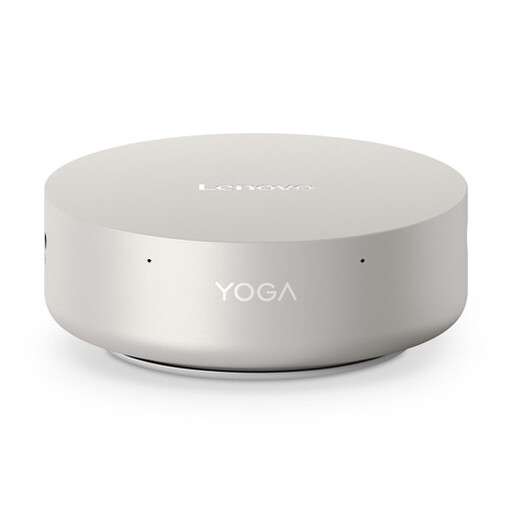 Image unavailable
Its mini desktop design could suit a shared desk with limited space.
The product name lists an Intel Core Ultra 5 325, 16 GB LPDDR5X, 512 GB PCIe 4.0 SSD and Windows 11 Home.
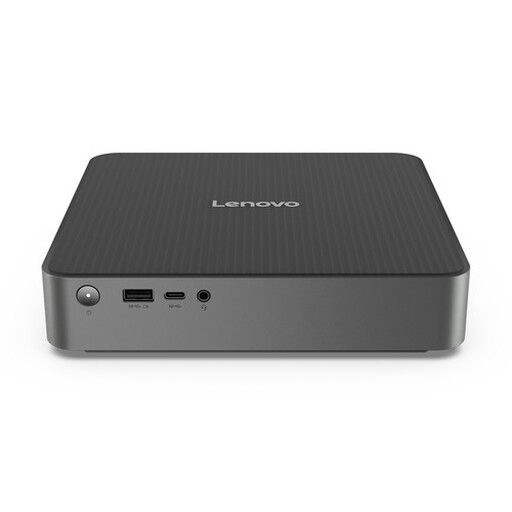 Image unavailable
A mini PC can help free up desk space. Decide in advance which monitor and peripherals you want to connect.
 Image unavailable
This mini PC is worth comparing if you use a separate screen and want to free up desk space.
The product name lists an Intel Core i7-14700T, 16 GB DDR5-SDRAM, 512 GB SSD and Windows 11 Pro.
According to the product description, the power adapter must be purchased separately.
 Image unavailable
Its mini PC design could suit a shared workspace with limited desk space.
The product name lists an Intel Core Ultra 7 155H, 16 GB DDR5-SDRAM, 1 TB SSD and Windows 11 Pro.
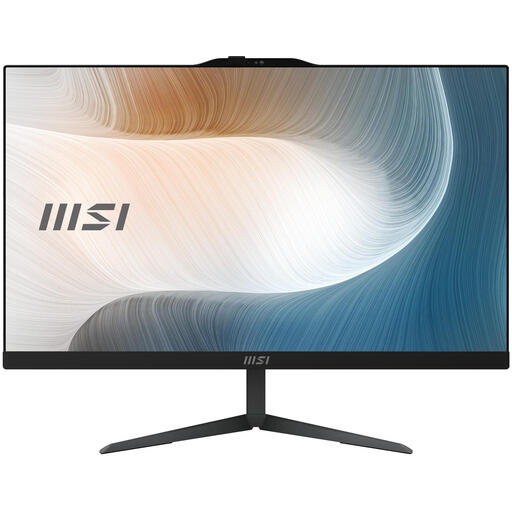 Image unavailable
An all-in-one could be a good fit if you also need a screen for your shared desk.
The product name lists an Intel Core 5 120U, a 23.8-inch screen with 1920 × 1080 pixels, 8 GB DDR5-SDRAM, 512 GB SSD and Windows 11 Pro.
According to the product description, the power adapter must be purchased separately.
Not just for practising regex. Visual Studio Code supports regex searches, and Microsoft lists modest recommended hardware requirements for the editor. Choose extra capacity based on the other programmes you want to use at the same time.
Set up a separate Windows account for each user. Microsoft Support explains that users can then have their own settings, documents and apps. It’s also worth agreeing how you’ll store shared practice files.
Check the exact configuration, the operating system included and what you’ll need to connect your monitor. According to ASUS, the NUC 14 Pro Kit doesn’t include memory, storage or a pre-installed operating system; this doesn’t automatically apply to the Mini PC configuration.
Check that you can connect the PC to the monitor, then assess readability where everyone will be working. Arboportaal lists small text, low contrast and reflections as factors that can affect screen readability.
For a consumer purchase, the Dutch government says you’re entitled to a product that works properly under the statutory guarantee; any manufacturer’s guarantee is in addition to this. For distance purchases, a 14-day cooling-off period applies in many cases, with some exceptions depending on the purchase.