
Player with limited desk space
You want to check that the case, cables and connections will fit before comparing components. MSI publishes dimensions for the MPG Trident AS 14th series; compact PCs vary by model and configuration.


Choose based on the games you actually play, then measure the space available for the case, cables and connections. For Victoria 3, PLAION Support lists recommended requirements including 16 GB RAM and a suitable processor and graphics card; these are not measured performance figures for a specific PC. If you also play other political simulations, check each game’s requirements rather than relying on the ‘gaming PC’ label.
You want to check that the case, cables and connections will fit before comparing components. MSI publishes dimensions for the MPG Trident AS 14th series; compact PCs vary by model and configuration.
You want to choose a compact PC based on the game’s recommended system requirements. PLAION Support lists 16 GB RAM, among other requirements, as well as specific processor and graphics card requirements.
You might play Democracy 4, for example, and want to tailor the configuration to the games you play. Positech Games describes Democracy 4 as a political simulation; check the requirements for the games you want to play.
Choose this option: if you mainly play political simulations and have checked the requirements for those titles.
Trade-off: a compact form factor does not, on its own, tell you whether the PC meets Victoria 3’s requirements.
Choose this option: if you also want to play Victoria 3 or other more graphically demanding games and compare the full configuration.
Trade-off: a compact desktop may take up more space than a very small PC; you can’t assume how specific models will perform in games.
Choose this option: if you want to decide for yourself how to balance size and components.
Trade-off: before ordering, check which components are actually included in the final configuration.
| What to consider | What should you check? | Who is this important to? |
|---|---|---|
| Will the setup fit? | Measure the available width, depth and height. Also check the position of the connections and ventilation openings. | If my desk has limited space, I want to know whether the case will fit with its cables connected. Around 36% of consumers give the available space top priority. |
| Does the PC meet the game requirements? | For Victoria 3, PLAION Support lists recommended requirements including 16 GB RAM, Windows 10 64-bit or Windows 11, an Intel Core i5-6600K or AMD Ryzen 5 2600X with AVX support, and a GTX 1660 6 GB or RX 590 8 GB. Compare these components with the exact configuration. | If I want to play Victoria 3, I want to check the full configuration against the published requirements. Around 29% of consumers prioritise suitability for the games they play. |
| Is the configuration right for my games? | Check the processor, graphics card, RAM, storage and software actually supplied; don’t base your choice solely on the category or product name. | If I mainly want to play my own list of games, I don’t want to choose components based only on the ‘gaming’ label. Around 21% of consumers give a suitable configuration top priority. |
| Can I upgrade it later? | For the exact model, check which memory and storage slots are occupied or free, and which components are included. | If I want to upgrade the PC later, I want to know what expansion options the configuration I buy actually has. Around 14% of consumers prioritise expandability. |
A product label is no substitute for a specific game’s recommended requirements. The exact combination of processor, graphics card, RAM and operating system matters.
Compare the chosen model’s full configuration with the requirements of every game you want to play.
Even a small case needs room for cables and accessible connections. The position of ventilation openings varies by model.
Measure the available space and check the dimensions, connections and positioning instructions for the exact configuration.
A range may include several processor and graphics card options. The general range description doesn’t automatically tell you which components are included in a specific variant.
Check the model code and final component list for the configuration you’re ordering.
According to the Dutch government, the Netherlands has no fixed statutory warranty period; if a product is faulty, the retailer is responsible for resolving the issue.
Before choosing an extended warranty, compare its terms with your statutory rights.
HP Store Netherlands lists the OMEN 16L TG03-0630nd as a compact gaming desktop configuration with a dedicated graphics card.
The MPG Trident AS 14th series is a compact gaming desktop range to compare with other small systems.
The manufacturer presents the AtomMan G1 PRO as a compact PC with a dedicated graphics card.
PCSpecialist Netherlands offers categories for small PCs and configurable small-form-factor systems.
These product options range from mini PCs to compact desktops with a dedicated graphics card. Compare the exact components with the requirements of your games and measure the space available for your chosen setup.
 No image available
A mini PC may be worth considering if desk space is limited; compare its configuration with your games’ requirements.
The product name lists an Intel Core i5 8250U/8350U, 8 GB DDR4, 256 GB SATA SSD, Windows 11, BT5.2 and Wi-Fi 5. PLAION Support recommends 16 GB RAM for Victoria 3, so the listed 8 GB does not meet that RAM recommendation.
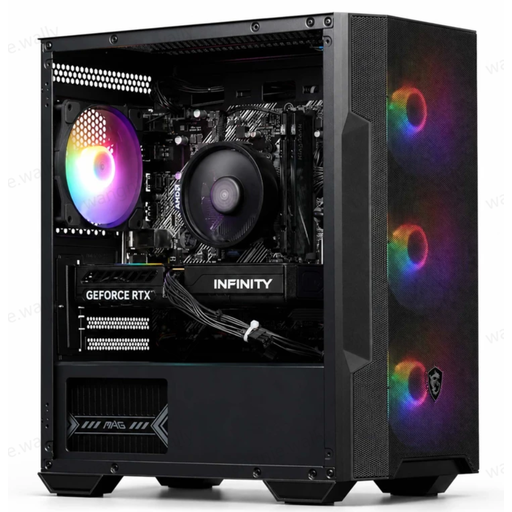 No image available
This desktop is worth comparing if you’re looking for a PC with a dedicated graphics card; the listed components are not a gaming benchmark.
The configuration description lists a Ryzen 5 5500, RTX 5060 8 GB, 16 GB RAM and 480 GB SSD. The case is identified as an MSI MAG Forge M100A.
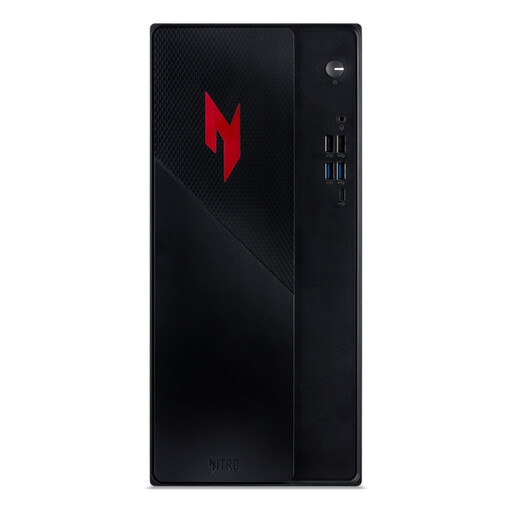 No image available
The listed dimensions give you specific measurements to compare with your available space; also check the connections and room for cables.
The configuration description lists an Intel Core 5 210H, RTX 5050 8 GB, 16 GB RAM, 1 TB SSD and Windows 11 Home. The stated dimensions are 160 × 306 × 348 mm.
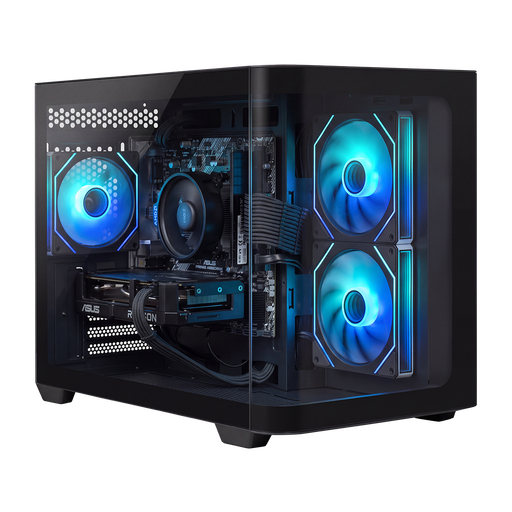 No image available
Compare this desktop with the component requirements for the games you want to play, and measure the space available for the case.
The product name lists an AMD Ryzen 5 5500, Radeon RX 9060 8 GB, 16 GB DDR4, 500 GB NVMe SSD and Windows 11 Home. The case is identified as an SHARK WAVE MINI.
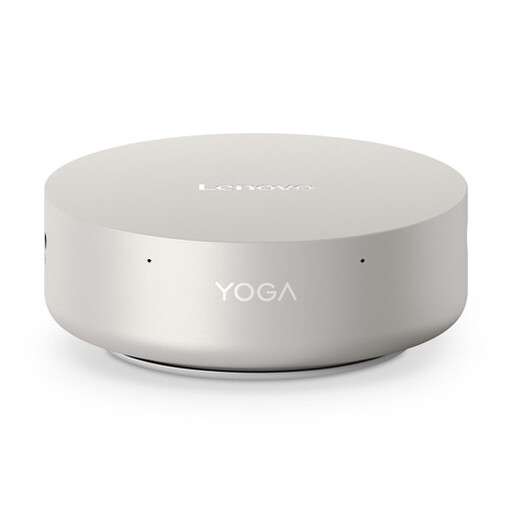 No image available
Its integrated Intel Graphics make this a different configuration option from a desktop with a dedicated graphics card; check your games’ requirements individually.
The product name lists an Intel Core Ultra 5 325, 16 GB LPDDR5X, 512 GB PCIe 4.0 SSD, Intel Graphics and Windows 11 Home. The description lists a 0,65-litre case.
No, the size alone doesn’t tell you that. Among its recommended requirements, PLAION Support lists 16 GB RAM and a GTX 1660 6 GB or RX 590 8 GB, as well as processor and operating system requirements. Compare the full configuration; these requirements don’t guarantee a particular speed on a specific model.
Measure the space for the case and allow for cables, your screen and accessible connections. Check the dimensions and positioning instructions for the exact model; the dimensions of one desktop range don’t automatically apply to other PCs.
For a distance purchase from a business, the Dutch government generally provides a 14-day cooling-off period; check the applicable terms and exceptions. A faulty product is also covered by Dutch statutory rights: there is no fixed statutory warranty period, and the retailer is responsible for resolving the issue.
According to the Dutch government, as a private customer you can hand in your old device through the retailer when you buy a new, similar device. The take-back scheme also applies to online purchases.