
Home recorder
Records spoken poetry close to their workspace and wants to connect a microphone or audio interface without the computer getting in the way of the recording. Connections and positioning are therefore practical considerations.


Choose according to how you work. If you record alongside your computer, consider where it will sit, how much noise it makes when in use and whether it has the right connections for your recording equipment. For editing with text and source references, think about your screen setup and how much storage you need. Also check whether you’re buying a complete PC or a kit that you’ll need to equip yourself.
Records spoken poetry close to their workspace and wants to connect a microphone or audio interface without the computer getting in the way of the recording. Connections and positioning are therefore practical considerations.
Edits recordings while keeping the poem, source notes and timestamps to hand. Audacity guides explain, among other things, how to use labels to find points or sections in audio.
Keeps source recordings and editable projects and wants to be able to make separate copies of them. Audacity explains how to create a separate project backup.
A good fit if: you want a model that, according to its listed specifications, already includes Windows, memory and storage.
Bear in mind: the MSI model mentioned has a 1 TB SSD; the Lenovo and HP models reviewed list 512 GB. These specifications alone don’t indicate how audible the PC will be during a recording.
A good fit if: you want to choose the memory, storage and operating system yourself.
Bear in mind: ASUS lists the NUC 14 Pro Kit without a pre-installed operating system, memory or storage, so you’ll need to factor in configuration and installation.
First decide whether you’ll use the mini PC for recording as well as editing, or for editing only. Then choose based on connections, screen setup and how you want to store your files.
| What to consider | What should you check? | Who is this for? |
|---|---|---|
| Recording space | Consider where the PC will sit and how much noise it makes during your workload; check that you can connect your microphone or audio interface. | If I record close to my computer, I want to make sure the device doesn’t interfere with the recording. Around 31% of consumers put having a suitable recording space at the top of their list when buying. |
| Text and references | Check the display connections for the screen setup you want to use, and how your editing software saves labels or markers. | If I want to follow text and source notes alongside the audio timeline, I need an organised editing space. Around 25% of consumers prioritise keeping track of text and references. |
| Connections | Compare your equipment’s connections with the USB types and display outputs on the exact model. | If I want to use my existing recording equipment, I need to know before buying whether it can connect to the PC. Around 25% of consumers make connectivity their top priority. |
| Storing projects | Check the model’s SSD capacity and plan to keep a separate copy of your source files and editable projects. | If I want to be able to find my recordings and editable projects, I need enough space and a separate copy. Around 19% of consumers put project storage first. |
Audacity explains how to use labels for points and regions in audio, as well as a separate command for creating a project backup. A label doesn’t verify a source reference, so keep it in your own notes too.
The ASUS NUC 14 Pro Kit is distinguished from the equipped Mini PC and listed as a model without a pre-installed operating system, memory or storage.
Read the contents for the exact model and check which components you’ll need to choose and install yourself.
Allow time to choose and install any components that aren’t included with the model you select.
A project stored on the same internal drive isn’t the same as a separate copy. Audacity explains how to create a separate project backup.
Keep the source recording and editable project, and make a copy on separate storage.
In the Netherlands, there is no set statutory warranty period. An additional warranty is separate from your statutory rights to a product that meets the required standards. The Dutch government explains these rights.
Compare the cover offered by an extra warranty with your existing rights. Report any problem with a faulty product to the seller.
The ThinkCentre M75q Gen 5 Tiny is a compact Windows workstation. The specified 12RQ003QEZ model is listed by Lenovo as ready to use.
The Cubi NUC AI 1UMG-005EU is a compact Windows model to consider if you plan to store projects locally.
The HP Pro Mini 400 G9 is a business mini PC range; model 9H6Z2ET#ABH is one of the configurations reviewed.
The NUC 14 Pro is a product line that lets you compare an equipped mini PC with a customisable kit.
This selection includes mini PCs for a compact editing setup, with both Windows configurations and a barebone model. Before buying, check compatibility with your audio software and what’s included with the exact model.
 No image available
The product name identifies this as a mini PC. Check whether NVIDIA DGX OS is compatible with the software you plan to use for editing.
The product name lists 128 GB of RAM, a 4 TB SSD and NVIDIA DGX OS.
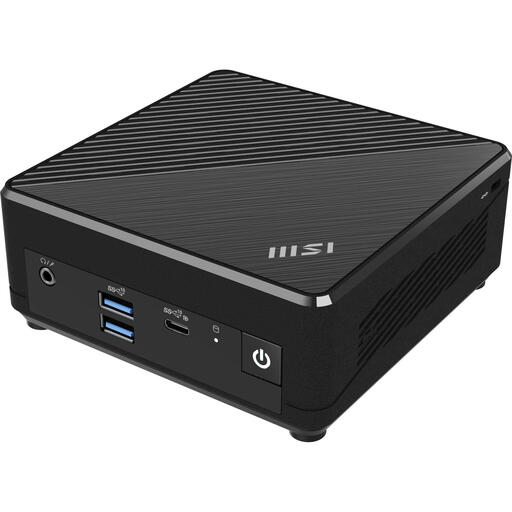 No image available
This mini PC is listed with Windows 11 Pro. Check that the stated storage capacity is enough for your local projects.
Intel N100 processor, 4 GB DDR4 memory and a 128 GB SSD.
 No image available
The product listing says it supports up to four displays. Check that its connections suit the screen setup you want to use.
Intel Core Ultra 7 155H, 16 GB DDR5 memory, a 1 TB SSD and Windows 11 Pro.
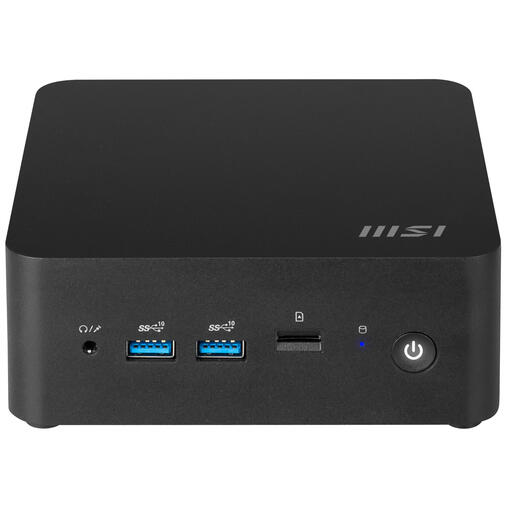 No image available
This barebone model is for anyone who wants to choose their own configuration. Check which components you’ll need before you can use it.
The product name lists a 0.84 L chassis and an Intel 150U SoC. Check which storage, memory and software are included with this model.
Not just for this task. If you use an external microphone or audio interface, check the connections, supported drivers and audio settings for your setup. The Audacity guide explains that buffer settings affect the balance between stability and latency.
In Audacity, you can attach labels to points or regions and export them as a text file. Keep full source references in your own notes too; a label doesn’t verify the source.
Keep the original recording and editable project too. Audacity describes separate commands for saving a project and creating a project backup.
For a standard online consumer purchase from a business, you generally have 14 days to change your mind, as explained by the Dutch government. In the Netherlands, you’re also entitled to a product that meets the required standards, with no fixed statutory warranty period; a manufacturer’s or additional warranty is separate from this right.
A private copy for personal use isn’t the same as permission to make protected work available to the public. Before publishing, check the rights to the poem and, if someone else is performing it, the rights to that performance too. The permission you need depends on the work and the recording.