
iOS tester using Xcode
You need to build apps locally in an iOS simulator and check them on real Apple devices too. Apple Developer describes Xcode and simulators as part of macOS.


You need a Mac to build and test locally with Xcode; for Android testing, a suitable Windows mini PC may be enough. Next, decide whether you’ll mainly run several emulators at once or connect physical phones, and check the memory configuration, ports and shared-use features. Apple Developer points out that a simulator cannot fully replicate the performance and features of a physical device.
You need to build apps locally in an iOS simulator and check them on real Apple devices too. Apple Developer describes Xcode and simulators as part of macOS.
You work with Android Studio and want to run one or more virtual test devices alongside your development environment. Android Developers outlines the system requirements and hardware acceleration needed for emulators.
You share a desk between users or connect physical test phones there, so you need accessible ports and clear arrangements for test data. Android Developers also recommends testing on real devices, while the Dutch Data Protection Authority says organisations must determine appropriate security measures for themselves.
First, decide which development tools you need to run locally. Then match the capacity and connectivity to the number of emulators, physical phones and users sharing the desk.
| Consideration | What should you check? | Who is this important for? |
|---|---|---|
| Operating system and testing workflow | Check whether you need Xcode locally and whether the required macOS and Xcode versions are compatible with your project. | If I need to build iOS apps locally with Xcode, a Mac is essential; around 31% of consumers in this choice context give Xcode compatibility top priority. |
| Capacity for Android emulators | Android Developers estimates around 4 GB of memory per AVD when running them simultaneously, although the exact requirement can vary. Also check storage space and support for hardware acceleration. | If you want to run several virtual Android devices alongside Android Studio, consider the overall workload; around 31% of consumers put emulator capacity first. |
| Ports and shared use | Count the connections you need and check the function of each port on the exact configuration. The Dutch Data Protection Authority stresses that organisations must determine appropriate measures for personal data themselves. | If I connect phones at a shared desk, I want accessible ports and clear arrangements for accounts and test data; around 25% of consumers give this top priority. |
| Configuration and service | Compare the exact model configuration, included components and any upgrade options. Also check the seller’s terms and those of any service plan on offer. | If you’re looking for a complete, maintainable setup, you’ll want to know exactly which configuration and service are included with your purchase; around 13% of consumers put this first. |
A compact case doesn’t make a Windows PC suitable for the local Xcode and iOS simulator workflow. Apple Developer describes this workflow as running on macOS.
Set out your development tools and target platforms before comparing models.
If local use of Xcode is essential, you may need a Mac as well as the Windows PC.
The workload differs between one virtual device and several Android emulators running simultaneously. Android Developers estimates around 4 GB of memory per AVD for simultaneous use, although the exact requirement varies.
Decide how many virtual devices you’ll run at once, then check the memory, storage and hardware acceleration of the configuration you choose.
Running several test devices may require more memory or storage than running a single emulator.
Lenovo specifies that the USB-C port on the front of the ThinkCentre M75q Gen 5 is for data transfer only; this doesn’t automatically tell you anything about other configurations or ports.
Check the function and position of each port on the exact configuration before connecting cables or a monitor.
You may need a different cable, adapter or configuration if the connections don’t suit your setup.
A Mac option for using Xcode and iOS simulators locally.
The IdeaCentre Mini and ThinkCentre M75q Gen 5 offer different compact Windows setups.
The Pro Mini 400 G9 is a compact Windows 11 Pro option for a managed workstation.
The ExpertCenter PN54-S1 is a range worth considering if connectivity and potential memory upgrades matter to you.
These Joybuy picks are Windows mini PCs for an Android testing workflow. They are not a substitute for a Mac if you need to build for iOS locally with Xcode.
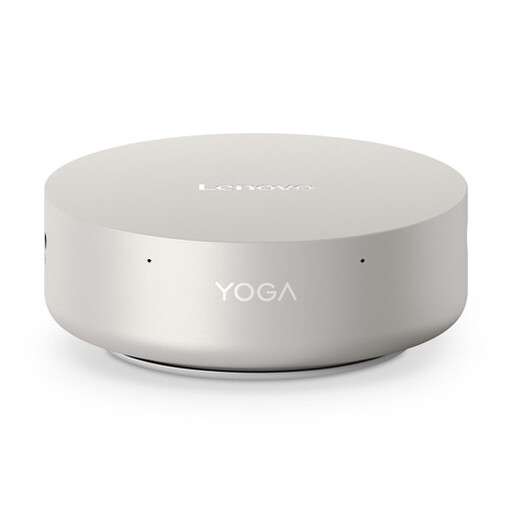 No image available
A Windows mini PC to consider for an Android testing setup; it isn’t a replacement for a Mac if you need to use Xcode locally.
Intel Core Ultra 5 325, 16 GB LPDDR5X, 512 GB PCIe 4.0 SSD, Windows 11 Home.
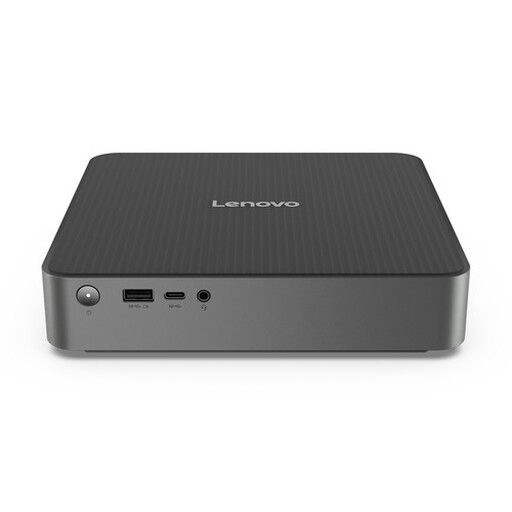 No image available
A compact option to consider for a shared Windows setup for Android testing; check the configuration of the model you choose.
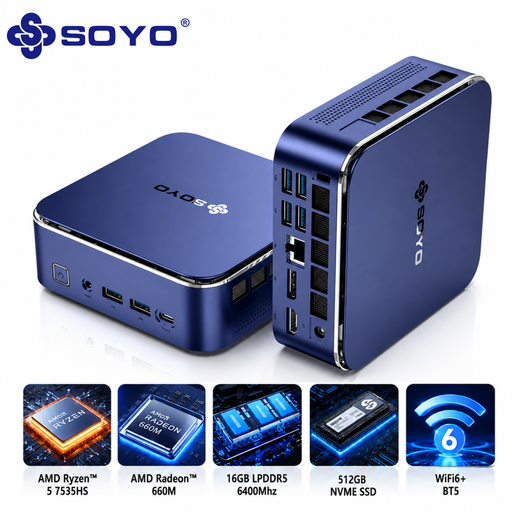 No image available
A Windows 11 Pro mini PC to consider for an Android testing workstation; check that its ports suit your test phones and peripherals.
AMD Ryzen 5 7535HS, 16 GB LPDDR5, 512 GB NVMe SSD, Windows 11 Pro.
 No image available
A Windows 11 Pro mini PC to consider if you want to connect test phones at a shared desk. Check which power adapter is included with the configuration.
Intel Core i7-14700T, 16 GB DDR5, 512 GB SSD.
 No image available
A Windows 11 Pro mini PC to consider for Android testing when your development tools and test files need plenty of storage space.
Intel Core Ultra 7 155H, 16 GB DDR5, 1 TB SSD.
No. You need macOS to use Xcode and iOS simulators locally. Also check that the macOS and Xcode versions are compatible with the platforms your project needs to test.
No, include tests on a real device too. Android Developers recommends testing Android apps on a physical device, and Apple Developer notes that simulators cannot fully replicate the performance and features of physical devices.
Check whether you’ll use a USB or Wi-Fi connection and whether USB debugging is required. Google Android Developers notes that Windows may also require a USB driver for ADB.
According to the Government of the Netherlands, you’re entitled to a product that works as it should, and you can contact the seller if there’s a problem. The Netherlands has no fixed statutory guarantee period; any manufacturer’s guarantee offered is an additional benefit.
The Dutch Data Protection Authority says organisations that process personal data must determine appropriate security measures themselves, based on the risks. So consider who can access test data on the shared PC and how that data will be deleted.