
Developer with a local test database
You run a database alongside your development tools and want enough memory and storage for your own projects. The PostgreSQL documentation covers memory settings and monitoring disk usage.


Choose a system to suit the size and concurrency of your database workload, as well as the space you need for files and backups. A fully configured model usually requires less preparation; an expandable configuration may leave you more room to make changes later, but check exactly what’s included. Extra internal storage alone isn’t a backup or recovery plan.
You run a database alongside your development tools and want enough memory and storage for your own projects. The PostgreSQL documentation covers memory settings and monitoring disk usage.
You use a local database for data that you may need to recover. The PostgreSQL Global Development Group recommends backing up databases regularly; the Dutch Data Protection Authority stresses that organisations processing personal data must keep it secure.
You expect to run more databases or other local services, so you compare the expansion options for the exact model with what’s included as standard. Manufacturer and model specifications can vary between versions.
Choose between a system that’s ready to use and one you can configure yourself. The right option depends on your current workload, plans for future growth and whether you’re happy to arrange components or backups separately.
Choose this if: you want to get started without buying RAM and an SSD separately, and are looking for a specified Windows configuration.
Bear in mind: the listed specifications apply to the version named; check for yourself whether they suit your database, other software and expected growth.
Choose this if: the option to expand later or configure the system yourself matters more than being able to start straight away with a complete configuration.
Bear in mind: a stated maximum isn’t the same as installed memory or storage. Check what’s included with the version you choose, and arrange backups separately.
| What to consider | What should you check? | Who is this important for? |
|---|---|---|
| Memory for your database and other tasks | Check the installed RAM, memory slots and expansion limits for the exact version. Take into account your database and the programmes running at the same time. | If you use a database alongside development tools, you’ll want to know how much memory is available for these simultaneous tasks. Around 30% of consumers rank this memory capacity as their top priority. |
| Storage space and expansion | Estimate the size of your current database files and their expected growth; check how many SSDs are installed and what expansion options the version offers. The PostgreSQL documentation explains that tables and indexes use storage space. | If you expect your project files to grow, you’ll want to leave enough space and know how to expand it later. Around 30% of consumers prioritise storage space and room to grow. |
| Backups and recovery | Decide how you’ll make backups, where you’ll store them and whether you can restore them. Choose a method that’s suitable for the database you use. | If you’re working with data you can’t afford to lose, you’ll want to set up and test a recovery plan in advance. Around 20% of consumers put recoverability first. |
| Setup and management | Check which components and operating system are included with the version, and review the applicable service terms. | If you want to spend as little time as possible on installation, it’s important to know how much is already set up and what you’ll need to do yourself. Around 20% of consumers prioritise a complete, clearly specified version. |
An expansion limit doesn’t tell you how much memory is installed in the version you choose. Lenovo PSREF lists a standard maximum of 32 GB for the ThinkCentre M75q Gen 5 12RQ0040IX; according to the specification sheet, 64 GB is available only through special orders.
Check the full model code, the supplied configuration and the expansion conditions before ordering.
You may need to buy and install extra memory separately.
A second SSD in the same computer is no substitute for a separate backup and recovery procedure. The PostgreSQL documentation describes different backup methods, each with its own requirements.
Decide in advance where you’ll keep a copy, and test whether you can restore the database using your chosen method.
Allow for setting up a separate backup destination and taking time to test recovery.
The PostgreSQL documentation warns that certain non-durable settings can cause data loss or corruption if the system crashes unexpectedly.
Use these settings only if losing the relevant data would be acceptable; don’t base your decision solely on an expected performance gain.
The HP ProDesk 4 Mini G1i version reviewed, BY7A0ET#ABH, is a specified mini desktop with Windows 11 Pro, 16 GB RAM and a 512 GB SSD, according to HP Store Netherlands.
According to Lenovo PSREF, the ThinkCentre M75q Gen 5 12RQ0040IX reviewed has 16 GB RAM, a 512 GB SSD and Windows 11 Pro.
The manufacturer presents the UM890 Pro as an expandable mini PC, listing support for up to 96 GB of memory and two 2.5G network ports.
The European manufacturer’s website lists two M.2 PCIe 4.0 SSD slots for the SER8 8745HS.
This selection includes mini PCs for local databases, from fully configured systems to a barebone version you can set up yourself.
 No image available
Could suit a local database used alongside other work software, if the listed memory and storage configuration meets the demands of your workload.
The product name lists 8 GB DDR4, a 256 GB SATA SSD, Windows 11, Bluetooth 5.2 and Wi-Fi 5.
 No image available
Could suit anyone combining a database with development tools and looking for a pre-specified memory and SSD configuration.
The product name lists 16 GB LPDDR5X, a 512 GB PCIe 4.0 SSD and Windows 11 Home. According to the product information, the memory is soldered and expandable to a maximum of 32 GB.
 No image available
Could suit anyone looking for a version with a stated memory and SSD capacity for a local database alongside work software.
The product name lists 16 GB LPDDR4, a 512 GB SSD and Windows 11 Pro.
 No image available
Could suit home working with a local database running alongside other tasks, provided the listed configuration meets your needs.
The product name lists 16 GB RAM, a 512 GB SSD and Wi-Fi 6.
 No image available
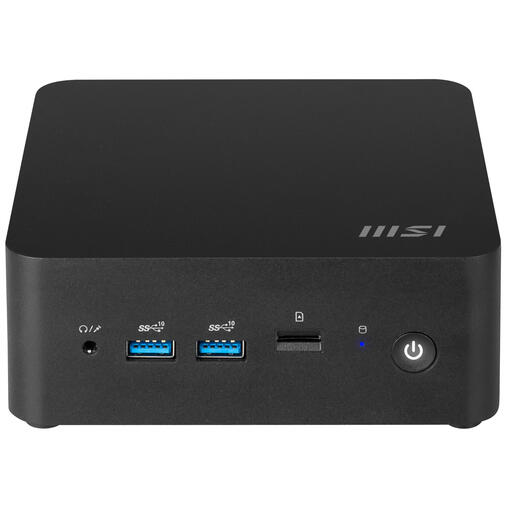
Could suit anyone who wants to configure the system themselves rather than choose a fully specified setup.
The product name lists a 0.84-litre barebone version with Intel 150U. The product information says you’ll need to configure the operating system and the required software; check which components are included with this version.
There’s no one-size-fits-all amount for every local database. Assess your dataset and the programmes running at the same time, then compare your requirements with the installed memory, available storage and expansion options for the exact version.
No. A second internal SSD on its own isn’t a separate recovery solution. Set up a backup method that suits your database, keep a copy in a separate location and test that you can restore it. The PostgreSQL Global Development Group describes methods including dumps, file-system-level backups and continuous archiving; these methods aren’t interchangeable.
For many distance purchases, consumers have 14 days to change their mind, according to the Dutch government; whether this applies depends on the purchase. The Dutch government also says that the seller must provide a solution if there’s a problem with a product. For business purchases, check the applicable contract terms, as consumer rules don’t automatically apply to every business purchase.
Using a local computer doesn’t automatically exempt you from security obligations when storing personal data. The Dutch Data Protection Authority says that organisations processing personal data must keep it secure; the appropriate measures depend on the circumstances. So make sure you also agree the setup of a work database with your organisation.