
Developer running several local databases
You run databases alongside an editor and other programmes, and want enough memory and room to grow. The PostgreSQL documentation points out that the operating system also uses cache.


Choose a mini PC with enough memory and storage for your databases and the programmes you use at the same time. Then check the exact configuration and what’s included. A complete configuration means less set-up work, while a kit gives you more choice but may require you to buy and install components yourself. To reduce distracting daylight, focus on positioning your screen carefully or using a blind: the mini PC itself won’t prevent reflections.
You run databases alongside an editor and other programmes, and want enough memory and room to grow. The PostgreSQL documentation points out that the operating system also uses cache.
You’re looking for a compact computer, but can’t just put your screen or PC anywhere. Screen reflections and a practical set-up matter; Arboportaal advises positioning your line of sight parallel to the window when working at a screen.
You want to choose your own memory and storage, and are happy to install them yourself. ASUS states that the NUC 14 Pro Kit is supplied without memory, storage or a pre-installed operating system.
Choose this option: if you want a configuration that requires as little installation as possible.
Bear in mind: check the specific order code to confirm that memory, SSD and operating system are included.
Choose this option: if you want to choose and install your own memory, storage and, if needed, operating system.
Bear in mind: ASUS states that the NUC 14 Pro Kit comes without memory, storage or a pre-installed operating system.
This guide is for consumers looking for a mini PC to run local databases in a compact workspace beside a bright window. The percentages show which concern takes priority in each scenario.
| Concern | What should you check before buying? | Who is this more important to? |
|---|---|---|
| Memory and running programmes at the same time | Compare the installed RAM and number of memory slots with your database, editor and other programmes you use at the same time. | I run databases alongside development software and want to know how much memory is available; around 33% of consumers prioritise memory for running database and development work at the same time. |
| SSD space and recovery | Compare the installed SSD and available storage slots with the growth of your dataset. Also decide how you’ll back up and restore your data. | I want room for growing datasets and the ability to recover data; around 27% of consumers prioritise SSD space and recovery. The PostgreSQL documentation describes regular backups as part of database management. |
| Screen and positioning by the window | Check whether you can position the screen parallel to the window and keep the PC’s ventilation openings clear. | My desk is in a sunny spot and I want a readable screen without putting the PC somewhere impractical; around 20% of consumers prioritise screen set-up and positioning. Arboportaal advises positioning your line of sight parallel to the window when working at a screen. |
| What’s included and available connections | Check the full order code, included components, operating system and the ports you need. | I want to get started straight away and know in advance whether I’ll need any extra components or peripherals; around 20% of consumers prioritise a complete configuration and suitable connections. |
A supported maximum capacity doesn’t tell you how much memory or storage is installed. ASUS states that the NUC 14 Pro Kit is supplied without memory or storage.
Before buying, compare the full order code with the list of included components and supported upgrades.
With a kit, you may need to choose and install memory, an SSD and an operating system yourself.
The computer doesn’t determine how daylight falls on your monitor, so distracting reflections may remain.
Plan your screen position and any blinds first. Arboportaal advises positioning your line of sight parallel to the window. Also keep the PC’s ventilation openings clear.
An SSD in the same computer isn’t, by itself, a backup and recovery process. PostgreSQL describes backups and recovery as separate procedures.
Decide which data you need to be able to restore and choose a suitable approach. Allow for the storage and time needed to test your recovery process.
A backup set-up may require separate storage and time to test the recovery process.
Bestenu’s ranking doesn’t give the full order code for some models. A series name therefore doesn’t tell you which configuration was reviewed.
Compare the full model code, installed components and what’s included. Then decide whether that configuration suits your database workload.
The NUC 14 Pro is a useful reference if you’re considering a compact PC or a kit you can configure yourself.
The Pro Mini 400 G9 is an example of a compact business PC offered as a complete configuration.
The ThinkCentre Neo 50q Tiny is a reference point for a compact business workstation, where you’ll also want to consider the peripherals you need.
The Cubi NUC AI 1UMG is worth considering if extra network and screen connections are on your wish list.
The UM890 Pro is a configurable compact PC to consider if upgrade options and network ports are important to you.
These Joybuy products include complete mini PCs and a barebone for a compact database workstation. Compare the configurations listed with your memory and storage needs.
 Image unavailable
For a database and development set-up if the stated memory and SSD capacity meet your needs.
128 GB RAM, 4 TB SSD and NVIDIA DGX OS.
The product description advises against exposing the device to direct sunlight for extended periods.
 Image unavailable
An option to compare if you’re looking for a compact mini PC for several programmes and local data.
16 GB RAM, 512 GB SSD, Wi-Fi 6 and support for three displays.
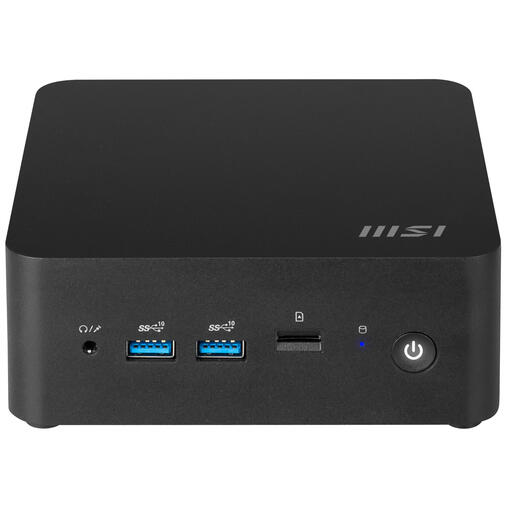 Image unavailable
For anyone who wants to build a compact database workstation rather than choose a complete configuration straight away.
Barebone configuration with Intel Core 7 150U. Check which components and operating system are included with this configuration.
 Image unavailable
A complete configuration to compare if you’re looking for a mini PC for database and development work.
Intel Core Ultra 7 155H, 16 GB DDR5-SDRAM, 1 TB SSD and Windows 11 Pro.
The product description advises keeping the device out of direct sunlight.
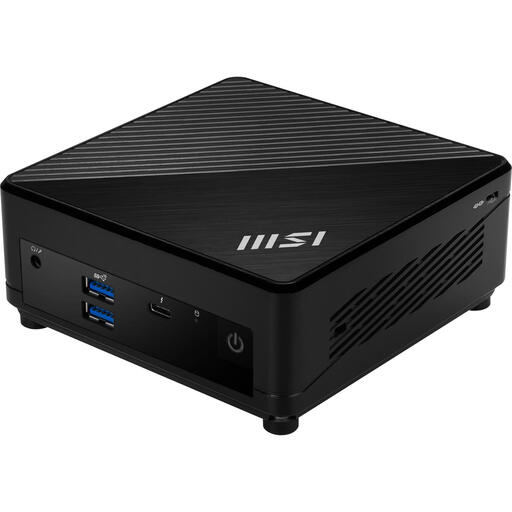 Image unavailable
Compare this configuration with the memory needs of your database and the programmes you use at the same time.
Intel Core i5-1235U, 8 GB DDR4-SDRAM, 512 GB SSD and Windows 11 Pro.
Not necessarily. ASUS states that the NUC 14 Pro Kit comes without memory, an SSD or a pre-installed operating system. For any other kit, check the full order code and the components included.
Arboportaal advises positioning your line of sight parallel to the window when working at a screen, and using distance or blinds if needed to reduce reflections and glare. Also position the mini PC so its ventilation openings remain clear.
No. If you need to be able to restore your data, you’ll need to set up a backup and recovery process. The PostgreSQL documentation covers regular backups and, for point-in-time recovery, a base backup combined with WAL files.
For a distance sale to a consumer by a business, the Dutch government generally provides a 14-day cooling-off period. There is no fixed statutory warranty period in the Netherlands: you’re entitled to a product that works as it should, and can contact the seller if there’s a problem. The rules that apply depend partly on the type of purchase; a business purchase or a purchase from a private individual isn’t automatically covered by the same consumer rules.
That depends on the rules that apply to the specific PC and power adapter. The NVWA outlines rules for electrical equipment with a rated AC voltage between 50 V and 1,000 V; check which requirements apply to the configuration you choose. A statement on a product page isn’t, by itself, proof of compliance.