What should you look for?
First decide whether you prioritise quiet operation, an easy start or installing the system yourself. Then check what’s actually included and which upgrades the configuration allows.
| What to consider |
What should you check? |
Who is this important for? |
| Noise while studying |
Check the full model code and whether that configuration uses passive or active cooling. |
If I study close to my mini PC, I want to avoid fan noise before considering extra processing power. Around 33% of consumers say quiet operation is their main buying concern. |
| Getting started with Linux |
Check the distribution, version and model code; if installing it yourself, try a live USB first where possible. |
I want to use my chosen Linux distribution without unnecessary installation steps. Around 27% of consumers say an easy start with Linux is their top priority. |
| Room to experiment |
Check the memory, any available memory slots and the storage options supported by the configuration. |
If I want to experiment with more storage or different tasks later, I want to know what I can upgrade. Around 20% of consumers name upgradability as their main buying concern. |
| Everything included |
Check whether RAM, storage, power supply and operating system are included. |
I want to get started as soon as I’ve bought it, rather than having to work out which components are missing. Around 20% of consumers say having everything included is most important to them. |
Mini PCs at Joybuy
You can consider these mini PCs for learning Linux; check the distribution you want to use, the components included and any installation work required for each configuration.
 Image unavailable
NVIDIA DGX Spark Founders Edition GB10, 128 GB RAM, 4 TB SSD
The listed memory and storage configuration may be useful for local experiments; check whether the included software suits your Linux learning goals.
The product name lists 128 GB RAM and a 4 TB SSD. The product description mentions NVIDIA DGX OS.
Joybuy
 Image unavailable
ASUS Ascent GX10 GX10-GG0003BN GB10, 128 GB LPDDR5x-SDRAM, 1 TB SSD
The stated memory and storage capacity may be useful if you want to work with local files and run experiments; check support for your Linux distribution separately.
The product name lists 128 GB LPDDR5x-SDRAM and a 1 TB SSD.
Joybuy
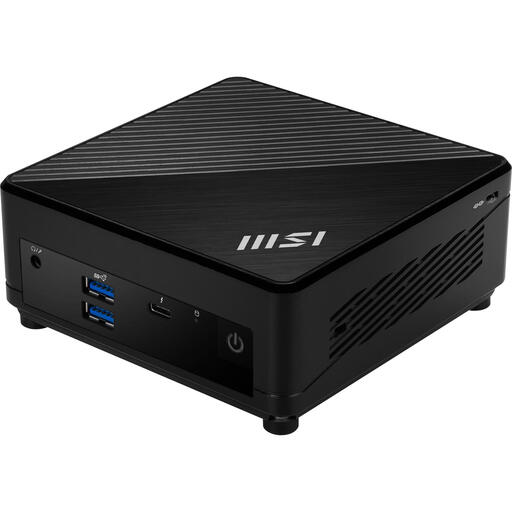 Image unavailable
MSI Cubi 5 12M-405BEU, i7-1255U
This barebone may suit anyone who wants to install the system themselves and customise the configuration; check which components are included with this model.
The product information lists support for up to 64 GB of memory and HDD and SSD storage. This is a barebone configuration, so you’ll need to configure the operating system.
Joybuy
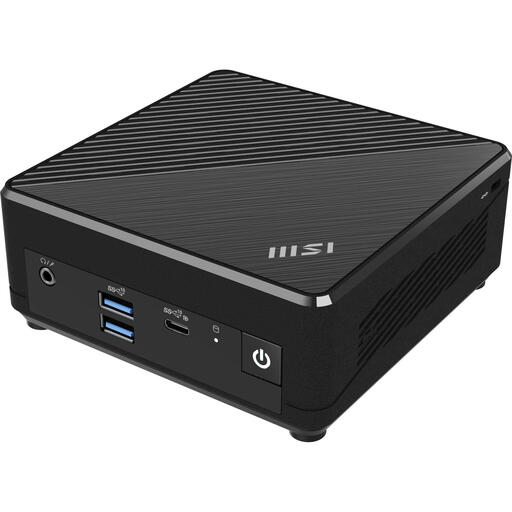 Image unavailable
MSI Cubi N ADL S-078EU, Intel N100, 4 GB DDR4, 128 GB SSD
If you want to use this configuration for Linux, check compatibility with your distribution and the components included before buying.
The product name lists an Intel N100, 4 GB DDR4 memory, a 128 GB SSD and Windows 11 Pro.
Joybuy
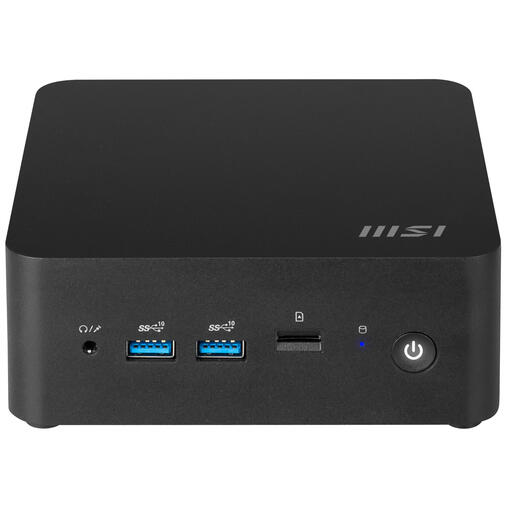 Image unavailable
MSI Cubi NUC 1MG-237BEU barebone, Core 7 150U
This barebone may suit anyone who wants to install Linux themselves and upgrade components later; check what’s included and which configuration you need.
The product information lists a Core 7 150U, support for up to 64 GB of DDR5 memory, and HDD and SSD storage. You’ll need to configure the operating system.
Joybuy
Frequently asked questions
Can I try Linux without immediately replacing my existing installation?
Yes. Canonical describes a USB boot option for Ubuntu that lets you try the desktop without installing it first. Back up any files you want to keep before installing later; creating the installation USB will erase the USB stick you select.
Does “Linux-compatible” mean my distribution has been tested?
No. Check support for the specific model code and distribution. ASUS lists validation of the NUC14MNK and NUC14MNKB2 with Ubuntu 24.04 LTS 64-bit; this validation doesn’t automatically apply to other models or versions.
Is a fanless mini PC always completely silent?
A fanless design prevents fan noise, but that doesn’t mean the entire setup will be inaudible. Check the cooling design of the exact configuration and follow the guidance on placement and power supply.
What should I check before buying a barebone?
Check whether memory, storage, power supply and operating system are included. A barebone may require extra components and installation work, so compare everything included in the specific offer.
Do I have a cooling-off period when buying online in the Netherlands?
According to the Dutch government, distance sales are often subject to a 14-day cooling-off period. Exceptions and conditions may apply, so check how they relate to the specific purchase.


