
Linux beginner who wants to get started straight away
You want a compact PC that’s quick to get up and running, with as little time as possible spent on the initial setup. Check which distribution and configuration you’ll actually receive.


If you want to start practising Linux straight away, choose a complete mini PC with your preferred distribution pre-installed. If you also want to learn how to install it, choose a model with documented support for your exact model and Linux version. In either case, check the full specification, connections and how users will share the computer: memory and storage aren’t automatically included with a barebone kit.
You want a compact PC that’s quick to get up and running, with as little time as possible spent on the initial setup. Check which distribution and configuration you’ll actually receive.
You want to create bootable media and install Linux yourself. Look for documentation covering the exact model variant and distribution version, so you know what to prepare before installation.
You share the computer, monitor or input devices with others. Decide in advance how user accounts and administrator permissions will be set up, and which connections your workspace needs.
A good fit if: you mainly want to practise using the Linux desktop and terminal, rather than making installation your first learning goal.
Bear in mind: check which distribution, memory capacity and storage are included in your chosen configuration. Laptopmetlinux.nl says it installs and tests its systems with a chosen distribution; this is a claim made by the retailer.
A good fit if: installing it yourself is part of what you want to learn, and the documentation covers your chosen model variant and Linux version.
Bear in mind: you’ll need to arrange installation media and back up your data. ASUS lists Ubuntu 24.04 LTS for the NUC 15 Pro kits; check support separately if you want to install Ubuntu 26.04.1 LTS.
A good fit if: you’re considering a compact office PC and can compare the exact configuration with a specific Ubuntu certification.
Bear in mind: certification for one configuration doesn’t automatically apply to other processors or network cards. Nor should you assume Linux comes pre-installed if the retail version is sold with Windows.
| What to consider | What should you check? | Who should pay particular attention? |
|---|---|---|
| Linux compatibility and installation | Check the full model variant, chosen distribution version, included operating system and whether the PC is complete. | If you want to avoid finding that your installation plan doesn’t suit the configuration, let compatibility guide your choice; around 36% of consumers rank it as their top buying priority. |
| Multiple users | Agree who will use the PC and who can install software and drivers; also check whether the monitor and input devices will be shared. | If several people use the same computer, separate accounts and clear administrator permissions can be important; around 29% of consumers give shared use top priority. |
| Fitting it into your desk setup | Compare the connections on the exact configuration with your existing monitor and peripherals; check whether the necessary cables or mounting parts are included. | If you want to place the PC on a shared desk and connect it to the equipment already there, the setup matters; around 21% of consumers put desk compatibility first. |
| Complete configuration and upgrades | Check whether memory, SSD, operating system, power supply and any necessary peripherals are included in your chosen configuration, and look at the upgrade options. | If you don’t want to source and add missing parts yourself, compare complete configurations; around 14% of consumers make a complete setup their top priority. |
ASUS states that the NUC 15 Pro kits mentioned come without memory or storage. This means a kit isn’t automatically ready to install and use.
Read the details for the exact order variant and compare the complete configuration, not just the basic listing.
The Lenovo and Dell retail versions available in the Netherlands have different processors from the specific configurations listed by Canonical. A matching model name doesn’t prove that the version on sale has the same configuration.
Compare the processor and other hardware with the specific certification listing, and check separately whether your Ubuntu version is supported.
Lenovo states that the monitor, keyboard and mouse are sold separately for the ThinkCentre configuration mentioned.
Check what’s already available at the workspace, then check the ports and included parts for the exact PC.
You may need to arrange a monitor, keyboard, mouse, cable or suitable mounting solution yourself.
NUC 15 Pro kits are designed for anyone who wants to build and install their own compact Linux PC.
ThinkCentre Tiny systems are compact business PCs; check certification for the specific configuration.
Pro Micro is a compact business desktop range; check Linux support for each configuration.
Pro Mini and Elite Mini systems are compact office PCs; check Ubuntu support for each configuration.
This Joybuy selection includes mini PCs for a compact workspace. Check which Linux distribution you can install on each configuration: several product titles mention Windows, while one model is described as a barebone kit.
 No image available
This mini desktop is a compact option for a desk setup. Check Linux installation separately, as the product title lists Windows 11 Home.
Intel Core Ultra 5 325, 16 GB LPDDR5X, 512 GB PCIe 4.0 SSD and Windows 11 Home.
 No image available
This mini PC lists support for output to three screens. Also check whether the listed Windows configuration suits your Linux installation plans.
AMD Ryzen 4300U, 16 GB LPDDR4, 512 GB SSD and W-11 Pro. The title lists HDMI, Type-C and DisplayPort for output to three screens.
 No image available
The title lists support for output to three screens. Check your preferred Linux version and installation requirements before choosing this configuration for a shared workspace.
AMD Ryzen 5 7430U, 16 GB RAM, 512 GB SSD and Wi-Fi 6.
 No image available
This mini PC lists support for output to three screens and multiple connections. Check Linux support for the exact configuration before planning your installation.
AMD Ryzen 5 7640HS, 24 GB LPDDR5 RAM and 512 GB PCIe 4.0 SSD. The title lists USB 4.0 and HDMI 2.1.
 No image available
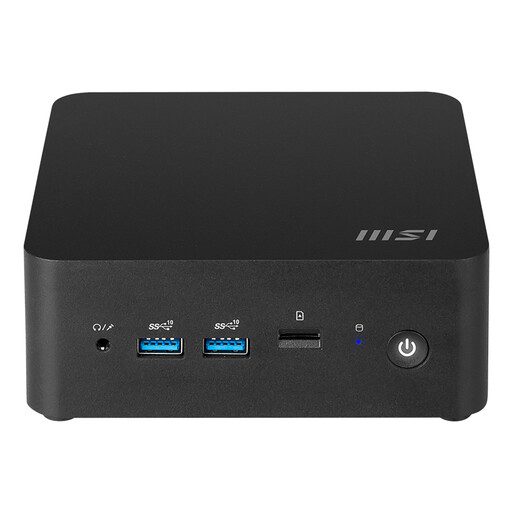
The product description mentions installing your preferred operating system, which may suit you if learning to install it is part of your goal. Linux isn’t listed as pre-installed.
The product title lists 155H and a barebone configuration. Check which parts are included in your chosen configuration.
No, you can install Linux yourself if you want to learn that step. A pre-installed configuration saves you the initial installation work. If you’re installing it yourself, check the exact model variant and Linux version. ASUS lists Ubuntu 24.04 LTS for the NUC 15 Pro kits, but that doesn’t automatically confirm support for Ubuntu 26.04.1 LTS.
Ubuntu supports separate user accounts. Decide who should have an administrator account: according to the Ubuntu documentation, an administrator can add users and install software and drivers, among other things.
First, back up any data you want to keep. The Ubuntu installation guide explains how to write an installation image to a USB stick and warns that this will erase the stick’s contents. Use documentation that matches the version you want to install.
According to the Dutch government, when you buy as a consumer, you’re entitled to a product that meets the terms of the agreement; if a product is faulty, the seller is your point of contact. The Netherlands has no fixed statutory warranty period that applies to all products. For distance purchases from a trader, a 14-day cooling-off period applies in many cases, including to second-hand goods; check the relevant terms and exceptions. According to the Dutch government, an online purchase from a private individual doesn’t count as a distance purchase.