Brands to compare
The brands mentioned offer mini PC ranges that suit the options discussed here. Specifications and what’s included apply only to the configurations listed, not automatically to every model from a brand.
ASUS
The NUC 14 Essential Kit is worth considering if you want to put together a compact workspace yourself.
- ASUS Netherlands lists dimensions of 135 × 115 × 36 mm, HDMI, DisplayPort, Ethernet and a VESA mount for the kit.
- According to ASUS Netherlands, the kit reviewed is supplied without memory, storage or a pre-installed operating system.
Lenovo
The ThinkCentre neo 50q Gen 4 Tiny is worth considering if you want to compare a Windows configuration with memory and storage included.
- Lenovo Netherlands lists Windows 11 Pro, 16 GB of memory and a 512 GB SSD for part number 12LM006LEZ.
- The monitor and keyboard are sold separately with this configuration. Check the connections on the exact model.
HP
The Pro Mini 400 G9 is a compact business Windows range; the configuration reviewed is 6D494EA#ABH.
- HP Netherlands lists Windows 11 Pro, 16 GB RAM and a 512 GB SSD for configuration 6D494EA#ABH.
- Check the connections and what’s included with the exact configuration; information about the product family does not automatically apply to every version.
MSI
The Cubi 5 12M is worth considering if you want to compare a small case with several possible screen outputs.
- MSI lists a Core i5, 8 GB of memory, a 512 GB SSD and Windows 11 Pro for configuration 12M-002EU. MSI describes HDMI, DisplayPort and Thunderbolt 4 for the product range.
- MSI notes that features may vary by configuration. Compare the exact version rather than assuming specifications apply to the whole range.
Acer
The Veriton mini PC range is worth comparing if you have limited workspace.
- Acer Netherlands describes compact models and lists mounting options and support for multiple screens at range level.
- This information does not confirm which connections, mounting options or components are included with each individual configuration.
Joybuy products for a compact public transport workspace
These mini PCs are suited to a compact desk setup. Check which screens, connections and components are compatible with each configuration; the MSI Cubi NUC 1MG-237BEU is a barebone model that still needs an operating system to be configured.
 Image unavailable
SOYO Y5Pro Mini PC, Intel Core i5 8250U/8350U
A good fit if you’re looking for a compact PC for a small workspace; check the video outputs on this configuration to make sure they suit your screens.
The product name lists Windows 11, 8 GB DDR4 and a 256 GB SATA SSD.
View at Joybuy
 Image unavailable
FIREBAT R3 Mini PC, AMD Ryzen 5 7430U
A good fit if you’re looking for a compact PC and want to factor screen options into your decision; check the connections and compatibility with your monitors.
The product name lists 16 GB RAM, a 512 GB SSD, Wi-Fi 6 and Bluetooth 5.2, as well as 4K triple-display support.
View at Joybuy
 Image unavailable
FIREBAT A8 Mini PC, AMD Ryzen AI 9 365
A good fit if you’re considering a compact mini PC with stated support for multiple screens; check the connections on the exact configuration.
The product name lists 24 GB DDR5, a 1 TB PCIe 4.0 SSD and support for 4K quad-display.
View at Joybuy
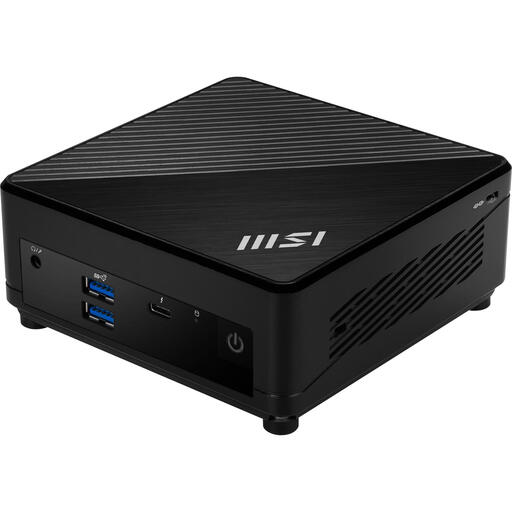 Image unavailable
MSI Cubi 5 12M-405BEU, Intel Core i7-1255U
A good fit if a small case is important to you; check which connections and components are included with this specific configuration.
The product name lists a 0.66 l case and an Intel Core i7-1255U.
View at Joybuy
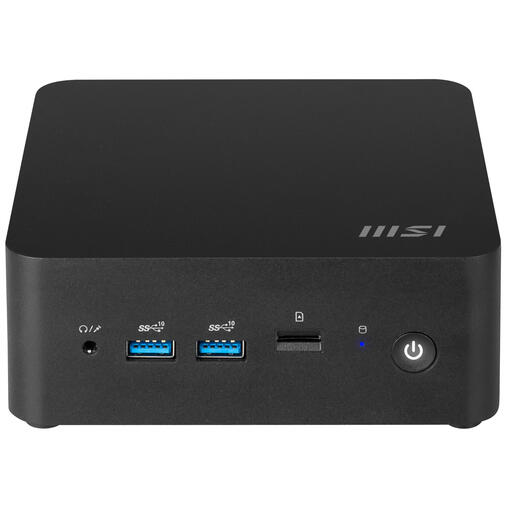 Image unavailable
MSI Cubi NUC 1MG-237BEU barebone
A good fit if you want to configure a compact PC yourself; bear in mind that this is a barebone model.
The product name lists a 0.84 l case and an Intel SoC 150U. According to the product description, the operating system still needs to be configured.
View at Joybuy
Frequently asked questions
Do I need two screens to compare train and other public transport options?
No, one screen may be enough if you switch between journey planners. If you want to keep information visible at the same time, check the video outputs on the exact PC and the inputs and positioning of both screens. NS provides up-to-date train departure times, while 9292 offers a public transport journey planner.
Can I plug in and use a barebone mini PC straight away?
Not necessarily. ASUS Netherlands states that the NUC 14 Essential Kit reviewed is supplied without memory, storage or a pre-installed operating system. Check which peripherals you’ll need too.
Is a mini PC with Windows 10 still supported for online journey planners?
No, regular support for Windows 10 has ended. Microsoft lists 14 October 2025 as the end date and suggests upgrading to Windows 11, if compatible, or temporarily using Extended Security Updates as possible next steps. Check whether these options apply to the exact PC.
Am I always entitled to exactly two years’ statutory warranty in the Netherlands?
No. According to the Dutch government, there is no fixed statutory warranty period in the Netherlands; what you can expect from a product depends, among other things, on the product, its price and the information provided. If a product is faulty, the seller is your point of contact; a manufacturer’s warranty is in addition to your statutory rights.
Which product regulation matters for a mini PC sold in the Netherlands?
The applicable EU product rules apply to mini PCs; CE marking is required for product groups covered by rules that specify it. The European Commission explains that a general statement about a product family does not, by itself, confirm that every configuration complies. Check the documentation for the exact model.


