
Evening editor who wants a quiet listening experience
You mainly edit spoken interviews at a permanent workstation and want to prevent computer noise from disrupting careful listening. ASUS describes the ExpertCenter PN42 as a fanless design.


When editing spoken interviews, start by choosing a mini PC that supports your editing software, offers enough local working storage and has the right connections. A fanless Windows mini PC could be a good fit if you want to avoid fan noise during evening listening sessions; another Windows mini PC or a Mac mini may work better with your existing software and equipment. For everyday speech editing in Audacity, a powerful graphics card is not necessarily needed: Audacity does not specify a particular CPU or GPU requirement for supported Windows PCs. Before buying, also check the exact configuration, peripherals, adapters and your plan for keeping a separate backup.
You mainly edit spoken interviews at a permanent workstation and want to prevent computer noise from disrupting careful listening. ASUS describes the ExpertCenter PN42 as a fanless design.
You work with longer recordings and want enough local working space, as well as a separate backup. Audacity notes that the space needed for recordings and projects depends on factors including the audio settings.
You want to keep using a recorder, audio interface or headphones. So check the connections and software support for your specific equipment.
The three options differ mainly in their noise design, operating system and the configuration you want to connect.
Best for: anyone who wants to hear as little computer noise as possible during an evening session and mainly edits spoken interviews. ASUS describes the PN42 as fanless.
Keep in mind: one listed PN42 configuration has 8 GB of memory and a 1 TB SSD; check the configuration you’re actually considering.
Best for: anyone who wants to keep using Windows and connect existing USB devices. For the ThinkCentre Neo 50q Gen 5 configuration 13B9007CEZ, Lenovo lists 16 GB of memory and a 512 GB SSD.
Keep in mind: Lenovo does not state a measured noise level for this configuration.
Best for: anyone who already uses macOS and has checked that their audio tools are compatible. Audacity offers a version for Apple Silicon.
Keep in mind: the base configuration described has 16 GB of memory and a 256 GB SSD; check that the storage and connections suit your projects.
| Consideration | What to check before buying | Who is this important to? |
|---|---|---|
| Quiet listening | Check that the specific configuration on offer is fanless and that your editing software will run on it. | When I’m carefully listening to spoken interviews in the evening, I don’t want to hear the computer fan. Around 36% of consumers put quiet listening first. |
| Project storage and backups | Check the SSD capacity of the exact configuration, how much free space you’ll need and where you can keep a separate backup. | For long recordings, I want enough room for active projects and a separate backup. Around 29% of consumers give project storage and keeping files safe their highest priority. |
| Existing equipment | Note the connector types and how many ports you need; also check the software, drivers and connections on the exact configuration. | If I want to keep using my recorder or interface, it needs to work with my computer and software. Around 21% of consumers choose mainly on compatibility with their existing equipment. |
| Complete workstation | Check what you already have and whether your setup also needs a monitor, keyboard, mouse, adapter or extra storage. | I want a simple, complete setup without unnecessary extra processing power. Around 14% of consumers make this kind of workstation their top priority. |
A working file and a backup serve different purposes. The Audacity manual recommends exporting a new recording as a backup before editing it.
Plan for local working storage and a separate backup as two distinct parts of your workflow.
One listed Dutch PN42 deal specifies 32 GB, while ASUS gives a maximum of 16 GB for the PN42 configuration described.
Check the exact model code and memory module, and ask the seller for written confirmation. Don’t assume 32 GB is an officially supported configuration without checking.
Lenovo states that a monitor, keyboard and mouse are optional and sold separately for the ThinkCentre configuration reviewed.
Check what you already have and what else you’ll need for your complete workstation.
The number of connections doesn’t prove that an interface, driver and editing software will work together. For more than two separate, simultaneous recording channels, the Audacity manual specifies compatible hardware and drivers as requirements.
For multichannel recording, check that the interface, driver, operating system and software all work together.
The ExpertCenter PN42 is worth considering if you’re looking for a fanless design. One listed configuration pairs an Intel N100 with 8 GB of memory and a 1 TB SSD.
The ThinkCentre Neo 50q Gen 5 configuration 13B9007CEZ is a Windows option with 16 GB of memory and a 512 GB SSD.
The Dutch Mac mini base configuration described, with an M6 chip, has 16 GB of memory and a 256 GB SSD.
The Pro Mini 400 G9 is a business Windows mini PC; one listed configuration has a Core i5-12500T, 16 GB of memory and a 512 GB SSD.
Joybuy mini PC picks for editing interviews locally. For each model, check that your editing software and peripherals work with the stated operating system and connections.
 No image available
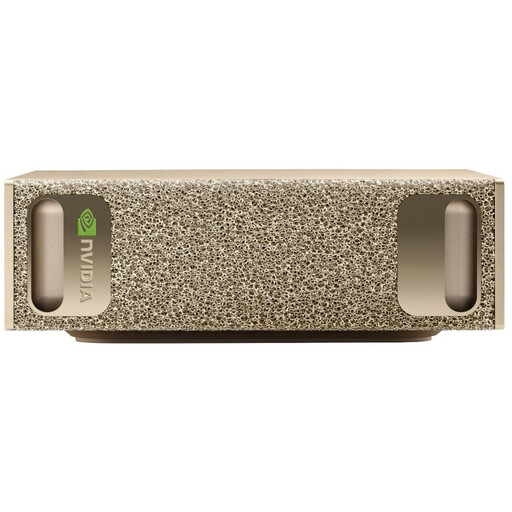
An option if you’re looking for plenty of local SSD space for projects; check that your audio editor supports NVIDIA DGX OS.
128 GB RAM, 4 TB SSD and NVIDIA DGX OS.
 No image available
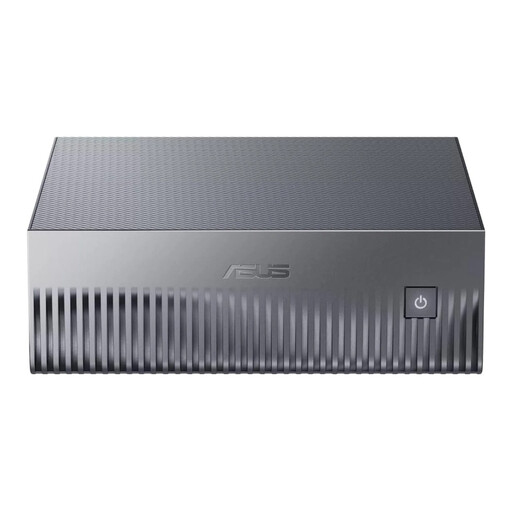
The SSD capacity may suit anyone who wants to store interview files locally; check software compatibility for the exact system.
128 GB LPDDR5x memory and a 1 TB SSD.
 No image available
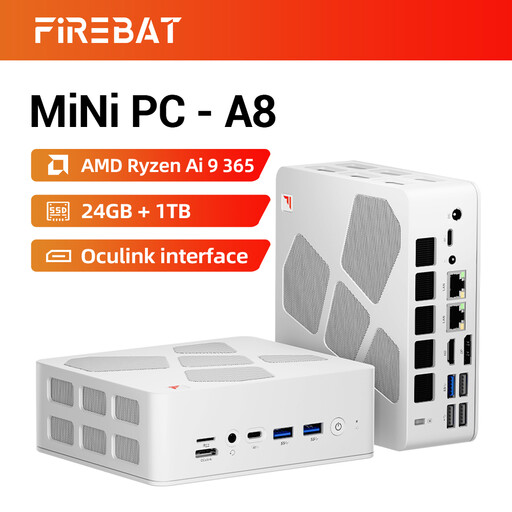
The listed storage and connections are worth considering if they suit your workstation; check the connectors and software support for your audio equipment.
AMD Ryzen AI 9 365, 24 GB DDR5 memory and a 1 TB PCIe 4.0 SSD. The title lists USB4, HDMI 2.1 and Oculink; the product description lists a combined audio connection.
 No image available
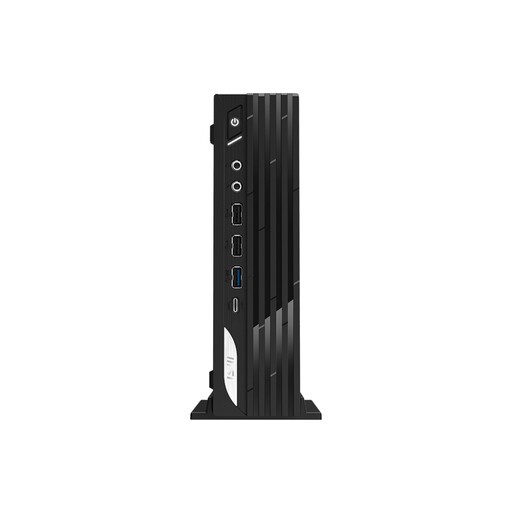
This configuration may suit anyone who wants to use Windows and store interview files locally; check that the ports suit your equipment.
Intel Core i7-14700, 16 GB DDR5 memory, 1 TB SSD and Windows 11 Pro. The product description lists USB ports and HDMI and DisplayPort outputs.
 No image available
An option to compare if you need Windows and specific connections; check that your interface and audio editor will work with this setup.
Intel Core Ultra 7 155H, 16 GB DDR5 memory, 1 TB SSD and Windows 11 Pro. The product description lists USB-A, USB-C, Thunderbolt 4 and an audio output.
Not according to a specific Audacity requirement: Audacity does not state its own CPU or GPU requirement for supported Windows PCs. Check the requirements of any other editing or transcription software separately.
Audacity recommends fast, uninterrupted access to your working storage and warns that USB sticks and standard external drives may not be reliable enough for this. It’s best to edit using suitable local working storage and keep a separate backup as well.
No, not without the right combination of equipment and software. For more than two separate, simultaneous recording channels, the Audacity manual specifies compatible hardware and drivers as requirements; check these for your interface.
For consumer purchases in the Netherlands, statutory guarantees are separate from the manufacturer’s warranty. According to the Dutch government, there is no fixed statutory guarantee period in the Netherlands; what you can expect depends on factors including the product and the sales information. If a product is faulty, contact the seller.
Don’t assume that you can. The Dutch Data Protection Authority states that processing personal data requires a legal basis under the GDPR and that publishing information about other people online generally requires consent. The rules that apply to your situation depend on factors including the content and purpose; agree in advance how the recording will be made, stored and published.