If you want to get started straight away, choose a ready-to-use mini PC with the operating system and components your writing software needs. A barebone kit is best if you want to choose and install the memory, storage and operating system yourself. A Mac mini is an option if your course software runs on macOS. Check the display connections and your complete desk setup too, and arrange a separate backup for your dissertation.
Who is a mini PC suitable for?
Dissertation writer who wants to get started straight away
You want to use word processing, references and citations without having to assemble components first. So check the installed configuration and operating system, not just the upgrade options. ASUS and MSI list models supplied either without components or with Windows pre-installed.
Student with a small desk
You want to leave room for your display, keyboard and notes. Measure your complete setup, including the power supply and cables, and check that the PC's video output is compatible with your display's input. Lenovo states that the display for the ThinkCentre Neo 50q Gen 5 Tiny is sold separately.
Student who wants to build their own PC
You want to choose the memory, storage and operating system yourself, and are happy to do the extra installation. ASUS states that these components are not included with the NUC 14 Essential Kit.
What should you look for?
Ready-to-use Windows mini PC
Suitable if: you want to get started without assembling anything and use writing software that runs on Windows.
Bear in mind: the MSI Cubi N ADL S-078EU is listed with Windows 11 Pro, 4 GB RAM and a 128 GB SSD. Check that the configuration suits your needs.
Barebone kit
Suitable if: you want to choose and install the components and operating system yourself.
Bear in mind: ASUS states that memory, storage and a pre-installed operating system are not included with the NUC 14 Essential Kit.
Mac mini
Suitable if: the applications required by your course run on macOS, and you have or want to buy a separate display and input devices.
Bear in mind: check the exact model and connections. The Mac mini with M6 is available in several memory and storage configurations.
| Consideration |
What to look for when buying |
Who is this important for? |
| Writing and referencing workflow |
Check the operating system, the software required by your course, and the RAM and SSD actually installed. Zotero offers plug-ins for Word, LibreOffice and Google Docs; check separately that any other required applications work. |
If I want to work with documents, references and citations as I write, I first need to know whether my software works on the system. Around 33% of consumers put this writing workflow first. |
| Space and display connection |
Measure your complete workspace and check the video output, your display's input, the cables you need and any mounting components. |
With limited desk space, I want to know whether the PC, power supply and cables will fit alongside my study area. Around 25% of consumers prioritise desk space and connections. |
| Complete purchase and set-up |
Check which components are included: memory, SSD, operating system, power supply and any peripherals. |
If I don't want to choose or install components myself, I want to know in advance what's still missing. For around 25% of consumers, a complete purchase comes first. |
| Protecting your dissertation and references |
Arrange a backup for your document and check Zotero's library data and attachment synchronisation separately. |
If I don't want to keep my dissertation and source files only on the mini PC, a separate backup is important. Around 17% of consumers put protecting their files first. |
Mini PC buying pitfalls
-
Assuming a barebone kit is a complete PC
The ASUS NUC 14 Essential Kit is supplied without memory, storage or a pre-installed operating system. Comparing the case alone therefore won't give you a complete picture of what you need to start writing.
Check the full configuration and compare which components you need to choose and install yourself.
Choosing and installing the missing components takes extra time.
-
Assuming a mini PC automatically frees up desk space
Even a compact PC needs space for its power supply, cables, display and input devices. Lenovo states that the display for the ThinkCentre Neo 50q Gen 5 Tiny is sold separately.
Measure your complete workspace and check the display ports and any mounting components included.
If you don't already have suitable peripherals, you'll need to allow room for them too.
-
Confusing Zotero synchronisation with a full backup
Zotero distinguishes between synchronising library data and synchronising attached files. Syncing library data alone does not mean that attachments, such as PDFs, are included.
Check the file synchronisation settings and arrange a separate backup of your dissertation document as well.
Brands to compare
ASUS
The NUC 14 Essential Kit is designed for anyone who wants to build their own compact PC.
- ASUS lists HDMI, DisplayPort, USB-C with DisplayPort and a VESA mount for the kit.
- Memory, storage and a pre-installed operating system are not included; specifications vary by processor version.
MSI
The Cubi N ADL family includes compact Windows models as well as separate barebone versions.
- MSI lists HDMI, DisplayPort and USB-C with video for the Cubi N ADL S family.
- The S-078EU model described comes with Windows 11 Pro, 4 GB RAM and a 128 GB SSD; this configuration does not apply to other models.
Apple
The Mac mini is a good fit if you can use your writing and course software on macOS.
- Apple lists several memory and storage configurations for the Mac mini with M6, as well as support for connecting multiple displays.
- Check that the specific applications required by your course run on macOS, and which peripherals you'll need.
Lenovo
The ThinkCentre Neo 50q Gen 5 Tiny is a compact desktop range for anyone considering a business-class Windows configuration.
- Lenovo lists several USB and display connections for the range.
- Lenovo states that the display is sold separately; check which components are included with each model.
Joybuy products for dissertation work
This selection focuses on ready-to-use mini PCs for dissertation work, with a Mac mini included for anyone whose required software runs on macOS.
 No image available
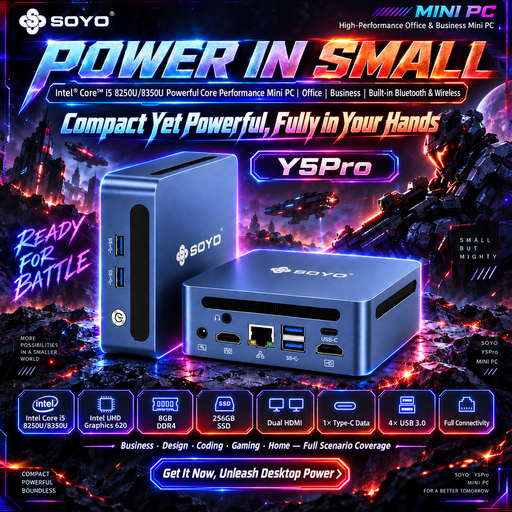
SOYO Y5Pro mini PC, Intel Core i5 8250U/8350U
A ready-to-use Windows mini PC for anyone looking for a Windows writing environment.
Windows 11, 8 GB DDR4 and a 256 GB SATA SSD.
View at Joybuy
 No image available
Apple Mac mini with M6 chip, 16 GB, 512 GB SSD
A good fit if the applications required by your course run on macOS.
M6 chip with 12-core CPU and 12-core GPU, 16 GB memory and a 512 GB SSD.
View at Joybuy
 No image available
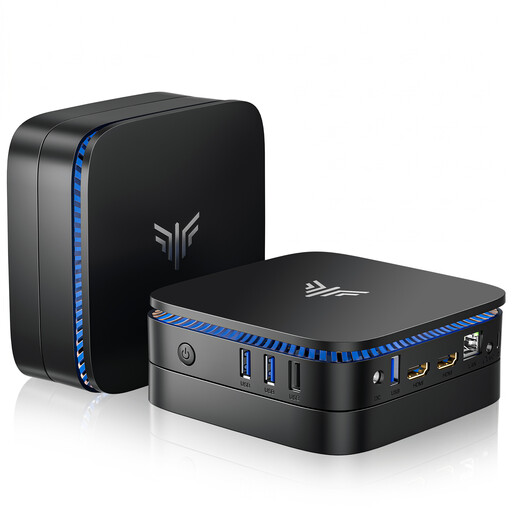
ACEMAGIC AK1PLUS mini PC, Intel Celeron N5095
A Windows mini PC for anyone looking for a pre-installed system and two HDMI outputs.
Windows 11 Pro, 16 GB LPDDR4X and a 256 GB M.2 2280 SATA SSD. The product name lists HDMI 2.0 and Wi-Fi 5.
View at Joybuy
 No image available
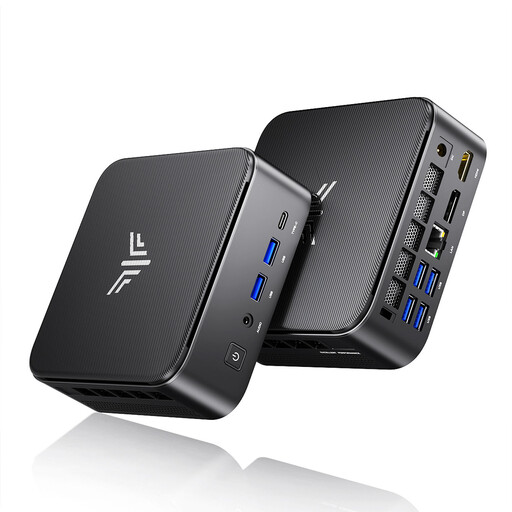
ACEMAGIC E3B mini desktop, AMD R5 7430U
A ready-to-use Windows mini desktop for anyone who needs the listed display outputs.
Windows 11 Pro, 16 GB LPDDR4X 3200MT/s and a 512 GB M.2 2280 SATA SSD. The product name lists HDMI 2.0, DisplayPort 1.4b and USB-C.
View at Joybuy
 No image available
MSI CUBI NUC AI 1UMG-005EU mini PC
A ready-to-use Windows mini PC for anyone who finds the configuration and connections on this model suitable.
Intel Core Ultra 7 155H, 16 GB DDR5-SDRAM, 1 TB SSD and Windows 11 Pro.
View at Joybuy
Frequently asked questions
Can I use Zotero when writing my dissertation?
Zotero documents plug-ins for Microsoft Word, LibreOffice and Google Docs that let you update citations and bibliographies. Also check which other programmes your course requires.
Is an ASUS NUC 14 Essential Kit ready to use straight away?
No. The ASUS NUC14MNK-B kit is supplied without memory, storage or a pre-installed operating system. Before deciding what else you need, also check the components and power cable included with the exact model.
Will my Zotero PDFs be included automatically when my library syncs?
Not necessarily. According to Zotero, data synchronisation syncs library items but not attached files; you also need to set up file synchronisation for those. Make a separate backup of your dissertation document too.
What can I do in the Netherlands if a mini PC I bought breaks down too soon?
For normal use, the seller is responsible for the statutory warranty. ACM ConsuWijzer explains that there is no fixed end date for this warranty across all products: what matters is what you could reasonably expect from the product. For a distance purchase by a consumer, the Dutch government says you will also generally have a 14-day cooling-off period, with some exceptions.
Which product safety rules apply to an electric mini PC in the Netherlands?
Dutch government information sets out the applicable safety requirements for electrical appliances, including CE marking and the EU declaration of conformity. The manufacturer applies the CE mark when the appliance meets the requirements; a product listing alone does not establish that a specific model meets them.


