
Browser-based route planner
You mainly plan and check cycle routes on a website and are looking for a complete computer for your screen. Komoot describes a full-screen route planner on its website.


If you mainly plan routes in a browser, choose a complete mini PC with an operating system, memory, storage and display connection that suit your workspace. Komoot describes a full-screen web planner for editing routes. If you use several applications at once or local mapping software, the exact configuration matters more. With a barebone, you’ll need to check which components and software are still required. Also make sure the connections and any VESA mounting are compatible with your screen and desk, and check that the specific model carries the CE mark before you buy.
You mainly plan and check cycle routes on a website and are looking for a complete computer for your screen. Komoot describes a full-screen route planner on its website.
You want to combine route planning with other windows or use local mapping software. QGIS offers a Windows installation, among other options; check that the operating system on the model you choose works with your software.
You want to choose the components yourself or place the computer off your desktop. If you’re buying a barebone, check which components are missing and whether the computer, bracket and screen are compatible.
First decide whether you want a complete PC that’s ready to use. Then check what software, screens and positioning your workspace requires.
| What to consider | What should you check? | Who should pay particular attention? |
|---|---|---|
| Ready-to-use route planning | Check that the operating system, RAM, SSD and required display connection are included with the specific model. | If I mainly plan routes in a web-based planner, I want to connect a PC without having to install components first. Around 38% of consumers prioritise ready-to-use route planning in a browser. |
| Multitasking and local maps | Compare the supplied RAM and SSD with the applications you use. Also check that the operating system is compatible with your mapping software. | If I work with other windows open at the same time or want to use local mapping software, I pay attention to the configuration and software support. Around 23% of consumers prioritise multitasking or local maps. |
| Screens and desk space | Check the display outputs on the specific model. For VESA mounting, make sure the monitor, bracket and cable clearance are all compatible. | If my monitor is already on my sit-stand desk, I want to connect and position the computer without making my workspace awkward to use. Around 23% of consumers prioritise screens and desk space. |
| Building your own PC | Check whether you’re buying a barebone or a complete PC, and find out which components, including RAM, storage and operating system, you’ll still need. | If I want to choose my own components, I want to know in advance what the model includes and what else I’ll need. Around 16% of consumers prioritise building their own PC and having a clear overview of the configuration. |
A barebone may be missing components you need to start planning routes straight away. For example, the MSI Cubi N ADL S-226BEU is listed as a barebone, while the S-078EU is described as coming with RAM, an SSD and Windows.
Check everything included with the specific model before deciding whether it suits your needs.
A product range may include both a complete mini PC and a kit. ASUS states that the NUC 14 Pro Kit does not come with a pre-installed operating system, memory or storage.
Compare the full model number and the components included with the product listing, not just the name of the product range.
Komoot states that a GPX export contains the route geometry, but not added waypoints, voice navigation or Komoot maps.
Check that the export and import options on your bike computer support the information you want to transfer.
To export a route, the region where it starts must be unlocked in Komoot.
The Cubi N ADL models we looked at show the difference between a complete PC and a barebone.
The ThinkCentre Neo 50q Gen 5 Tiny 13B9007CEZ is an example of a business mini PC with a specified configuration.
The NUC 14 Pro range includes both a Mini PC and a Kit; the version you choose determines which components are included.
The Pro Mini 400 G9 6D494EA#ABH is an example of a business mini PC with a specified configuration.
This selection includes complete mini PCs and barebones for planning routes at a sit-stand desk. Check which components and connections are included with each model and whether they suit your workspace.
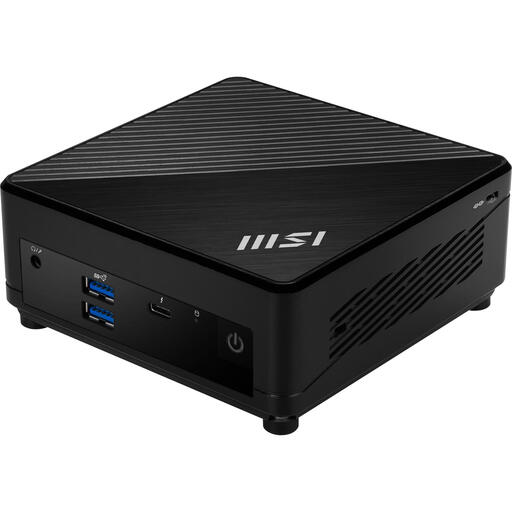 No image available
This compact mini PC is listed with VESA mounting, which may be useful if you want to position the computer off your desktop.
Intel Core i7-1255U; 0.66 l chassis.
 No image available
This model is described as having Windows pre-installed, making it an option if you’re looking for a complete mini PC.
Intel Core Ultra 7 155H; 16 GB RAM; 1 TB SSD; Windows 11 Pro; supports up to four screens.
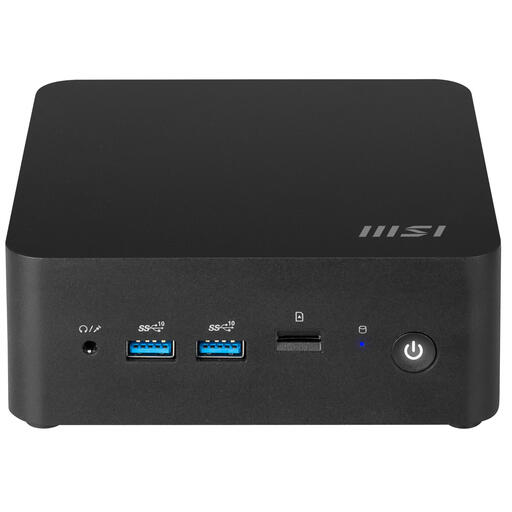 No image available
This barebone is suitable if you want to build your own configuration. You’ll need to add the necessary components and software for route planning.
No operating system installed; 0.84 l chassis; supports up to four screens.
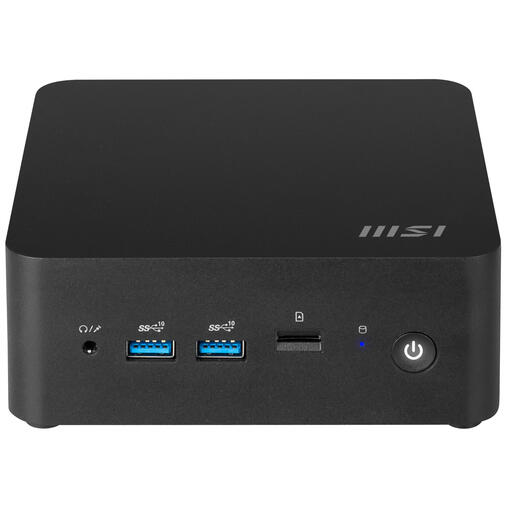 No image available
This barebone is for anyone putting together their own configuration. Check which components you’ll need before using it for route planning.
Intel Core 7 150U; 0.84 l chassis; VESA mounting; HDMI and Thunderbolt 4 display connections.
Not if a web planner suits the way you work: Komoot describes a full-screen website where you can edit routes and add waypoints. If you want to use QGIS, check that your operating system and project are compatible. The availability of an installation option doesn’t tell you how well a specific mini PC will perform.
Komoot offers GPX export through its website if the region where the route starts is unlocked. According to Komoot, the GPX file contains the route geometry, but not added waypoints, voice navigation or Komoot maps. Also check which files your bike computer can import.
Check that the computer and bracket are compatible with your monitor’s VESA mount, and that there’s enough room for the cables when the desk is both raised and lowered. MSI lists VESA 100 × 100 mm for the Cubi N ADL range; check whether this also applies to the specific model you’re considering.
Check that the specific electrical model carries the CE mark and that the supplied power adapter is intended for the relevant EU market. The Dutch government states that electrical devices placed on the EU market must carry a CE mark.
No. According to the Dutch government, the Netherlands has no fixed statutory guarantee period. A manufacturer’s or seller’s warranty is in addition to your right to receive a product that is fit for purpose. If there’s a problem with the product, contact the seller.