
Vandaag of morgen in huis

Kwaliteit gegarandeerd

Welkomstaanbiedingen ontgrendelen: GRATIS bezorging | Tot 80% korting | Gratis 30 dagen JoyPlus-proefperiode
Download de app
A large, noisy computer tower under your desk is a thing of the past. Especially now that remote work and efficient office spaces are the norm, many professionals are looking for a solution that is both powerful and compact. A mini PC offers the performance of a traditional desktop, but in a form factor sometimes no larger than a stack of coasters.
As a Joybuy Product Recommendation Officer, I'm here to help you navigate the options. In this article, we'll provide practical tips for choosing the right mini PC and highlight some popular models for 2026 based on their specifications and features.
The market for compact computers is diverse. To find a model that meets your needs, it's important to consider the following points.
The processor is the heart of your computer. The choice between an Intel Core i3, i5, or i7 largely determines the speed and capacity for multitasking.
One of the biggest advantages of a small PC is the ability to place it completely out of sight. Many models come equipped with support for a VESA mount. This allows you to attach the compact computer directly to the back of your monitor. The result is a clean, cable-free workspace that maximises your desk space. Always check that both the mini PC and your monitor are compatible with the VESA standard (usually 75x75 mm or 100x100 mm).
For a professional environment, a business mini PC with Windows 11 Pro is often a requirement. This operating system offers advanced security features like BitLocker encryption and the ability to manage the computer remotely. Additionally, an energy-efficient PC is not only better for the environment but also for your wallet. Mini PCs consume significantly less power than traditional desktops, which saves costs in the long run.
Based on specifications relevant to business and remote work professionals, we have selected the following models.
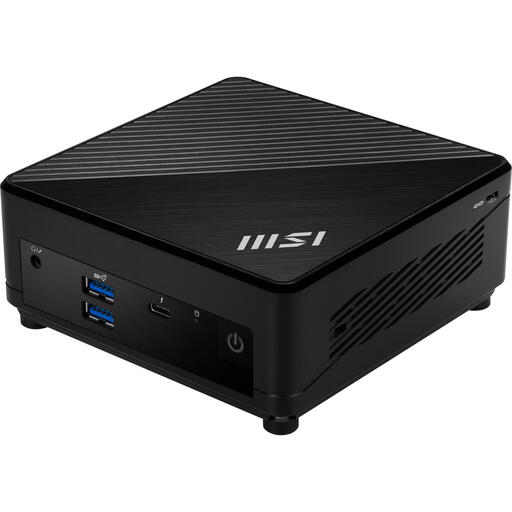
Why it stands out The MSI Cubi 5 with an Intel Core i5-1235U processor is a balanced choice for the modern workplace. With 10 processor cores, 8 GB of DDR4 memory, and a fast 512 GB SSD, this model delivers smooth performance for most office applications. The inclusion of Windows 11 Pro, Wi-Fi 6E, and a Thunderbolt 4 port makes it ready for immediate deployment in a professional setting.
Pros
Who is it for? For the remote worker or SMB professional looking for a reliable and fast mini PC for the office that can handle all daily tasks effortlessly.
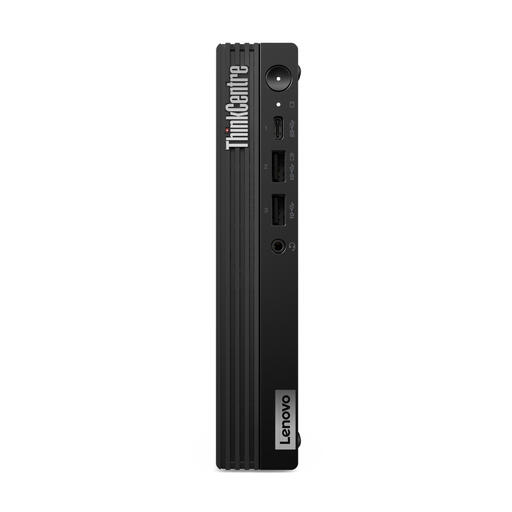
Why it stands out This model from Lenovo is designed for pure power. The Intel Core i7-14700T processor with a staggering 20 cores, combined with 16 GB of DDR5 memory, makes this mini PC suitable for the most demanding tasks. According to Lenovo, the device is optimised for enterprise-level workloads and security. Its robust design and ThinkCentre reliability are well-known hallmarks of the brand.
Pros
Who is it for? For IT departments, data analysts, and power users who need an uncompromising, compact computer capable of handling heavy software and complex calculations.
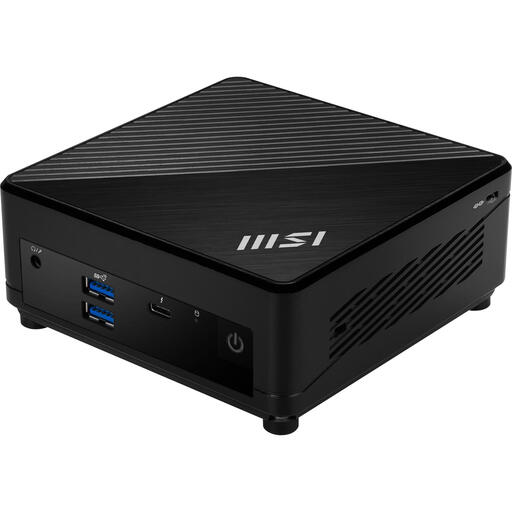
Why it stands out This version of the MSI Cubi 5 offers an accessible entry point into the world of mini PCs without compromising on modern features. The Intel Core i3-1215U processor with 6 cores is more than capable for everyday tasks. With 8 GB of RAM, a 256 GB SSD, and Windows 11 Pro, this is a complete and efficient solution for a standard workstation.
Pros
Who is it for? Ideal for students, administrative staff, or as a computer for a hot-desking environment where web-based applications, email, and Office programs are primarily used.
This selection represents a cross-section of what's available. However, every workspace is unique. Are you looking for different specifications, another brand, or perhaps a more traditional model?
Check out our full range for more options in the Desktop Tower Computer category.
The main advantages are space savings and lower energy consumption. A mini PC fits easily on any desk or can be mounted behind a monitor with a VESA bracket for a minimalist setup. Additionally, they are typically quieter and consume significantly less power.
Yes, absolutely. Modern mini PCs, especially models with Intel Core i5 or i7 processors, are very powerful and can effortlessly handle most business software and multitasking scenarios. They are a full-fledged replacement for the traditional desktop tower for most office and remote work applications.
This depends on the model. Many mini PCs, such as the MSI Cubi series, are designed to provide easy access to the memory (RAM) and storage (SSD). This allows you to replace or expand these components yourself in the future. However, it's important to check the specifications of the specific model beforehand to see what the possibilities are.
