Who is this choice for?

Sound story editor

You edit recordings and spoken-word clips into a presentation. Choose a mini PC that can run your editing software and store your projects locally. Audacity doesn’t specify a particular CPU or GPU requirement for Windows, but do check the requirements for any other software and plug-ins you use.

Creator who also records

You connect a microphone or audio interface and monitor the sound as you record. Check that the ports and drivers are compatible with your equipment. Steinberg explains that a smaller buffer reduces latency, but puts more strain on the processor.

Sound archive manager

You keep original recordings and editable projects for the group. Check the SSD capacity of the exact configuration you choose, and keep working files, backups and exports separate. Audacity Support advises against storing active projects on USB sticks, external drives or network storage.

What should you look for in a mini PC for audio editing?

What to consider What to check before buying Who it’s for
Editing and processing Check that your editor and plug-ins work with the operating system and configuration of the exact model. If I mainly edit and export, I want an editor that suits the way I work; around 33% of consumers put editing at the top of their buying priorities.
Audio interface and monitoring Check that the mini PC has the USB port you need and supports your interface and operating system. Adjust the buffer setting for recording or playback. If I want to monitor recordings through an interface, I’ll focus on the connection and driver; around 27% of consumers put recording at the top of their buying priorities.
Project and archive storage Check the SSD capacity of the configuration and set aside local storage for active projects. Keep backups and exports separate. If I want to keep original recordings and editable projects, the local storage needs to suit my archive; around 20% of consumers put archive storage first.
Cooling and workspace Check whether the exact model is fanless or actively cooled, and consider how close it will be to your microphone. In a small workspace where I record close to the computer, I want to know how the model is cooled; around 20% of consumers give a compact, quiet workspace top priority.

Buying pitfalls when choosing a mini PC for audio

  • Assuming a product family has one fixed configuration

    The same product family may include complete mini PCs as well as kits or barebones with different components included. So the product name alone doesn’t always tell you what you can use straight away.

    A barebone may need extra memory, storage, an operating system or connection cables. Check what’s included with the specific model before ordering.

    Compare the full model number and check which components and software are included.

  • Assuming every mini PC is quiet

    A compact size doesn’t automatically mean a computer is fanless. MSI distinguishes between the actively cooled Cubi N ADL S and the fanless Cubi N ADL.

    Check the cooling design of the exact model and think about where you’ll place the computer while recording.

  • Confusing an exported file with the editable project

    An audio file that’s ready to play isn’t a substitute for the project containing the editing information. Audacity Support advises against storing active projects on USB sticks, external drives or network storage.

    If the original project is missing, recovering it or editing it again may take extra time.

    Keep the active project locally, make a backup and store the final export separately.

  • Assuming the manufacturer’s warranty is the same as your statutory rights

    According to ACM ConsuWijzer, your statutory guarantee exists alongside any seller’s or manufacturer’s warranty. A commercial warranty period is therefore not automatically the same as your statutory rights.

    Raise any fault with the seller and consider your statutory rights separately from the commercial warranty period.

Brands to consider

Apple

The Mac mini is an option if you’ve decided on a macOS workspace. Check that your editing software and existing peripherals are compatible.

  • For an M6 configuration, Apple Netherlands specifies 16 GB of unified memory and a 256 GB SSD.
  • Check the storage and ports for each configuration; these specifications aren’t an independent audio performance test.

MSI

The Cubi N ADL S is a compact Windows range. The S-078EU is a specific configuration, not a general specification for the whole series.

  • For the S series, MSI lists N100 and N200 options, among others, as well as active cooling. The S-078EU configuration mentioned here has 4 GB RAM and a 128 GB SSD.
  • Don’t confuse the actively cooled Cubi N ADL S with the fanless Cubi N ADL, and check the specifications of the exact model.

MINISFORUM

The UM790 Pro is worth considering if you want to compare different memory and SSD configurations.

  • The manufacturer lists a barebone and a configuration with 16 GB RAM and a 512 GB SSD, among others.
  • Before buying, check the exact configuration, operating system and included adapter. The Dutch-language page lists ‘US’ as an adapter option.

ASUS

The NUC 14 Pro family includes various models and kits to compare. Always check the full model number.

  • ASUS specifications distinguish between complete mini PCs and kits.
  • A kit without a pre-installed operating system isn’t the same as a complete, ready-to-use PC.

Lenovo

The ThinkCentre M75q Gen 5 is a compact business PC family worth considering for a permanent shared workspace.

  • For this family, Lenovo documents USB-A, USB-C, HDMI and DisplayPort.
  • Lenovo marks some features as available only on selected models, so check the ports and accessories included with your chosen configuration.

Joybuy products for compact Windows audio editing

This selection includes compact Windows mini PCs for audio editing, including complete systems and barebones. Check whether Windows, memory and storage are included with each model.

MSI Cubi NUC AI 1UMG-005EU mini PC

MSI Cubi NUC AI 1UMG-005EU

This configuration could suit a compact Windows editing workspace where local storage and ports for peripherals are important. The listed specifications include an Intel Core Ultra 7 155H, 16 GB DDR5, a 1 TB SSD and Windows 11 Pro. USB-A, USB-C and Thunderbolt 4 are also listed.

View at Joybuy
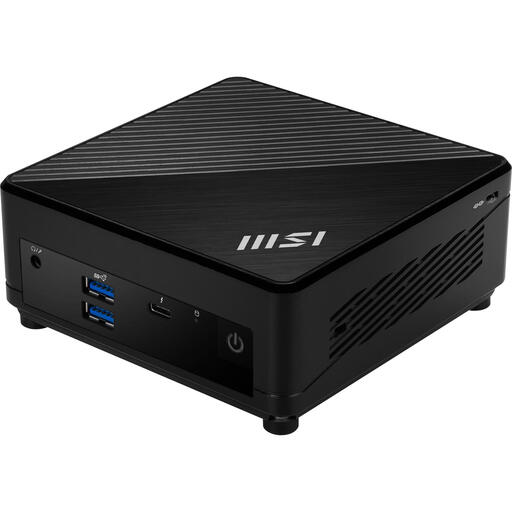
MSI Cubi 5 12M-405BEU barebone mini PC

MSI Cubi 5 12M-405BEU barebone

This barebone is for anyone who wants to check which components they still need, rather than those looking for a ready-to-use editing PC without further checks. The product information lists an Intel Core i7-1255U, a 0.66-litre case, VESA mounting and support for up to 64 GB of memory. USB-A, Thunderbolt 4, HDMI and DisplayPort are listed; check which components are included with this barebone.

View at Joybuy
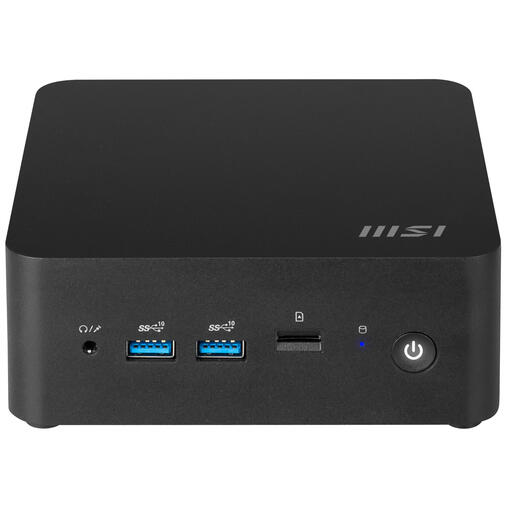
MSI Cubi NUC 1MG-237BEU barebone mini PC

MSI Cubi NUC 1MG-237BEU barebone

This barebone could suit you if you want to configure a compact PC base for your editing workspace. The product information lists an Intel Core 7 150U, a 0.84-litre case and support for up to 64 GB of DDR5 memory. M.2 and SATA storage, along with USB, Thunderbolt 4, HDMI and audio connections, are listed; check which components are included with this barebone.

View at Joybuy
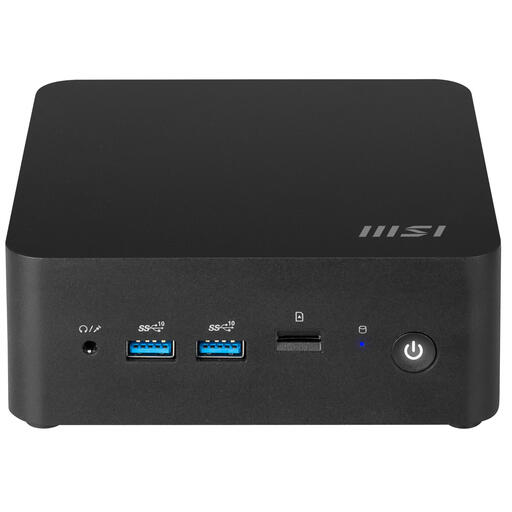
MSI Cubi NUC 1MG-244BEU barebone mini PC

MSI Cubi NUC 1MG-244BEU barebone

This is a barebone configuration, so check in advance which components you’ll need for editing. The product information lists an Intel 100U processor, support for DDR5 memory and HDD and SSD storage, and states that no operating system is installed. Thunderbolt 4, HDMI and USB-A are listed.

View at Joybuy
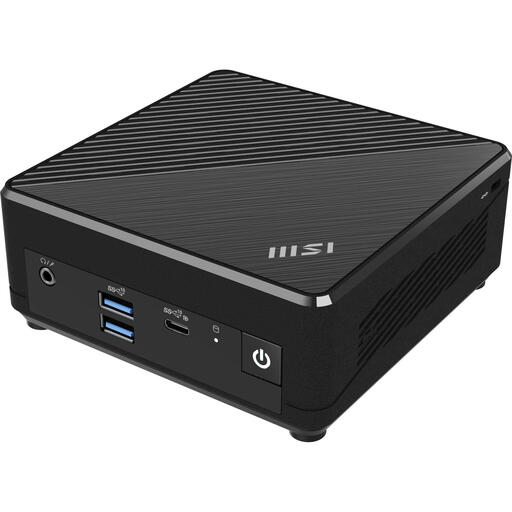
MSI Cubi N ADL S-078EU mini PC

MSI Cubi N ADL S-078EU

This configuration could suit basic editing on a compact Windows PC, as long as its capacity meets the needs of your project. The listed specifications include an Intel N100, 4 GB DDR4 memory, a 128 GB SSD and Windows 11 Pro. The Cubi N ADL S is actively cooled, so bear that in mind if you sit close to the PC while recording.

View at Joybuy

Frequently asked questions about mini PCs for audio editing

Do I need a separate graphics card to edit in Audacity?

Audacity doesn’t specify a particular CPU or GPU requirement for the Windows version. Do check the requirements for any other software and plug-ins you use, though; this doesn’t mean every mini PC will handle every large project equally smoothly.

Can I store an active editing project on a USB stick?

Audacity Support advises against storing active projects on USB sticks, external drives or network storage, as the editor needs fast, uninterrupted access. Store the active project locally and treat a backup or export as a separate step.

What should I check if the recording stutters or sounds delayed?

Check the connection and driver for your audio interface, then look at the buffer setting. According to Steinberg, a smaller buffer reduces latency but increases the load on the processor. Adjust the setting to suit your recording or playback needs.

Can I publish identifiable contributions from the sound diary online?

Don’t assume that you can. The Dutch Data Protection Authority says that, in principle, personal data about other people may only be published online with their consent. Whether the recordings contain personal data and what legal basis applies to your presentation will depend on the content, the people involved and how you publish it.

What cooling-off period and guarantee apply to an online purchase in the Netherlands?

According to ACM ConsuWijzer, online consumer purchases generally come with a 14-day cooling-off period after delivery. Your statutory guarantee is separate from any seller’s or manufacturer’s warranty. The cooling-off period and guarantee are different rights, each with its own conditions.
