What should you look for?
Start with the required test platform, then compare the connections available at the desk and decide how you’ll manage test sessions and data.
| What to consider |
What should you check? |
Who should pay particular attention? |
| Platform and app compatibility |
Compare the required Windows or macOS version and processor architecture with the exact configuration. For Windows Sandbox, also check the Windows edition: Microsoft Learn lists Pro, Enterprise and Education as supported editions. |
If the app has to run on a specific platform, you don’t want to compromise on this. For around 36% of consumers, platform compatibility is the top priority. |
| Connections at the desk |
Note the monitor inputs, USB connections you need and whether you’ll need Ethernet. Also check that a USB-C port actually supports video output. |
If you’re using existing monitors and shared peripherals, you’ll want to connect everything without making assumptions about a connector. Around 29% of consumers prioritise compatibility with the hot-desk setup. |
| Clean testing and data |
Decide whether you need separate accounts, shared PC management or Windows Sandbox. Microsoft Learn explains the requirements for Sandbox; also agree where test results will be stored and who can access them. |
If previous installations could affect a new test, repeatability and access management matter. Around 21% of consumers prioritise a clean, isolated test session. |
| Ready to use or configure yourself |
For the exact configuration, check whether the operating system, memory, storage and power cable are included. Compare kits with complete systems to see what you’ll still need to install. |
Someone who wants to start testing straight away will look at a PC differently from someone who wants to choose and install the components themselves. For around 14% of consumers, the main concern is whether to buy a ready-to-use system or configure one themselves. |
Joybuy mini PCs for this workstation
This selection focuses on ready-to-use mini PCs with Windows 11 Pro for Windows testing. Check that the exact configuration meets the requirements for your app version and processor architecture, and has the connections you need.
 No image available
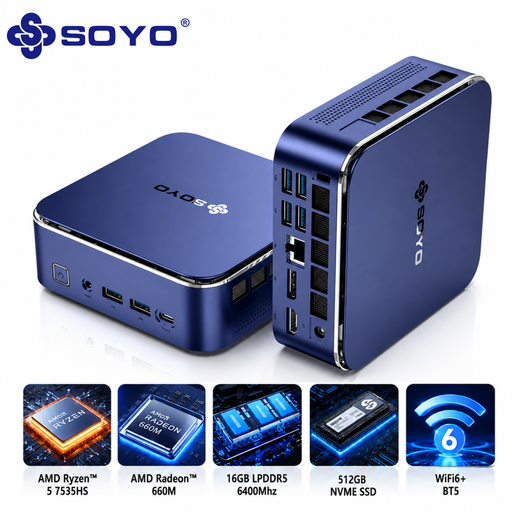
SOYO S5Air Mini PC, AMD Ryzen 5 7535HS
Worth comparing if you also want to take the listed memory and storage configuration into account for Windows testing.
Windows 11 Pro; 16 GB LPDDR5; 512 GB NVMe SSD; AMD Radeon 660M; Wi-Fi 6E and Bluetooth 5.2.
View at Joybuy
 No image available
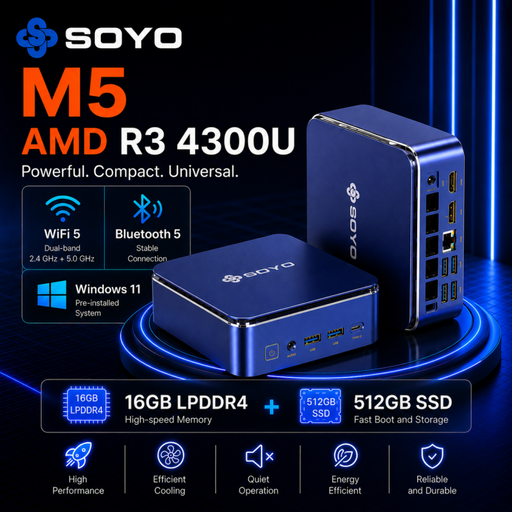
SOYO M5 Mini PC, AMD Ryzen 4300U
Worth comparing if you want to match the display outputs on this configuration to the shared desk for Windows testing.
Windows 11 Pro; 16 GB LPDDR4; 512 GB SSD; HDMI 2.0, Type-C and DP 1.4.
View at Joybuy
 No image available
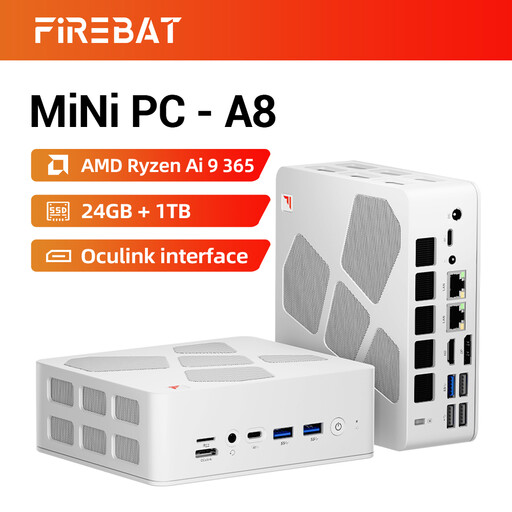
FIREBAT A8 Mini PC, AMD Ryzen AI 9 365
Compare this configuration if, as the product name suggests, your test setup includes several 4K screens.
24 GB DDR5; 1 TB PCIe 4.0 SSD; supports four 4K screens; dual 2.5G Ethernet, USB4 and HDMI 2.1.
View at Joybuy
 No image available
Lenovo ThinkCentre M70q Gen 5, Intel Core i7-14700T
Worth comparing for a Windows test setup where you’ll also need to factor the included power supply into your decision.
Windows 11 Pro; 16 GB DDR5; 512 GB SSD. According to the product information, the power adapter isn’t included. Keep the ventilation openings clear.
View at Joybuy
 No image available
MSI CUBI NUC AI 1UMG-005EU, Intel Core Ultra 7 155H
Worth comparing if you also want to take the memory and storage in the exact configuration into account for Windows testing.
Windows 11 Pro; 16 GB DDR5; 1 TB SSD. Leave plenty of space around the ventilation openings.
View at Joybuy
Frequently asked questions
Do I need Windows 11 Pro to test a desktop app?
Not for every desktop app. If you want to use Windows Sandbox, Microsoft Learn lists Pro, Enterprise and Education as supported editions. Check your app’s requirements too: meeting the minimum Windows 11 requirements doesn’t automatically mean your PC will meet the app’s requirements.
What should I arrange before colleagues take turns using the PC?
Decide who can access the PC and how test data will be managed. Microsoft Learn describes a Shared PC mode in which accounts can be deleted automatically under set conditions. The Dutch Data Protection Authority stresses that organisations must prevent unauthorised access to personal data they process. Set up the workstation to suit the data and how it will be managed.
What might I still need for a barebone PC?
Check whether memory, storage, an operating system and a power cable are included with the exact configuration. ASUS specifies that the NUC 14 Pro Kit comes without a pre-installed operating system, memory or storage; some SKUs are also supplied without a power cable.
What warranty and cancellation period apply in the Netherlands?
The Netherlands has no fixed statutory warranty period; the Dutch government explains this under product warranties. According to the Netherlands Authority for Consumers and Markets (ACM), consumers generally have 14 days to change their mind after an online purchase. ACM ConsuWijzer distinguishes between consumers and people who use an agreement mainly or exclusively for business, so check whether your order is a consumer or business purchase.
What should I check about CE marking on a mini PC?
The European Commission lists electrical and electronic equipment among the product groups that may be subject to EU CE marking rules, and explains the responsibilities of manufacturers, importers and distributors. Check the documentation for the exact configuration you receive. A CE marking statement on a product page is not, by itself, a check of that documentation.


