
Android tester
Test Android apps using virtual devices, and pay attention to memory, storage and emulator acceleration. Android Developers recommends at least 16 GB of RAM for the best emulator experience.


If you only test Android apps, compare compact Windows PCs based on installed memory, storage and practical emulator acceleration. For local iOS simulation, you need a Mac that can run the required version of Xcode. For either option, the right configuration depends on your virtual and physical test devices, and the connections you need.
Test Android apps using virtual devices, and pay attention to memory, storage and emulator acceleration. Android Developers recommends at least 16 GB of RAM for the best emulator experience.
You need local iOS simulators in Xcode, so check that the required version of Xcode is compatible with your version of macOS. Apple Developer describes the simulator as part of Xcode on macOS.
Switch between virtual and physical test devices, and consider storage and connectivity. Apple Developer notes that a simulator does not reproduce all the performance and features of a physical device.
First, decide which development environment you need: local iOS simulation requires the Xcode route on macOS, while for Android you’ll mainly want to compare the specific emulator configuration.
| Key consideration | What to look for | Who is this most important for? |
|---|---|---|
| Operating system | Check that the operating system is suitable for Android Studio or for the macOS and Xcode versions you need. Apple Developer states that the iOS simulator is part of Xcode on macOS. | If you need to test iOS locally in Xcode, that requirement determines which type of computer is right for you. Around 30% of consumers rank iOS compatibility above other buying considerations. |
| Android emulator capacity | Compare installed RAM, available storage and support for hardware acceleration. Android Developers recommends at least 16 GB of RAM for the best emulator experience. | If you use Android Studio with virtual devices, you’ll need enough space for the development environment and emulators. Around 40% of consumers prioritise Android emulator capacity. |
| Multiple test devices | Check the USB and display connections on the exact model, and allow for extra storage for additional virtual devices. Android Developers states that an extra Android Virtual Device can require up to 6 GB of additional storage. | If you switch between virtual and physical phones, you’ll want to be able to connect and test the right devices. Around 20% of consumers give multiple test devices top priority. |
| Size and what’s included | Check the dimensions, how easy the ports are to access, and what’s included with the exact model. ASUS offers several options in the NUC 14 Pro range, including mini PCs, kits and a board. | If desk space is limited and you want to set up your PC straight away, both its size and what’s included matter. Around 10% of consumers prioritise a compact, complete set-up. |
Apple offers the iOS simulator as part of Xcode on macOS. A Windows PC is therefore not suitable if you need to run that simulator locally.
Before choosing your hardware, decide whether you need to test iOS locally in Xcode. Then check which versions of macOS support the version of Xcode you need.
What’s included can vary by model. For example, the US MINISFORUM configurator lists a barebone option without RAM, an SSD or an operating system; this doesn’t necessarily tell you what’s included with an offer in the Netherlands.
Compare the full model number and check which components and software are included with the specific offer.
If the model doesn’t include memory, storage or an operating system, you may need to arrange these separately.
For Android testing, available memory, emulator settings and hardware acceleration also matter. You may also need more storage as you add virtual devices.
Compare the full configuration with the projects and virtual devices you plan to use. Check that hardware acceleration is available for your set-up.
Google Android Developers states that each additional Android Virtual Device can require up to 6 GB of extra storage.
The Mac mini is a compact option if you need Xcode and iOS simulators.
The ThinkCentre M75q Gen 5 Tiny is a compact Windows option to compare by model for Android testing.
The NUC 14 Pro range is worth considering if you’re looking at a small Windows PC or a kit you can configure yourself.
The UM890 Pro is a range to compare if expandable storage and connectivity are important to you.
This product selection features Mac mini models for anyone considering a compact desktop for local Xcode work and, potentially, Android testing. For your chosen model, check that it’s compatible with the version of Xcode you need and that the memory and storage are sufficient for your planned simulators.
 Image unavailable
The product description lists macOS; check that the version of Xcode you need is compatible with the macOS version on this model.
12-core CPU, 12-core GPU, 16 GB memory and 256 GB SSD.
Image unavailable
The product description lists macOS; check that the version of Xcode you need is compatible with the macOS version on this model.
12-core CPU, 12-core GPU, 16 GB memory and 512 GB SSD.
Image unavailable
The product description lists macOS; check that the version of Xcode you need is compatible with the macOS version on this model.
12-core CPU, 12-core GPU, 24 GB memory and 512 GB SSD.
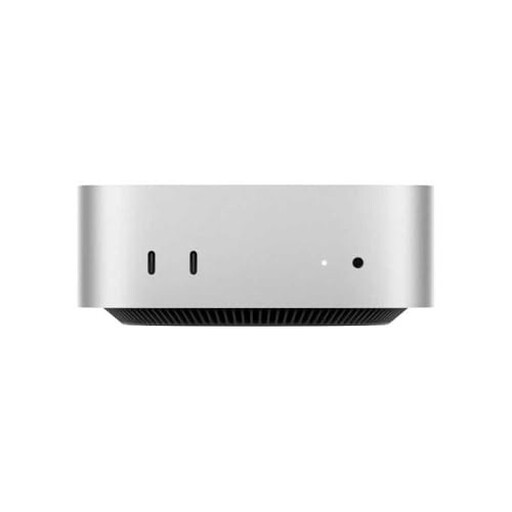 Image unavailable
The product description lists macOS; check that the version of Xcode you need is compatible with the macOS version on this model.
10-core CPU, 10-core GPU, 16 GB RAM and 512 GB SSD.
Not for the iOS simulator that Apple offers as part of Xcode on macOS. First, find out which version of Xcode your project requires, then check which versions of macOS support it.
Install Android Studio, create an Android Virtual Device and check the system requirements for your configuration. If the emulator doesn’t run smoothly, also check whether hardware acceleration is available.
No, not for every test. Apple Developer notes that a simulator doesn’t fully reproduce the performance and features of a physical device. Use a real phone when those characteristics matter.
For an online consumer purchase, you’ll generally have up to 14 days after delivery to change your mind; ACM ConsuWijzer also explains the exceptions. You’re also entitled to a statutory guarantee from the seller, depending on what you can reasonably expect from the product. These consumer rules are different from those for a business purchase.