
Writer working with lots of sources
You put together long documents with sources, images and other windows open. So, consider the memory, screen setup and compatibility with your document software.


If you already have a suitable screen and keyboard, a mini PC could be a compact option. If you also need a screen, an all-in-one brings everything together in one setup. A tower gives you a separate case and lets you choose your screen, but the configuration you select determines what else you need to add. If you’ll be writing with several windows and reference images open, compare the memory, SSD, ports and what’s included with the exact configuration.
You put together long documents with sources, images and other windows open. So, consider the memory, screen setup and compatibility with your document software.
You keep image files alongside your drafts. Compare the SSD capacity with the size of your files and arrange a separate backup. Microsoft Support explains that backups can help in situations such as accidental deletion and hardware problems.
You want a complete setup without too many separate components. Compare what’s included with the mini PC, all-in-one or tower you choose, and check which ports your existing equipment needs.
Start with what you already have: a suitable screen and keyboard make a mini PC easier to fit into your setup, while an all-in-one has the screen built in. Then look at memory, storage, software and the complete setup you’ll need.
A good fit if: you already have a suitable screen and input devices, and want to keep desk space to a minimum.
Bear in mind: the screen and keyboard may not be included. Check that the ports are compatible with your screen, too.
A good fit if: you don’t have a screen yet and want an integrated workspace.
Bear in mind: the screen size is fixed. Check that its position and ports suit your workspace.
A good fit if: you want to choose the case and screen separately, and expandability matters to you.
Bear in mind: the screen and input devices may not be included. Check how expandable the exact configuration you’ve chosen is.
| What to consider | What should you check? | Who is this important for? |
|---|---|---|
| Writing with sources and several windows open | Compare the memory, operating system, document software and ports for your screens. | When I switch between sources, drafts and images as I write, I want to know whether my programmes will fit side by side. Around 33% of consumers say writing with multiple sources is their top priority. |
| Space for images and versions | Compare the SSD capacity with your own files and keep a backup separate from your PC’s storage. | I want to keep reference images and different draft versions without relying on my PC alone. Around 25% of consumers prioritise storage space for files and versions. |
| A workspace that suits your desk | Check which screen, keyboard, mouse and ports you need, and what’s included with the configuration. | If I want to keep using my current screen or have limited space, the form factor and ports matter. Around 25% of consumers choose mainly with their physical workspace in mind. |
| Complete setup and software | Check that the screen, input devices and software you need suit your plans, and what’s included with each configuration. | I want to know in advance whether my existing software will work and what else I’ll need. Around 17% of consumers focus mainly on having a complete setup and compatible software. |
A mini PC or tower may be sold without a screen and input devices, while an all-in-one has a screen built in. The configuration determines which components you’ll need to arrange yourself.
Compare complete, usable workspaces and check what’s included with the exact configuration.
You’ll need to arrange a screen, keyboard, mouse or required software separately if they’re not included.
How much storage you need depends on the number and size of your files. In its laptop advice, the Consumentenbond recommends 256 GB for everyday office work and 512 GB or more if you have lots of large photo or video files. This isn’t a desktop test.
Estimate the size of your existing images and versions, compare the SSD capacity of the exact configuration and keep a separate backup.
There is no fixed statutory warranty period for consumer purchases in the Netherlands. Whether consumer protection applies also depends on who enters into the agreement and how the product is used.
Before buying, check whether you’re purchasing privately or on behalf of an organisation, and keep your purchase details and terms. The Dutch Government explains the statutory warranty; ACM ConsuWijzer distinguishes between consumer purchases and predominantly business use.
The ThinkCentre neo 50q is a compact business Windows setup; the IdeaCentre Tower Gen 10 is a separate case.
The OmniStudio is an all-in-one option; the Pro Mini is a separate compact PC.
The Mac mini is a compact macOS option if your writing and image software works with macOS.
ExpertCenter AiO is a range of all-in-one computers for those looking for an integrated screen.
These Joybuy products are desktop options for writing with several windows open and viewing or storing reference images. The range includes mini PCs, all-in-ones and towers.
 No image available
This tower setup is a good fit if you’re looking for a separate PC and the freedom to choose your own screen.
The product description lists Windows 11 Home, 16 GB DDR5 and 1 TB of NVMe storage. According to the product information, the power adapter must be purchased separately.
 No image available
This mini PC is a good fit for a compact workspace with a separate screen.
The product title lists 16 GB LPDDR5X and a 512 GB SSD. The product description gives its capacity as 0.65 litres and says it supports up to four independent screens. Check that the ports are compatible with your screens.
 No image available
The mini PC form factor suits a compact workspace with a separate screen.
The product title lists 24 GB LPDDR5 RAM and a 512 GB SSD. It also mentions 4K output to three screens, USB 4.0 and HDMI 2.1. Check that these ports match your equipment.
 No image available
An all-in-one could be a good fit if you want an integrated screen instead of a separate monitor.
The product description lists an integrated 23.8-inch FHD IPS screen, 8 GB memory and a 512 GB SSD. It also says the memory can’t be upgraded and that the power adapter must be purchased separately.
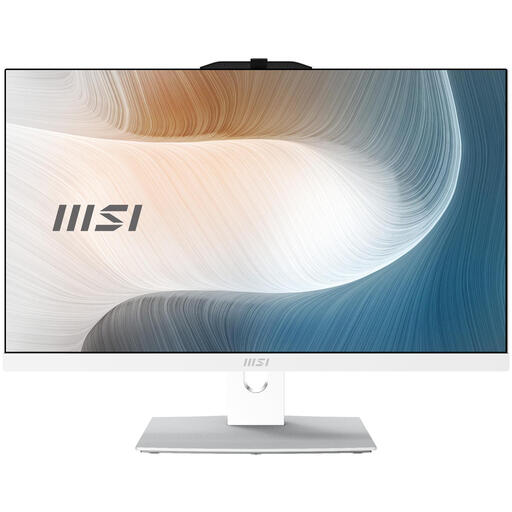 No image available
This all-in-one is a good fit if you’re looking for an integrated screen for your writing workspace.
The product title lists a 23.8-inch FHD touchscreen, 8 GB DDR5, a 256 GB SSD and Windows 11 Pro. The product description names an Intel Core 3 100U processor and says the power adapter must be purchased separately.
There’s no general requirement for a separate graphics card just to write and insert images. Microsoft Support describes inserting tables and images as a feature of document software, but do check the requirements of any image-editing software you plan to use.
Back up your files regularly so you can restore them, and keep the backup separate from the files on your PC. Microsoft Support says backups can help in situations such as accidental deletion and hardware problems. Once you’ve set one up, check that you can restore your files.
This depends, among other things, on who enters into the agreement and how the PC is used. The Dutch Government says there is no fixed statutory warranty period in the Netherlands. ACM ConsuWijzer explains that a contract used mainly or exclusively for business purposes doesn’t come with the same consumer protection. Before buying, check who the contracting party is and what the intended use is.
Not automatically. According to the Dutch Government, you generally need the creator’s permission to use other people’s copyright-protected photos. Rules on personal data may also apply when identifiable people are shown. The Dutch Data Protection Authority explains that a valid legal basis is required. Check the rights and intended distribution of each image.
Regular support for Windows 10 ended on 14 October 2025, according to Microsoft Support. If you’re buying a PC with Windows, check which version is actually installed and whether it’s supported for your intended use.