
Designer with limited desk space
Wants to keep a screen for the form without letting a separate computer take up desk space. So they compare where a mini PC can be placed with the overall space an all-in-one takes up.


A mini PC with a separate monitor is a good fit if you want to choose and position the screen yourself, and have room for the computer and cables. Choose an all-in-one if you’d rather have the computer and screen in a single unit. With either option, check the dimensions, connections and included input devices. A desktop simulation can help you assess a mobile form layout, but it doesn’t replace testing on a real mobile device.
Wants to keep a screen for the form without letting a separate computer take up desk space. So they compare where a mini PC can be placed with the overall space an all-in-one takes up.
Wants to view the form alongside development tools and check the mobile layout too. Consider the screen and connections. A simulation gives you an initial impression, but it doesn’t replace testing on a real mobile device, as Google Chrome for Developers explains.
Wants to know in advance which components come with the computer and which are still needed, such as a screen for a mini PC. Lenovo, for example, states that the ThinkCentre Tiny-In-One screen is sold separately.
A good fit for: anyone who already has a suitable screen, wants to choose its position or can keep the computer off the main work surface.
Trade-off: the screen, power supply, cables and input devices are all part of the overall setup. Check the mounting options and connections for the exact model too.
A good fit for: anyone who wants the computer and screen in a single unit and has enough room for the full screen and stand.
Trade-off: the built-in screen size is fixed, and you can’t necessarily replace just the screen or just the computer later. Adjustment options vary by model.
| What to consider | What to look for when buying | Which consumers |
|---|---|---|
| Space for the complete setup | Measure the space for the screen, stand, computer and cables. Check that the intended mounting method is compatible with the exact model. | If I have a small desk, I want to know whether everything will fit together before I choose. Around 36% of consumers are most concerned about fitting the complete setup. |
| Forms on different screens | Check the screen size, resolution and video connection on the model you’re considering. Test the finished form on a real mobile device too. | When designing, I don’t want to assess the layout only on my desktop screen. Around 29% of consumers prioritise checking how the form looks. |
| Using an editor and browser at the same time | Compare the memory, operating system and display outputs of the exact configuration with your software and preferred screens. | If I want to use the editor and browser side by side, I look at the configuration and screen connections. Around 21% of consumers pay the most attention to switching between tasks. |
| What’s included in the set | Check what’s actually included and whether you’ll still need a screen, cables, keyboard or mouse. | Before buying, I want to know which components I already have and which I still need for my workstation. Around 14% of consumers prioritise buying a complete setup. |
A compact computer doesn’t tell you how much space the complete workstation will take up. A separate screen, stand, cables and input devices all need to be factored in too.
Measure the full setup and check which components are included with the exact product.
With a mini PC, you may still need a separate screen, suitable mount or input devices. Check what you already have.
Connections, memory and options can vary between configurations. A feature listed for a product range may not be available on every model.
Compare the full model number with the configuration on offer, especially when checking display outputs and optional features.
A simulated mobile view is a useful starting point, but it doesn’t reproduce every characteristic of a real phone.
Use the simulation while designing, then check the form on a real mobile device.
The ThinkCentre M70q Gen 5 Tiny is a separate, compact business desktop for anyone who wants to choose their own screen.
HP offers both all-in-ones and a separate Pro Mini range. The right choice depends on the screen setup you want.
Mac mini is a compact desktop for anyone who wants to use macOS with their own screen.
The V400 AiO is a product range for anyone who wants the computer and screen in one setup.
Cubi 5 12M is a mini PC range for anyone looking for a separate screen and a choice of connections.
The Joybuy options below are mini PCs for a workstation with a separately chosen screen.
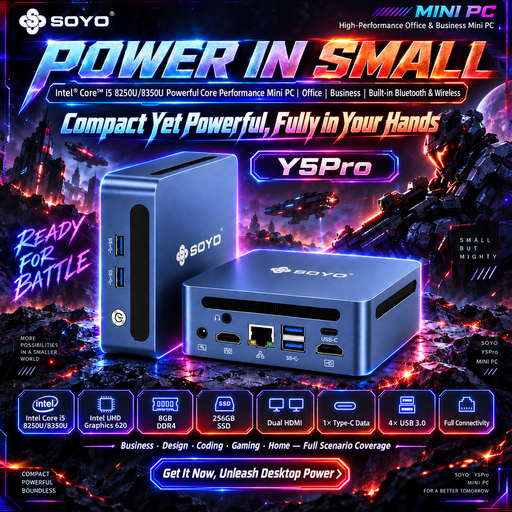 Image unavailable
A mini PC for anyone who wants to choose their screen setup separately.
8 GB DDR4 memory and 256 GB SATA SSD.
The product name lists two processor models; check which version is on offer.
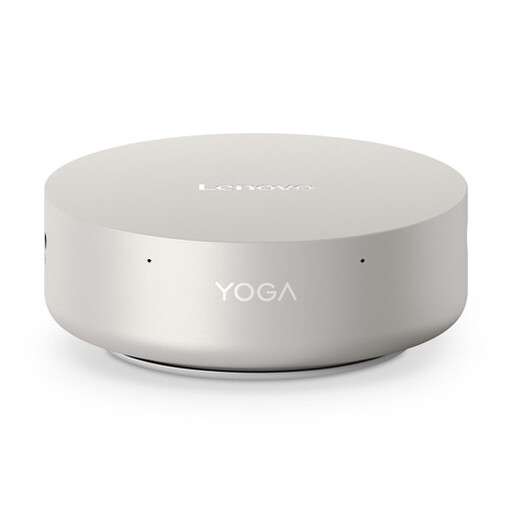 Image unavailable
A mini desktop for anyone who wants to position the computer separately from the screen.
Intel Core Ultra 5 325, 16 GB LPDDR5X and 512 GB PCIe 4.0 SSD.
The product name lists Windows 11 Home and Wi-Fi 7.
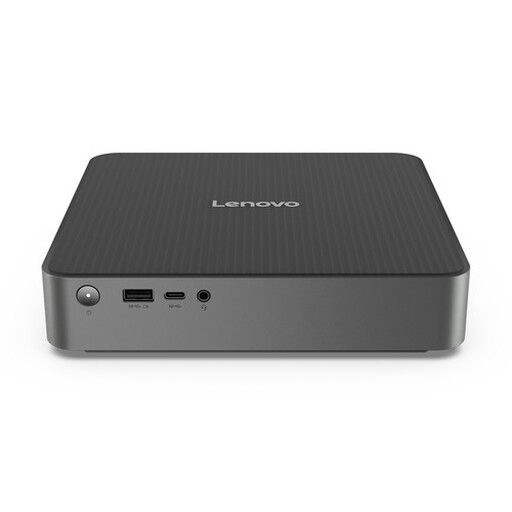 Image unavailable
A mini PC for anyone looking for a separate computer and screen setup.
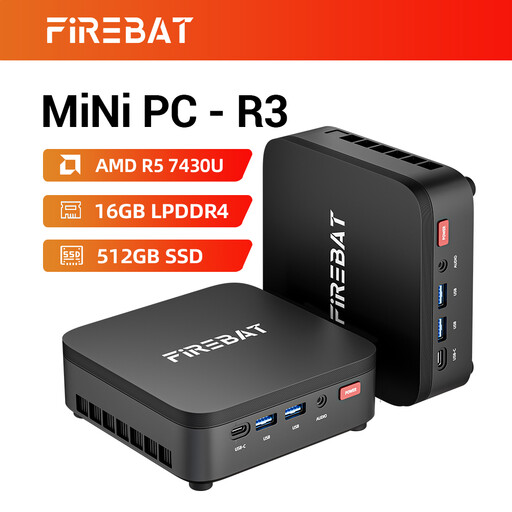 Image unavailable
A mini PC for a workstation where you choose the screen separately.
16 GB RAM and 512 GB SSD.
The product name lists support for three screens, Wi-Fi 6 and Bluetooth 5.2.
 Image unavailable
A mini PC for anyone who wants to keep the computer compact and choose a separate screen.
Intel Core Ultra 7 155H, 16 GB DDR5 and 1 TB SSD.
The product name lists Windows 11 Pro.
No. You can start by simulating a mobile screen size in Chrome DevTools. Google Chrome for Developers describes this as a first step; to assess the form properly, check it on a real mobile device.
No. Check the mounting method for the specific computer, whether it’s compatible with the screen, and whether there’s room for connections and ventilation. Lenovo describes mounting behind a screen for the specified ThinkCentre Tiny model, not for every mini PC.
According to ACM ConsuWijzer, online consumer purchases generally come with a cooling-off period of up to 14 days after delivery, subject to legal exceptions. Your statutory guarantee depends on what you could reasonably expect from the product under normal use. It is separate from any manufacturer’s warranty.
For employees working from home, the Dutch government describes the employer’s duty of care and the need for an ergonomically sound home-working setup. This only applies if your circumstances meet those conditions.