When daylight is a nuisance, both brightness and reflection handling matter. A high brightness claim alone won’t tell you how distracting a window’s reflection will be on screen. If you can limit the light and deep blacks matter to you, OLED may be worth considering. The Consumers’ Association notes that OLED generally offers deeper blacks, but you’ll need to assess the specific screen with your own films and viewing setup.
Who is this choice relevant to?
Daylight viewer
You watch silent films with windows or lamps that may be visible on screen, and want to know first whether the picture and intertitles will remain legible. The Consumers’ Association and RTINGS highlight daylight and reflections as factors to consider when watching TV.
Black-and-white film enthusiast
You want to preserve the distinction between dark and light areas of the picture, and may be able to limit the incoming light. The Consumers’ Association identifies black levels and picture settings as factors worth considering.
Film-edit viewer
You watch different restorations or editions and care about the correct playback speed and smooth motion. The British Film Institute explains that films from the early period were not all shown at the same speed.
What should you look for when choosing?
Mini LED LCD
Choose this option if: you often watch during the day and it’s difficult to limit the incoming light. Compare specific models for both brightness and reflections.
Bear in mind: mini LED is a type of LCD backlighting and doesn’t guarantee that a screen won’t reflect a window. Also assess dark scenes and greyscale tones.
OLED
Choose this option if: deep blacks are a priority or you can block out the windows while watching. The Consumers’ Association says OLED TVs generally offer a wider viewing angle and deeper blacks.
Bear in mind: according to the Consumers’ Association, QLED LCD TVs can often produce higher brightness. Check how reflections perform on each OLED model in your own room.
These four factors can help you match your choice to your viewing space, film editions and seating arrangement.
| Factor to consider |
What to check when buying |
Who should pay extra attention? |
| Visibility and reflections |
Check information on direct reflections and brightness. If possible, assess a familiar scene in similar room lighting. |
If I watch during the day and windows or lamps may be in view, I want to know whether the picture and intertitles will remain legible. Around 36% of consumers prioritise daylight visibility and reflections. |
| Greyscale tones and dark details |
Compare both light and dark areas of a familiar black-and-white scene in the room where you plan to watch. |
If you mainly want to preserve the difference between black, grey and lighter parts of the picture, a careful comparison is worthwhile. Around 29% of consumers give greyscale tones and dark details top priority. |
| Film edition and motion |
Check the specific film edition and source, then compare the TV’s motion settings. |
If I watch different historical editions, I want to know what speed the source delivers before assessing the TV settings. Around 21% of consumers prioritise film edition and motion. |
| Seating position and screen size |
Assess the picture from your usual seats, and measure the available space and viewing distance. |
With a sofa that has several seats, I want to know how the picture looks from the side and what screen size suits the viewing distance. Around 14% of consumers prioritise seating position and screen size. |
Common mistakes
-
Relying on a high brightness claim alone
A bright screen can still reflect a distracting window. RTINGS assesses reflections separately from brightness when reviewing TVs for bright rooms.
Check where your windows and lamps are, and look for reflection information for the specific model as well as its brightness figures.
-
Assuming 24p will show every silent film at the right speed
The intended projection speed varied from one early film to another. The speed of the edition and the way the TV processes it are not the same thing. The British Film Institute discusses this variation in film history.
Check the specific edition and source before assessing the TV’s motion handling.
-
Assuming built-in film apps will always be available
The Consumers’ Association points out that apps can disappear from a smart TV over time.
Check which sources you use and whether you can connect an external media player via HDMI.
If you rely on a built-in app, you may need a separate media player later.
Brands to compare
TCL
The 55C7K is a Dutch-market QD mini LED LCD option to consider if daylight viewing matters.
- TCL cites dimming and an HDR brightness claim for the C7K series.
- The figure of up to 2048 zones applies to the series range; it isn’t a confirmed figure for the 55C7K. On its own, it doesn’t tell you how much a window will be reflected on screen.
Samsung
The QE55S95HFTXXN is a 55-inch OLED option for weighing up black levels and reflections.
- Samsung says the S95H features Glare Free and describes how the coating works.
- This is a statement from Samsung, not an independent measurement of this screen size in your living room.
Philips
The 65PML9009/12 is a 65-inch QD mini LED LCD option with Ambilight.
- Philips confirms the screen technology, 65-inch size and Ambilight.
- These features don’t provide a comparative measurement of reflections or black-and-white film performance, so assess those separately.
LG
The OLED55B6ELC is a 55-inch OLED model to compare for black levels and viewing angle.
- The product listing confirms the OLED screen and size.
- These model details don’t show how the screen handles reflections in daylight.
Joybuy products
This selection includes mini LED TVs, an OLED TV and QLED models to consider when comparing options for watching films in a bright living room.
 Image unavailable
LG QNED85B6B QNED Evo Mini LED 4K Smart TV
Consider this mini LED model when comparing LCD options for watching films in a bright room.
QNED Evo Mini LED; 4K; Smart TV.
Joybuy
 Image unavailable
TCL 50Q6C QD Mini LED TV
Consider this model if you want to compare a QD mini LED TV for watching films in a bright living room.
50 inches; 4K; 1000 nits; 144 Hz.
Joybuy
 Image unavailable
METZ 86MQE8000Z 86-inch QLED Google TV
Compare this large QLED model with the space, viewing distance and seating positions in your living room.
86 inches; 4K HDR10+; 144 Hz.
Joybuy
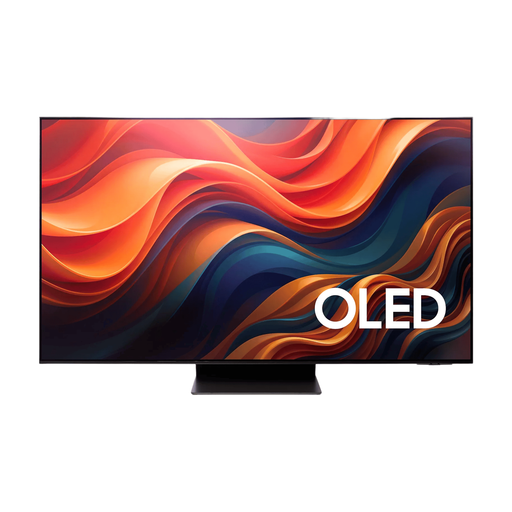 Image unavailable
Samsung 65-inch S95H 4K OLED TV
Consider this OLED model if deep blacks matter to you. Compare the reflections on the specific model with your viewing setup.
65 inches; 4K; OLED.
Joybuy
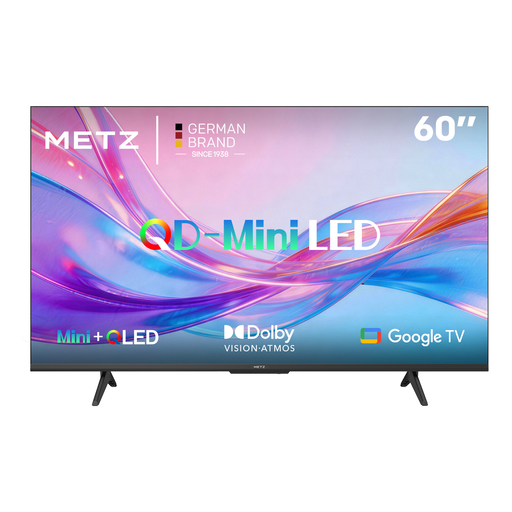 Image unavailable
METZ 60MNH7000Z QD Mini LED TV
Compare this QD mini LED model with other screen types, and check that the screen size suits your viewing distance.
60 inches; 60 Hz; Full Array Local Dimming.
Joybuy
Frequently asked questions
Does a TV need to play silent films at 18 frames per second?
Not as a general buying requirement. The British Film Institute explains that the intended speed could vary from one early film to another. In the example of Battleship Potemkin, a presentation at around 18 frames per second is encoded on a Blu-ray that plays at a nominal 24 frames per second. Check the specific edition, then see how your player and TV display it.
How should I set up the picture for black-and-white films?
Use your usual room lighting, choose a picture mode you like, and check with a familiar scene that light and dark details remain visible. This is viewing advice from the Consumers’ Association, not a required setting for every model.
What if a film app disappears from my smart TV?
Check which sources you use and whether you can connect an external media player via HDMI. The Consumers’ Association notes that apps can disappear and suggests a separate media player as one possible solution.
What warranty and cooling-off period apply to online purchases in the Netherlands?
According to the Dutch government, the seller is responsible for ensuring the product is fit for purpose and is your point of contact if there’s a problem. For distance purchases, the seller must tell you about the cooling-off period, which is usually 14 days. This doesn’t mean that every TV sold in the Netherlands has a fixed statutory warranty period of exactly two years.
How can I compare TVs’ energy consumption?
Check the EU energy label and product information for the exact model in EPREL. The EU label uses a scale from A to G for TVs. It helps you compare energy consumption, but doesn’t tell you whether a TV is suitable for silent films.


