What should you look for when buying?
First compare how well the picture can be seen in your room and from the seats you use. Then check which gaming features your console and games actually support.
| Buying consideration |
What to look for |
Who it matters to |
| Visibility in a bright room |
Compare the brightness and anti-reflection treatment of the specific model; consider windows and lamps opposite the screen. |
If I play during the day or with the lights on, I want to minimise distracting reflections and keep the picture easy to see. Around 28% of consumers give visibility in daylight top priority. |
| Viewing angles for multiple players |
Check the picture from the outer seats, under the lighting you usually play in. |
If we’re spread across the sofa, I want players sitting at the sides to be able to follow the picture clearly. Around 28% of consumers prioritise visibility from an angle. |
| Responsive, smooth gameplay |
Check the gaming mode, refresh rate and VRR support for the console and games you use. |
If controls need to feel immediate, I want to know which features my games and console support. Around 17% of consumers say responsiveness and smooth gameplay are their biggest buying considerations. |
| Size to suit your seating arrangement |
Measure the viewing distance and available width; check the dimensions with the stand, too. |
If several of us need to see the details, I want a screen size that suits our viewing distance and furniture. Around 16% of consumers give getting the right size top priority. |
| Running costs and aftercare |
Compare energy labels and stated SDR and HDR power consumption; check what an additional service offers beyond your statutory rights. |
If I also need to consider electricity use and help if something goes wrong, I want to take those points into account alongside the purchase. Around 11% of consumers give the most weight to running costs and aftercare. |
Relevant brands to compare
The features mentioned apply to the specific models and product ranges below; a brand name alone doesn’t determine how a TV will perform in your room.
Samsung
The S95H is an OLED option and the QN90F a Mini-LED option to compare in ambient light.
- Samsung lists Glare Free for these specific models.
- That model designation doesn’t prove that every Samsung model or lighting situation will perform the same way; check reflections in your own room.
LG
The OLED55C5ELB available in the Netherlands is an OLED option to consider when weighing viewing angles and console features against brightness and reflections.
- LG Netherlands lists 120 Hz native, VRR up to 144 Hz and a gaming dashboard for this variant.
- The stated maximums won’t necessarily apply to every source or game; check visibility in your own room, too.
TCL
The 55C6K available in the Netherlands is a QD-Mini-LED model to compare if you’re considering brightness and gaming features.
- TCL Netherlands lists a native refresh rate of 144 Hz for the 55C6K.
- TCL’s claims about higher brightness or contrast are manufacturer claims, not an independent comparison with all OLED models.
Hisense
The 55U7Q available in the Netherlands is a Mini-LED option to include when comparing TVs for a bright room.
- Hisense lists VRR, VIDAA and 144Hz Game Mode PRO for this model.
- The specifications don’t tell you how the picture will look from every angled seat or how it will fare with the windows in your room.
Sony
BRAVIA 8 is an OLED option to compare for shared viewing and PlayStation features.
- Sony lists support for gaming features on the product page.
- According to Sony, 4K/120 fps and VRR depend on game support; PS5 VRR also requires up-to-date system software.
Joybuy TVs for this situation
This Joybuy selection includes both Mini-LED and OLED models with the gaming features listed. For each TV, compare the size, connections and stated features with your seating arrangement and equipment.
 No image available
LG 55QNED93B6A 55-inch QNED Evo AI Mini LED 4K TV
A Mini-LED option to compare if you’re considering gaming features and use with compatible equipment.
55 inch; 4K; 120 Hz native; VRR up to 144 Hz; HDMI 2.1; FreeSync; four HDMI inputs.
View at Joybuy
 No image available
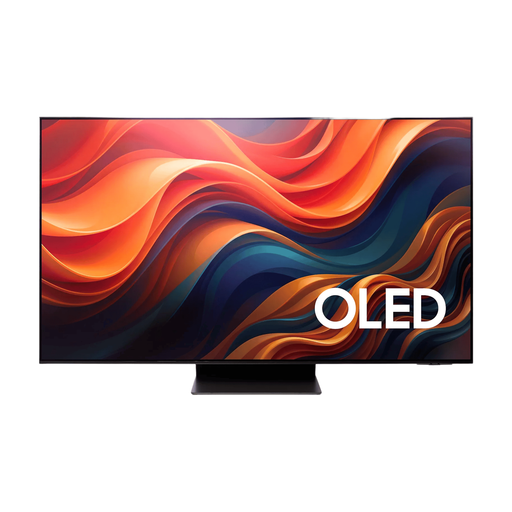
Samsung 65-inch S95H 4K OLED TV
An OLED option to compare if you also want to assess the advertised anti-reflective screen and gaming features.
65 inch; 4K; 165 Hz native; VRR; ALLM; four HDMI 2.1 ports; FreeSync Premium Pro.
View at Joybuy
 No image available
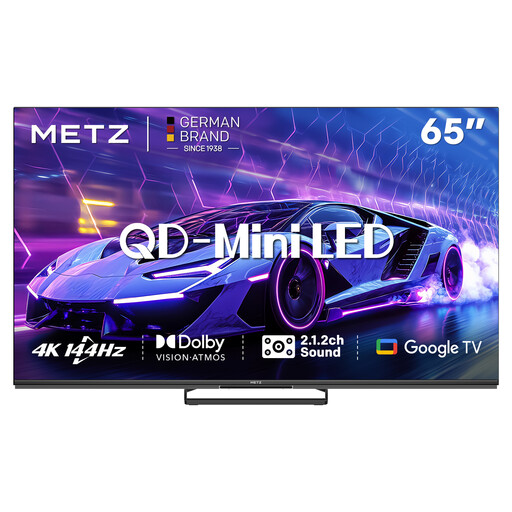
METZ 65MNE8000Z 65-inch QD-Mini LED TV
A QD-Mini-LED option for anyone comparing larger screens and gaming features; check the picture from the outer seats, too.
65 inch; 4K; 144 Hz; VRR; ALLM; Game Mode; HDMI 2.1; integrated 2.1.2 sound system.
View at Joybuy
 No image available
TCL 75Q7C 75-inch 4K Mini LED TV
A large-screen Mini-LED option. Measure the viewing distance and available space first, and check that the connections suit your equipment.
75 inch; 4K; 144 Hz VRR; HDMI 2.1; ALLM; FreeSync Premium Pro.
View at Joybuy
 No image available
LG OLED55G68LW 55-inch OLED Evo AI G6 4K TV
An OLED option with the gaming features listed; before buying, check that wall mounting suits your setup.
55 inch; 4K; 120 Hz native; VRR up to 165 Hz; ALLM; integrated wall bracket. A table-top stand is not included.
View at Joybuy
Frequently asked questions
Do you always need a 120 Hz TV for local co-op?
No, choose a TV to suit the console and games you use. A 120 Hz TV can display higher frame rates when the game and console support them; VRR also requires support from the equipment and game you’re using.
Where should you start when positioning your TV?
Measure the viewing distance, check how much space you have on your furniture, and see where windows and lamps might reflect in the screen. Then check the picture from the outer seats.
How do you compare TVs’ power consumption?
Compare the EU energy label and the model’s SDR and HDR power consumption figures. The European Commission says the label helps you compare electronic displays, including TVs. To work out your own electricity costs, you’ll also need to know how long you use the TV and your electricity tariff.
Do you need a paid extended warranty for your statutory guarantee?
No, according to ACM ConsuWijzer, your statutory guarantee is separate from a commercial warranty. If a product breaks under normal use sooner than you could reasonably expect, the retailer is responsible for providing an appropriate solution; there is no fixed general warranty period in the Netherlands.
What energy labelling rules apply to a new TV?
EU rules for electronic displays cover televisions and set requirements for energy labels and product information for suppliers and retailers. The energy label isn’t a permit or registration that you need to apply for as a buyer.


