Start by considering the light in your room, then assess both brightness and reflections from where you’ll be playing. Choose a screen size that’s easy to see from every seat. Mini-LED and OLED could both work, but the exact screen finish and placement will affect reflections. For fast-paced matches, also check that your TV, console or PC and game all support the refresh rate and features you want.
Who is this choice relevant to?
Gamers with plenty of daylight
You play during the day in a living room with windows or lights that could reflect on the screen. Check visibility from your usual playing position; RTINGS.com notes that reflection handling affects how well a screen deals with glare.
Players who want responsive controls
You want your actions to appear on screen quickly, so check whether your console, game and TV support the output you want when used together. PlayStation distinguishes between compatible TVs and games for 120Hz output.
Friends playing together on the sofa
You’ll want both players to be able to see the pitch and game information from where they’re sitting. Compare the screen size and viewing experience of the exact TV version; TCL Netherlands and LG Netherlands offer examples of ranges with different screen sizes.
What should you look for when buying?
Mini-LED
Best for: anyone who places a high priority on daylight viewing and a large screen.
Trade-off: a quoted peak HDR brightness figure alone won’t tell you how the screen handles reflections from windows.
OLED with reflection handling
Best for: anyone comparing OLED TVs who can find a version with a screen finish suited to the light in their room.
Trade-off: don’t rely on the OLED label alone; check the reflection handling on the exact model.
| What to consider |
What should you check? |
Who is it for? |
| Screen visibility in daylight |
Assess the brightness and reflection handling of the exact model, with windows and lights in their usual positions. |
If I play during the day and light could fall on the screen, I want to be able to see the pitch clearly from my seat. Around 36% of consumers say daylight visibility is their main concern. |
| Responsive, smooth gameplay |
Check the game mode, VRR and supported output of the specific TV, console or PC, game and HDMI connection. |
If I want to react quickly, I check whether my equipment supports the features I want when used together. Around 29% of consumers give controls and responsiveness top priority. |
| Screen size and visibility from multiple seats |
Measure the available space and assess the screen from seats to the side. |
If we’re playing with friends, I want everyone to be able to follow the pitch and game information. Around 21% of consumers place the greatest importance on screen size and visibility from different seats. |
| Total purchase and running costs |
Compare the exact version, its energy label for SDR and HDR, any installation costs and paid-for additional cover. |
If I want to keep total spending under control, I compare energy use and any services as well as the TV itself. Around 14% of consumers put cost ahead of other buying concerns. |
Common buying mistakes
-
Comparing brightness claims alone
Reflections from a window can be distracting, even if a TV is advertised as bright.
Compare the brightness and reflection handling of the exact version, and assess the screen from the places where you’ll be playing.
-
Assuming 144 Hz on the box means 144 frames per second in every game
A higher quoted panel refresh rate doesn’t automatically mean the console or game will output at that rate. PlayStation lists 120Hz output for compatible TVs and games.
Check the capabilities of your console or PC, game, TV and HDMI connection together.
-
Assuming paid-for extra cover is your only protection if something goes wrong
The Dutch government distinguishes between statutory consumer rights and a manufacturer’s guarantee or additional cover you buy.
Check what additional cover includes. If a product is faulty, contact the seller.
Brands to compare
Samsung
The 65-inch S95H available in the Netherlands is an OLED option worth considering if reflection handling and gaming features matter to you.
- Samsung Netherlands lists a ‘Glare Free’ finish for the QE65S95HFTXXN.
- Check the exact size and version; the product name alone won’t tell you how it will handle reflections in your room.
TCL
The C7K range available in the Netherlands includes a QD-Mini-LED option in several sizes, giving you a choice to compare screen size and gaming features.
- TCL Netherlands lists a native refresh rate of 144 Hz for the 65C7K.
- Manufacturer claims about HDR brightness aren’t an independent measure of visibility or reflections in your living room.
LG
The QNED86 range available in the Netherlands is a Mini-LED option to compare with other sizes and screen types.
- LG Netherlands lists versions including the 75QNED86A6A.
- Features of one size or version don’t necessarily apply to every model in the range; check the version you’re considering.
Sony
The BRAVIA 7 K-65XR70 is a Mini-LED option to compare if you’re looking for a quoted 120 Hz panel.
- Sony Netherlands specifies an LCD screen with Mini-LED backlighting and a 120 Hz refresh rate for the K-65XR70.
- The specification page doesn’t confirm an anti-reflective finish for this model, so don’t assume it has one without checking the version.
Philips
The 65OLED850/12 is an OLED option to consider if Ambilight is also part of your decision.
- Philips lists Ambilight and a 144 Hz refresh rate for this model.
- Philips’ claims about picture quality in different lighting conditions are no substitute for an independent assessment of reflections where you’ll be playing.
Joybuy products
This selection includes OLED TVs and a Mini-LED TV for playing football games together. Compare the screen size, reflection handling and supported gaming features of each version.
 No image available
LG OLED55G68LW 55-inch OLED evo TV
A 55-inch OLED version to compare if reflection handling and gaming features matter to you.
The product description lists Reflection Free Premium, 120 Hz native, VRR up to 165 Hz, ALLM and HDMI 2.1.
View at Joybuy
 No image available
Samsung QE55S99HATXXN 55-inch QD-OLED TV
A 55-inch version to compare if you play together and want to factor in the screen finish.
The product description lists an anti-reflective screen, 100 Hz native, Game Mode, VRR, FreeSync and four HDMI 2.1 ports.
View at Joybuy
 No image available
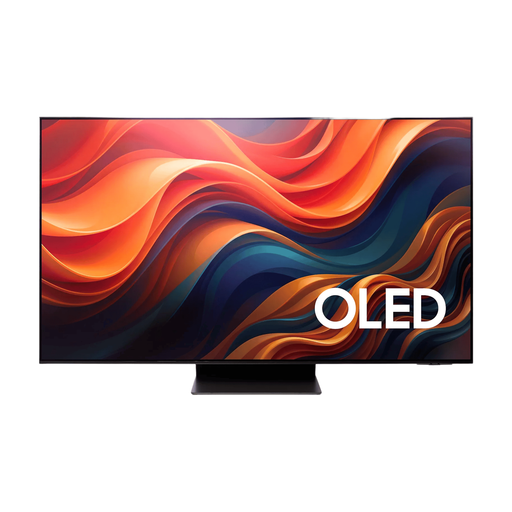
Samsung 65-inch S95H 4K OLED TV
A 65-inch OLED version to consider if screen size and reflection handling matter to you.
The product description lists an anti-reflective screen, 165 Hz native, VRR, ALLM, FreeSync Premium Pro and Gaming Hub.
View at Joybuy
 No image available
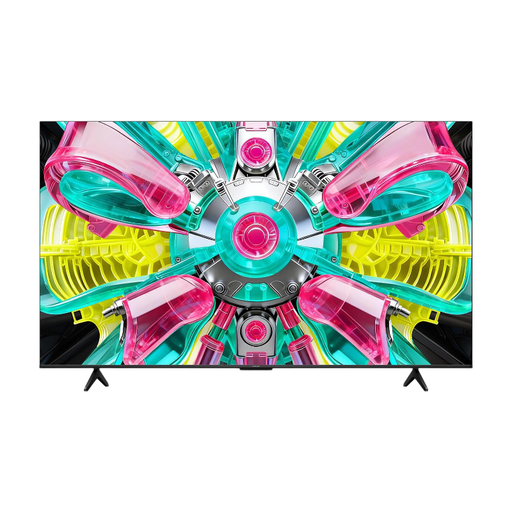
iFFALCON 65U75A 65-inch 4K QLED TV
A 65-inch version to compare if several players will be watching from different seats.
The product description lists 144 Hz, VRR, Game Mode and HDMI 2.1. It also specifies a 178° viewing angle and 350 cd/m²; assess the screen from your own seating positions.
View at Joybuy
 No image available
TCL 75Q7C 75-inch 4K QD-Mini-LED TV
A 75-inch Mini-LED version to compare if a large screen for playing together is your priority.
The product description lists Full Array Local Dimming, 144 Hz VRR, HDMI 2.1, ALLM and FreeSync Premium Pro. The quoted brightness is 3.000 nits; this isn’t an independent measure of visibility in your living room. The product name states a 5-year guarantee; check the terms.
View at Joybuy
Frequently asked questions
Do I always need a TV with more than 120 Hz for football games?
No. For 120Hz output on a PS5, both the TV and the game must support 120 Hz. On the console, check the output and information about the connected HDMI device under ‘Settings > Screen and Video’. A higher panel refresh rate doesn’t mean every game will use it.
How can I check that the gaming features work after connecting everything?
On a PS5, check the information about the connected HDMI device in the video output settings, including resolution and VRR. Which features are available depends on the connected TV and other equipment.
How can I compare electricity use without estimating an annual cost?
Compare the energy labels for the exact TV models. The European Commission says the label shows information for SDR and HDR. Your personal annual energy use also depends on how long you use the TV and your electricity tariff.
What are my rights when buying online or if a product is faulty?
According to the Dutch government, online purchases from a business generally come with a 14-day cooling-off period. In the Netherlands, statutory consumer rights also apply, with no fixed statutory guarantee period. If a product is faulty, contact the seller; a manufacturer’s guarantee or paid extension doesn’t replace those rights.
Does a TV need an energy label?
EU energy labelling rules apply to electronic displays that fall within their scope. The European Commission explains the label and how to compare model information in EPREL. Check the label for the exact version.


